> This is part 1 of 2 of the full documentation (pages 1–100 of 136).
> The content is paginated: fetch every part to see all of it.
> Next part: https://changelog.visilean.com/llms-full.txt/1
> Page index: https://changelog.visilean.com/llms.txt
# Changelog
This section will keep you updated on the latest features and releases done by VisiLean.
Stay up-to-date with all the exciting updates, enhancements, and new features we've been working on. Our changelog provides a comprehensive overview of the latest changes to VisiLean, ensuring you never miss a beat. Whether you're a current user or considering adopting VisiLean for your project management needs, this page is your go-to resource for all things new and improved.
With VisiLean's commitment to continuous improvement and innovation, we strive to make your experience even more seamless and productive. Our team of developers and engineers are constantly refining the platform to meet the evolving demands of the construction industry. From minor bug fixes to major feature releases, we ensure that every update brings value to your workflow.
As you explore the changelog, you'll find a curated list of updates accompanied by relevant URLs. Each entry represents a specific change or addition, allowing you to delve deeper into the details that matter to you most. These URLs will guide you to more information, release notes, documentation, or even direct access to the feature itself, ensuring you can make the most of every improvement.
We encourage you to bookmark this page and check back regularly, as our changelog is updated frequently. By staying informed about our latest developments, you can take advantage of new functionalities, streamline your processes, and leverage VisiLean to its full potential. Our commitment to transparency means you'll always be in the know about what's happening behind the scenes.
At VisiLean, we value your feedback and input. If you have suggestions, ideas, or encounter any issues while using the platform, please don't hesitate to reach out to our support team. Your input helps us shape the future of VisiLean, ensuring that it remains a cutting-edge solution tailored to your needs.
# Release 5.0 2026
We're back with the exciting new updates!
### 🌟 Precision Model Filtering: AND/OR Logic in the New 3D BIM!
The Filter Model Elements modal in the new 3D BIM now puts a selectable AND/OR operator between each adjacent pair of conditions, replacing the implicit OR that previously combined them. Where every condition you added used to widen the result set, you can now narrow it isolating the elements on one level that also belong to one category, instead of everything on that level plus everything in that category. Operators can be mixed within a single filter, so one expression can both narrow and widen exactly where you need it to. Your operator choices are stored with the filter, meaning a saved filter reproduces the full logic rather than just the list of conditions. Filters created before this release are migrated to an explicit OR and return the same results as before, so nothing you have already built needs rework. Model filtering now expresses what you actually meant.
Read more 👇
{% content-ref url="/pages/9EF4jusTs2RsLEBZTwxG" %}
[Precision Model Filtering: AND/OR Logic in the New 3D BIM](/changelog/release-5.0-2026/precision-model-filtering-and-or-logic-in-the-new-3d-bim)
{% endcontent-ref %}
### 🔨 Improvements
**Gantt View**
* [ ] Progress and end milestone interoperability with Primavera P6 has been redefined. The Activity % Complete column in P6 now maps to the Progress column in VisiLean, so progress reports stay accurate even when the measurement method changes in P6 between Physical and Duration.
* [ ] The "Restrict Vertical Drag and Drop" setting now also blocks Indent/Outdent for all users, closing the second route by which tasks could be re-parented and the approved WBS broken.
* [ ] CSV imports now show a screen-blocking loader from the moment you click Upload until plan processing completes replacing the silent freeze that made it look like the import had already finished.
* [ ] Updating a task status while its predecessors are still open now returns a clear message: "Complete all predecessor tasks before updating this task status." A "View Details" action opens the Advanced Relationship section of the Property Panel, so you can see exactly which task is holding it back.
**Project Duplication**
* [ ] "Takt Zones" has been added to the Duplicate Project configuration list on the Project Navigation listing screen. Zone names and their full hierarchy carry into the new project, removing hours of manual zone rebuilding.
**Reports Panel**
* [ ] Name search is now available in the Reports and Templates panels, so you can find a known report or template without working down deep folder trees fewer clicks, and fewer duplicates created because the original couldn't be found.
**Takt View**
* [ ] All wagons in the Takt Visualiser can now be expanded or collapsed in one click from the header for the whole project, or from a zone's right-click menu for a single zone. The state behaves as a persistent mode that survives navigation and filtering, and applies automatically to wagons that enter the view later, including those created through Duplicate with Tasks.
**General**
* [ ] A project-level toggle now lets you hide the Old Constraints Log from the navigation bar. It is ON by default and affects visibility only no data is changed.
* [ ] The colour-circle legend from the Gantt view is now available in the Table, Scheduler and Takt views. The modal opens on the tab that matches what the view is currently colouring by, whether that's trade or status.
# Precision Model Filtering: AND/OR Logic in the New 3D BIM
Filtering a federated model is rarely a single-condition job. You want the mechanical elements on Level 4 not every mechanical element in the building plus every element on Level 4. Until now, each condition added in the Filter Model Elements modal was combined with an implicit OR, so every condition you added widened the selection instead of tightening it. Building a targeted set meant filtering broadly and hunting through the result, or running several filters in sequence and reconciling them by eye.
#### Why This Matters
Model element filters decide what your team sees and works on during a coordination review, a 4D sequence check, or a progress walkthrough. When a filter can only widen, the effort shifts from the model to the mechanics: repeated passes, manual cross-checking, and filters that are rebuilt from scratch each session because they were never quite right to begin with. The subtler cost is confidence. An over-broad filter still looks correct on screen, and elements that were never in scope end up discussed, linked, or reported on. The larger the model, the more that gap matters.
#### What's New?
* **A selectable AND/OR operator between each adjacent pair of conditions** in the Filter Model Elements modal, replacing the implicit OR that combined them previously.
* **Mixed logic within a single filter** set AND between one pair of conditions and OR between the next, so one expression can narrow and widen exactly where you need it to.
* **Operators saved with the filter**, so reopening a saved filter reproduces the full logic and not just the list of conditions.
* **Automatic migration for existing filters**, which are converted to an explicit OR and continue to return the results they always have.
#### How It Helps
A Design Manager preparing a coordination review filters for elements on one level AND in one category, isolating the services actually under review rather than the whole floor. The filter is saved with its logic intact, so next week's review opens on the same scope without rebuilding.
A Planner linking model elements to a finishing sequence uses OR to gather several element categories in one pass, then adds an AND condition to restrict the whole set to a single zone. What previously took three separate filters now takes one.
A Project Manager reviewing progress across repeat floors saves one filter per floor block, each combining its conditions with the right operators, and switches between them mid-walkthrough instead of reconfiguring the modal each time.
{% hint style="info" %}
#### Key Considerations & Caution Points
**Existing filters behave exactly as before:** any filter saved prior to this release is migrated to an explicit OR between its conditions, matching the logic it previously ran on. You only need to revisit a filter if you want to tighten it.
**Available in the new 3D BIM:** the configurable operator sits in the Filter Model Elements modal in the new 3D BIM.
{% endhint %}
# 5.1 Gearing up for Hourly Granularity in Visilean
A daily programme tells you what should happen on Tuesday, but not whether the pour starts at 06:00 or 13:00. On shutdowns, night possessions, takt trains and tight floor cycles, that gap is where time gets lost. To close it, we've reworked VisiLean's scheduling architecture under the hood to work in hours and minutes, not just days. Hourly Planning is the first step built on that foundation, letting you plan, run and measure work at the resolution your site actually works at.
#### Why This Matters
When planning stops at the day, slippage inside a shift stays invisible until it becomes a lost day. Start times live on paper, stops for a late permit or broken-down plant go unrecorded, and a delay only reaches the next trade by phone. Without hourly actuals, PPC shows whether work got done, not whether it got done when committed. Hourly Planning records what happens against the plan, to the minute, and carries the consequences downstream automatically.
#### What's New?
* **An hourly project, set up at creation.** Enable Hourly Planning on a new project, pick its time zone, working calendar and a 15, 30 or 60-minute time step. Start and Complete then capture the exact time automatically.
* **A working calendar that drives everything.** Define working hours, breaks and non-working days per weekday, and edit them at any time. Tasks can run on their own calendar, such as a night shift, and starts outside working hours are rejected with the next available slot suggested.
* **Durations in working time.** On a 06:00–14:00 calendar with a 10:00–10:15 break, a 4 h task starting at 07:00 ends at 11:15. Pushes skip breaks and evenings, and unfinished tasks stay In Progress overnight without counting time.
* **Start, Pause and Complete from site.** Start records the exact time and runs a timer that excludes breaks. Pause logs each stop with a reason, such as Material Shortage or Permit Delay, and Complete records the finish, calculates variance and updates downstream tasks.
* **A live ETA with confirmed rescheduling.** The ETA updates on every start, pause and resume, and turns red once past the planned finish. Before dependent tasks move, you review every affected task, current versus new time, and confirm or cancel.
* **Notifications and reminders.** The assignee and supervisor are alerted when a task hasn't started 15 minutes after its due time or runs past its planned finish. Owners are told when an upstream slip moves their task, and start reminders fire 5–30 minutes ahead.
* **Hours across every view.** The Scheduler gains an Hourly view grouped by User, Trade, Location or Zone, with cards sized by duration. Gantt, Takt, Table, Dashboard and 4D BIM all show hourly times, and a time-range filter works across them.
* **The shift on mobile.** A Today timeline and an hour-grid Timeline view show the shift at a glance, with cards coloured by status. The timer shows the ETA and reads "On Break" while paused.
* **Daily PPC and Planned vs Actual.** Daily PPC compares tasks finished at or before their planned finish against tasks planned for today, with a 7- or 14-day trend. Planned vs Actual shows start and finish variance, filterable by date, location, person and status.
* **Power BI and event feeds.** Task times, variance, pause records and Daily PPC feed Power BI. Event subscriptions cover start, pause, resume, completion, hold, reschedule and delay.
#### How It Helps: Three Example Use Case Scenarios
A Planner preparing a fit-out sequence for a night possession puts the MEP crew on a night-shift calendar and drags a proven first-fix template onto the hourly Scheduler. When a late start pushes the chain, the confirmation list shows exactly which tasks move and by how much before anything changes.
A Site Engineer starts drilling at 07:00, then pauses for 30 minutes for a late delivery, logged as Material Shortage. The ETA moves out by 30 minutes, the supervisor is alerted once the planned finish passes, and the downstream task owner learns their start has moved without a phone call.
A Project Manager sees a Daily PPC of 80% and clicks into the day to find the two tasks that slipped. Planned vs Actual shows ventilation tasks consistently running 15–20 minutes over, so the team updates the template from 45 to 60 minutes.
{% hint style="info" %}
#### Key Considerations & Caution Points
**Set at Creation Only:** Hourly Planning is chosen when a project is created and can't be switched off. Existing and daily projects are unchanged.
**One Time Zone per Project:** Times show in the project time zone for everyone, and the zone can't be changed once tasks exist.
**Calendar Rename:** The "Standard" calendar category is now called "Global" across all projects.
**No Delay Tolerance:** Any overrun, even 1 minute, marks a task as delayed and counts against Daily PPC.
**Editing Times:** Edit times in the Property Panel. Time columns in Table View and Dashboard lists are read-only, and the Scheduler's Hourly view changes times but not dates.
**Notifications:** Web pop-ups aren't stored, so there's no history to check later.
**Pause Reasons:** Mobile uses slightly different wording for some reasons, and all web pauses appear as "Break" in Power BI.
{% endhint %}
{% hint style="warning" %}
The timer doesn't pause itself at shift end. It continues to show as running overnight but stops counting working time.
{% endhint %}
{% hint style="danger" %}
Hourly Planning can only be enabled by a VisiLean Admin or Customer Success when a new project is created. Contact your Customer Success team to set up an hourly project.
{% endhint %}
# Release 4.0 2026
We're back with the exciting new updates!
## :hammer\_pick: Improvements
**General**
* [ ] Configure Embedded Report or Open in New Tab: Users can now choose to open Embedded Reports either within the app or in a new browser tab, giving more flexibility based on embedding support and usability preferences.
* [ ] Extend File & Media Viewer Across Remaining Areas: The File & Media Viewer is now extended to all remaining areas of the application — including Zone Panel, Location Panel, Table View attachment columns, Dashboard, DPR, and Constraints — providing a consistent file viewing experience across the platform.
* [ ] An intermediate modal is now displayed during task status changes (e.g., Start, Complete), making the status change process clearer and more intuitive, consistent with the previous system experience.
* [ ] A confirmation modal is now shown when users attempt to start or complete tasks that are scheduled for a future date via the express workflow, preventing unintentional future actuals from being logged.
* [ ] Fixed inconsistent and mismatched creation dates shown in the History and Comments section of tasks, ensuring accurate and consistent timestamps are displayed across the platform.
* [ ] Users can now edit existing configurations — including name, visibility, and default setting — via a new Edit option in the 3-dot menu, no longer limited to configuration creation time only.
* [ ] Enforce Workflow validation now correctly applies to Start-to-Finish (SF) relationships created manually in the New and Old Gantt Views, preventing successor tasks from starting before predecessors are complete.
* [ ] Allow deletion of Process Manager & Customer Admin: Enable Visilean Tech Users to delete Process Managers and replace Customer Admins from Workspace Settings, with defined rules for role/org reassignment.
* [ ] Power BI API Enhancement — Support Dynamic Project & Type via Query Parameters: Introduce a single centralized Power BI endpoint that accepts `projectId` and `type` as dynamic query parameters, while keeping all existing fixed-URL endpoints intact.
* [ ] Terminology should be ‘Planned End Date’ and not ‘Due Date’ in Property panel: Correct date label terminology across all Task Property Panel states (e.g., “Due Date” → “Planned End Date”, “Start By” → “Planned Start Date”) for consistency and clarity.
* [ ] Improve Multi-select and Search in Location/Zones context menus: Fix Location/Zone search context menus to show parent-level checkboxes on search, support partial-selection indicators on parent nodes, and bulk-select only filtered leaf-level locations.
* [ ] Integrations are now available to new UI - Bring existing third-party document integrations (Procore, Aconex, Google Drive, etc.) from the old UI into the New UI so they work across all attachment points.
**Task Property Panel**
* [ ] Daily Quantity Update — Units Field in the Daily Quantity Logger: Add a free-text “Units” field to the Daily Quantity Logger (auto-populated from imports; defaults to “Units”) to label the unit of measurement for each logged quantity.
* [ ] Attachment count should always show: Always display the count of attachments per media type in the Task Property Panel attachments section, instead of only showing it when the specific tab is clicked.
* [ ] Organization classification is not appearing in new property panel: Show users grouped by their organization in all owner/assignee context menus across the New UI (Table View, Takt Property Panel, etc.) for clearer org visibility.
* [ ] Actual end date (anticipated) should be mentioned in Property panel for in-progress tasks: Add an info “i” icon in the Dates section of the Task Property Panel to surface all date types (Baseline, Planned, Estimated, Actual, Last Restart) in a context menu.
* [ ] Option/Tabs to separate out history and notes in Property panel: Add a “Notes-Only” toggle in the History & Comments section to filter the history view to show only notes and note-related attachments, hiding all other task activity.
**Constraints**
* [ ] Constraint associations with tasks are now retained even after a task is started, completed, or closed, ensuring full visibility of historical task–constraint relationships.
* [ ] Constraint actions are now accessible via a visible 3-dot (ellipsis) menu, replacing the right-click interaction, and the Constraints panel now loads instantly without flickering or delay.
* [ ] Users can now link tasks to a constraint directly from the Constraints panel using an Add (+) button with a task selection popup, eliminating the need to navigate to separate views.
* [ ] Clicking “Manage” from the constraint creation toast notification now opens the new Constraints Panel directly, instead of redirecting to the old Constraints Log, across all supported views.
**New Scheduler View**
* [ ] PDF & PNG observations: Fixed multiple PDF & PNG export issues in the New Scheduler View, including the missing “Today” line, incorrect task card rendering, misaligned week counts, and non-working day display.
* [ ] Retain selected grouping column after reload: The selected grouping column (e.g., Location, Trade, Zone, User) in the New Scheduler View is now preserved after a page reload instead of resetting to the default.
* [ ] When applying a Task Sequence or Template in the Scheduler View, all task levels (parent and child) are now displayed, allowing users to assign the sequence under any task in the hierarchy.
* [ ] Zone grouping not getting removed even after changing the Project Settings: Zone Grouping in the New Scheduler View is now controlled by the Takt Visualiser license — it is hidden for projects without this license, and existing saved configurations are migrated accordingly.
* [ ] Make “Location” wise grouping default: Set “Location” as the default grouping in the New Scheduler View (instead of “User”), and respect the Zone/Location visibility setting from project settings in the Group By area.
* [ ] Auto-committed entries not retained after changing “Start of the week” and resetting it: Fixed a bug where auto-committed PPC entries disappeared when “Start of the week” was changed and then reset back to the original day.
* [ ] Week number on the PPC graph should reflect the project-specific week count setting: Display PPC graph week numbers based on the project’s configured week count (Standard or Project Specific) across all relevant views, instead of always defaulting to Standard.
* [ ] New PPC Functionality — Show “dashed” lines for “No Data Found” state: Replace misleading “0%” values in the PPC drill-down with dashed lines (“–”) when there is no data for a given period.
# Release 3.0 2026
We're back with the exciting new updates!
### 🌟 Automated P6-Ready XLS Export for Actuals
VisiLean now lets you export actuals directly into Primavera P6 with a single click no manual field mapping, no hassle. The P6-ready XLS file targets the Activities subject area, covering Activity ID, Actual Start, Actual Finish, and % Complete, and drops straight into P6's native spreadsheet import workflow. It's entirely self-serve, meaning planners can generate, verify, and import actuals in minutes before the Monday morning schedule review, not after it. Whether you're managing a single 3,000-activity programme or running an enterprise rollout across hundreds of projects, the weekly update that once consumed half a day now takes a fraction of the time, giving your team full flexibility in how they manage schedule updates.
Read more :point\_down:
{% content-ref url="/pages/WsjlbZ0FYbtaJlfgOXoc" %}
[Automated P6-Ready XLS Export for Actuals](/changelog/release-3.0-2026/automated-p6-ready-xls-export-for-actuals)
{% endcontent-ref %}
### 🌟 Baseline Dates Selection in BIM: Compare Actuals Against the Right Schedule
The 3D BIM Viewer's Planned vs. Actual mode now lets you choose which baseline drives the "Planned" side of the comparison which is now no longer locked to a single hard-coded Planned state. A dropdown lists all named baselines saved against the project, and selecting one immediately re-renders the Planned side to reflect that baseline's model state as per schedule data. The 4D BIM Viewer has been extended too: the date selector now includes a Baselines group alongside the existing Planned and Actual options, so you can drive the 4D timeline animation from any saved baseline's dates. Whether you're comparing actuals against the original contract programme, a post-variation-order revision, or a recovery schedule, the visualisation now shows deviations against the baseline that actually matters for your review.
Read more 👇
{% content-ref url="/pages/vX65gPQF6qVhVU2TKN7i" %}
[Baseline Dates Selection in BIM](/changelog/release-3.0-2026/baseline-dates-selection-in-bim)
{% endcontent-ref %}
### 🎁 GeoTIFF Overlay in Maps: See Your Latest Site Imagery Where It Belongs
You can now overlay GeoTIFF files on your project maps, bringing drone captures, orthophotos, and aerial survey imagery directly into VisiLean at the correct geo-location. Instead of switching to a separate GIS tool or passing around image files with no spatial context, your team can view the latest site imagery layered over the project map making it easier to monitor progress, verify earthworks, check site access conditions, and compare planned layouts against what's actually on the ground. The overlay aligns automatically based on the file's embedded coordinates, so what you see is exactly where it is.
Read more :point\_down:
{% content-ref url="/pages/H3gZY9VqCfjOLtJG4TLh" %}
[GeoTIFF Overlay in Maps](/changelog/release-3.0-2026/geotiff-overlay-in-maps)
{% endcontent-ref %}
## :hammer\_pick: Improvements
#### **New Gantt View**
* [ ] Task bars in the Gantt PDF export now follow active filters, showing only filtered tasks, while parent/summary bars automatically adjust their length based on the visible child tasks.
* [ ] Planned and Baseline dates can now be updated separately via CSV upload using the new “Update Dates” option in Construction Plan Import.
* [ ] The Inline Import and Tools options now shift automatically beside the task property panel when it's open, so you can access key actions without closing the panel first.
* [ ] Column widths are auto adjusted to fit the space available. Also, the "+" remains fixed so that user has a smooth experience throughout
#### **New Scheduler View**
* [ ] Scheduler View grouping columns can now be freely resized with user-specific widths automatically saved and applied across Configurations and Reports.
* [ ] The Scheduler now displays the date range below each week number in Phase and Custom Date weekly views, following project date formats and appearing in Configurations, Reports, and PDF/PNG exports.
* [ ] A new Trade Mode toggle in Scheduler View lets you switch task card colors between Trade and Status views, with status icons shown in Live Mode. Its state is saved across Configurations, Reports, and PDF/PNG exports.
#### **New Table View**
* [ ] Columns in Task, Constraints, and Workforce tables can now be freely reordered and resized, with user-specific layouts saved across Configurations and Reports. Re-adding a removed column restores its default width
* [ ] Reschedule, Copy, and Delete actions now appear instantly when selecting a task cell or opening its property panel, without requiring checkbox selection. For multi-selection, only Copy and Delete are shown, with icons aligned consistently across Gantt, Scheduler, and Takt views.
* [ ] The “Safety Note” column now supports inline editing directly in the table, with a pop-up modal for longer notes.
#### **Takt View**
* [ ] Zoom in and out of the Takt Visualiser now centres on your cursor position, making it easier to focus on the exact area you're looking at.
* [ ] The Takt Visualiser is now fully touchscreen-compatible tap, long-press, multi-select, and pan gestures all work smoothly on large touch displays used in planning meetings.
* [ ] You can now reschedule multiple tasks at once from the header enter the number of days or weeks and click forward or backward to shift them, just like the old Takt.
* [ ] Milestones can now be created and moved freely across Takt zones and the milestone zone while maintaining correct dates and task details, providing smoother drag-and-drop scheduling.
* [ ] The task property panel now opens with a single click on an activity, consistent with the behaviour in other views.
#### **Task Property Panel**
* [ ] The History & Comments section now uses clearer placeholder text and retains the active tab after refreshes, filter changes, date updates, and rescheduling actions.
#### **BIM**
* [ ] A new “Delete” button in the 2D BIM shape property panel lets you remove markups directly
* [ ] You can now set a default BIM model to open automatically in the 3D BIM view, while saved configurations can override it with a toast notification for clarity.
#### **Constraints**
* [ ] The new constraint creation workflow now includes all legacy fields, including Category, Owner, attachments, and a scrollable description field for complete data entry in one place.
#### **PPC & Commitments**
* [ ] PPC has been rebuilt with full support for Planned-Date-Based and Commitment-Date-Based calculations, including dashboards, trend graphs, drill-down analytics, and CSV/PDF exports.\
Auto-commit locks weekly commitments, while rescheduled tasks automatically shift between weeks for accurate planning reliability tracking.
#### **Takt Task Conversion**
* [ ] When converting multiple tasks from Gantt to Takt, you can now assign the same zone to all tasks by dragging and filling down similar to spreadsheet fill-down behaviour instead of selecting each task individually.
#### **General**
* [ ] Reschedule, Copy, and Delete action buttons are now placed consistently across all planning views Table, Scheduler, Gantt, and both old and new Takt using the same icons, same order, and same layout. The design is responsive and adapts to smaller screens.
# Automated P6-Ready XLS Export for Actuals
On large construction projects, the master schedule lives in Primavera P6, but day-to-day progress tracking happens in VisiLean. Every reporting cycle, getting actuals back into P6 is a multi-step manual process.
#### Why This Matters
Schedule updates between VisiLean and Primavera P6 are a contractual necessity on most large-scale projects. Clients, PMCs, and joint venture partners expect the P6 master programme to reflect current reality and they expect it updated regularly. When that update cycle depends on manual data wrangling, it creates a bottleneck that doesn't scale. Planners spend hours on formatting instead of analysis, updates get delayed, and every manual touchpoint introduces the risk of transcription errors reaching the master schedule. For enterprise customers running hundreds of projects, this has been a deployment blocker.
#### What's New?
* **One-click XLS export of actuals**: Export actual progress data from VisiLean in P6's native spreadsheet import format, targeting the Activities subject area. The file is ready to import via P6's File → Import → Spreadsheet (XLS) workflow with no manual field mapping.
* **P6 XLS format, not XML or .xer:** The export uses P6's spreadsheet import format by design, sidestepping the calendar, granularity, and duration logic issues that made the previous MPXJ-based approach unreliable.
* **Activities subject area only:** The export covers actuals-related activity fields (Activity ID, Actual Start, Actual Finish, % Complete, and related columns). Resource assignments, expenses, and predecessor/successor relationships are out of scope for this release.
#### How It Helps
A *Planner* managing a 3,000-activity infrastructure programme collects weekly actuals in VisiLean, downloads the P6-ready XLS file, and imports it into Primavera in minutes.
A *Project Controls Manager* on a joint venture project needs to submit updated actuals to the client's PMC every fortnight. Instead of going through a lot of manual steps, they generate the export directly, verify it against the progress report, and submit it with confidence that P6's import validation will accept it on the first attempt.
A *Senior Planner* overseeing an enterprise rollout across hundreds of projects exports actuals from each project in sequence, imports them into the corresponding P6 files, and produces a consolidated portfolio-level schedule update within a single afternoon - a process that previously required dedicated support involvement per project.
#### Key Considerations & Caution Points
**Activities subject area only.** This release covers activity-level actuals (Actual Start, Actual Finish, % Complete). Resource assignments, expenses, and relationship (predecessor/successor) exports are not included and remain on the roadmap.
**Day-level granularity.** VisiLean continues to operate at day-level precision. The exported XLS reflects this hourly precision fields in P6 will show day-level values.
**Existing MPXJ export unchanged.** This new export sits alongside the existing P6 file export. The previous mechanism is not modified or removed.
**Available for only .xer file imports.** This functionality is available only for .xer type of file
# Baseline Dates Selection in BIM
Construction projects rarely run against a single baseline. By the time a project reaches mid-stage, there may be an original contract baseline, a post-variation-order revision, and a recovery schedule baseline each capturing a different point-in-time snapshot of the programme. Until now, activating Planned vs. Actual mode in the 3D BIM Viewer locked you into a single, hard-coded planned state with no way to choose which baseline drove the "Planned" side of the comparison. The 4D BIM Viewer offered only two fixed options Planned and Actual dates with no baseline awareness at all.
#### Why This Matters
Comparing actuals against the wrong baseline produces misleading deviation data. On a project with approved variation orders or a re-baselined schedule, showing progress against the original contract baseline when the team is working to a recovery programme makes the deviation numbers meaningless or worse, actively misleading. Incorrect baselines feed into flawed progress claims, erroneous delay analysis, and decisions made on data that doesn't reflect the contractual or operational reality. Planning engineers and project managers need to interrogate deviations against a specific baseline, not whichever one the system happens to default to.
#### What's New?
* **Baseline dropdown in 3D BIM P vs A mode:** In the Planned vs. Actual mode, a dropdown appears on the Planned side listing all named baselines saved against the project (e.g. "Baseline 1 - Original Contract (01 Jan 2024)", "Baseline 2 - VO-3 Revision (15 Apr 2024)"). Select a baseline and the Planned side re-renders immediately to reflect that baseline's model state as per schedule data.
* **Baseline option in 4D BIM date selector:** The existing date selector previously limited to "Planned" and "Actual" now includes a Baselines group listing all saved project baselines. Selecting one drives the 4D timeline animation from that baseline's start and end dates.
* **Single-select, session-scoped:** One baseline at a time, clearly labelled on screen, so there's no ambiguity about what the visualisation is showing.
#### How It Helps
A *Planning Engineer* preparing for a monthly progress review activates P vs A mode in the 3D BIM Viewer and selects the post-variation-order baseline from the dropdown. The Planned side now reflects the revised programme not the original contract dates so the deviation visualisation accurately shows where work is ahead or behind against the schedule the team is actually working to. The baseline label on screen confirms exactly which snapshot is being compared, and the engineer walks into the review with data that matches the contractual position.
A *Project Manager* conducting a delay analysis selects the original contract baseline in the 3D BIM Viewer to quantify total drift from the initial programme, then switches to the recovery baseline to assess whether the recovery plan is being achieved. Both comparisons take seconds no export, no separate tool, no manual overlay. The visual evidence goes straight into the delay report.
A *BIM Coordinator* setting up a 4D simulation for a client presentation selects the approved baseline in the 4D date selector. The timeline animation now shows the planned construction sequence as the client's contract defines it, with actuals overlaid. The client sees exactly how site progress compares to the agreed programme, milestone by milestone, in a format that needs no explanation.
# GeoTIFF Overlay in Maps
A single, structured view of each day's site activity that keeps teams informed and aligned
Drone surveys and aerial photography have become standard practice on construction sites but the imagery they produce usually ends up in a separate GIS tool or shared as standalone files with no spatial context inside the project management platform. When a project manager wants to compare the latest drone capture against the planned layout, or a site engineer needs to verify earthwork progress against the programme, they have to switch systems, manually cross-reference locations, and piece together the picture themselves.
#### Why This Matters
Construction sites change daily. Earthworks reshape terrain, temporary structures appear and disappear, and access routes shift as work progresses. Drone imagery captures this reality with precision but only if teams can see it in context alongside their tasks, zones, and planned layouts. When the imagery lives in a disconnected tool, the spatial intelligence it carries stays siloed. Progress verification becomes slower, discrepancies between plan and reality are spotted later, and safety or access concerns visible in aerial imagery don't reach the people managing the schedule.
#### What's New?
* **GeoTIFF file overlay:** Upload a GeoTIFF file and it renders directly on your project map as a positioned overlay, aligned automatically using the file's embedded geo-coordinates.
* **Accurate geo-location:** The overlay sits at the correct real-world position on the map, so what you see matches exactly where it is on site. No manual positioning or scaling required.
* **Latest site imagery in context:** View drone orthophotos, aerial survey captures, or satellite imagery layered over your project map without leaving VisiLean or switching to a GIS application.
* **Visual progress monitoring:** Compare planned site layouts against actual conditions captured in the imagery, making it easier to verify progress, spot discrepancies, and flag site access or safety concerns.
#### How It Helps
A *Project Manager* uploads the latest fortnightly drone orthophoto as a GeoTIFF overlay before a progress review meeting. The imagery sits directly on the project map, and the team can visually compare the as-built state against the planned layout identifying areas where earthworks are ahead of schedule and zones where access roads have shifted from the original plan, all without opening a separate GIS tool.
A *Site Engineer* checking safety conditions after heavy rainfall opens the maps view with the most recent aerial capture overlaid. The imagery shows standing water near a planned excavation zone, prompting the engineer to flag a constraint and delay the activity until drainage is confirmed a decision made in seconds because the imagery and the schedule live in the same view.
A *Senior Planner* overlays successive monthly drone captures to build a visual timeline of site progress. By switching between overlays, they can demonstrate to the client exactly how the site has evolved grounding programme discussions in photographic evidence rather than abstract schedule bars.
# Release 2.0 2026
We're back with the exciting new updates!
### 🌟 Daily Quantity Update: Day-by-Day Tracking of Planned vs. Actual Quantities
A new Daily Quantity tab brings granular, date-by-date tracking of planned and actual quantities for every leaf-level activity in your schedule. Total planned quantities from the main Quantities tab are automatically distributed across working days, and if plans change upstream, the daily figures redistribute instantly. Your team logs actual quantities against each date as work happens with non-working days excluded from the plan but still available for manual entry when overtime is in play. Once a task completes, variances between planned and actual are calculated automatically, turning quantity tracking from a retrospective exercise into a live, day-level view of whether work is on course or quietly drifting.
Read more :point\_down:
{% content-ref url="/pages/SxeVrHWAZOZsIOjidMWb" %}
[Daily Quantity Logger](/changelog/release-2.0-2026/daily-quantity-logger)
{% endcontent-ref %}
### 🎁 Inline File & Media Viewer: Preview Attachments Without Leaving VisiLean
Every attachment in VisiLean whether it's a PDF drawing, a site photograph, a progress video, or a spreadsheet can now be previewed directly inside the platform, with no downloading required. Click any attachment on a Task, Constraint, Checklist, or any other entity, and it renders immediately: images open in a responsive lightbox with zoom, pan, and gallery navigation; PDFs display with page controls, zoom, and built-in text search; videos and audio play in an embedded player with full playback controls. Office documents (DOCX, XLSX, PPTX), plain text files, and even URL attachments get inline previews too, while unsupported file types always land on a clean fallback screen with a download option. File metadata name, type, size, and upload is visible at a glance. The days of downloading files just to see what was shared are over.
Read more :point\_down:
{% content-ref url="/pages/CkCbGAGFs33RFPuHqKrK" %}
[Inline File & Media Viewer: Preview Attachments Without Leaving VisiLean](/changelog/release-2.0-2026/inline-file-and-media-viewer-preview-attachments-without-leaving-visilean)
{% endcontent-ref %}
## :hammer\_pick: Improvements
#### Table View
*
You can now export all tasks as CSV and all tasks with history as CSV directly from the new table view matching the export options previously available only in the old table view.
\*
\[ ] A new export option generates the detailed Constraints Log PDF directly from the new table view. The exported PDF reflects the data currently visible in your table, so what you see is what you get.
\*
\[ ] Maximum column width limits have been removed across Task, Constraints, and Workforce tables. You can now freely resize property columns to fit your data — column widths are saved per user and respected in Report Configurations and Meeting Mode. Workforce Timeline columns remain fixed.
\*
\[ ] The "Create Takt Task" option in the table view now appears only when the Takt module is licensed. If Takt is off, you see only "Create Gantt Task" no confusion, no dead options. When both are available, Takt is selected by default, and newly created tasks are highlighted with a visual blink so you can spot them immediately.
#### Property Panel
* [ ] You can now report actual quantity directly from the progress unit in the new property panel. Clicking the "+" button navigates you to the Quality Tab, updates the Actual Completed field, and syncs the value back to the progress unit. Available during Started and Alert status.
#### Constraint Panel
* [ ] The date section in the constraint property panel now updates contextually based on the constraint's lifecycle stage. When a constraint is Open, you see the Target Date; when Committed, the Committed Date; and when Closed, the Completion Date so the date shown always reflects what actually matters at that stage.
#### Dashboard
*
The constraint log drill-down on the new dashboard now includes an "Add Constraint" button in its usual top-right position, so you can create constraints directly from the drill-down without navigating away.
\*
\[ ] Drilling down into Stopped tasks now shows "Reason for Stoppage" as default columns. No manual column setup needed.
\*
\[ ] Drilling down into Delayed tasks now includes a default "Delay (days)" so you can see exactly how far behind each activity is at a glance.
#### Rescheduling Restrictions for Standard Users
*
Project Administrators can now restrict Standard Users from rescheduling tasks applicable throughout the application via the configurable toggle present in project settings.
#### Filters & Navigation
*
Date ranges, global filters, timescale settings, active modes, and in-column sorting now persist when you refresh the browser no more losing your view setup to an accidental reload. Date ranges are also retained consistently when switching between views, so moving from Table View to Takt View (or any other combination) no longer resets your selected dates.
#### Mobile App
*
You can now tag other team members in the notes section of constraints on the mobile app. Tagged users receive a notification, so issues flagged on site reach the right people without a phone call or a separate message.
#### PDF Export
*
Workforce cell widths in the table view PDF export are now more compact and adaptive. Cells start at a tighter minimum width suitable for two-digit values and expand only when larger numbers require it freeing up space so more date columns fit on the page.
#### Performance
*
For medium to large projects, the loading UX has been improved a loader has been introduced to provide clearer feedback while data is loading.
# Daily Quantity Logger
Construction schedules track whether tasks start and finish on time but they rarely show whether the right amount of work is being completed each day. A task can be marked "in progress" for a week while actual output quietly falls short of what was planned, and nobody notices until the totals are reconciled at the end. By then, the overrun is baked in and recovery options are limited.
#### Why This Matters
When quantity tracking lives only at the task level as a single total, the daily reality on site becomes invisible to anyone not standing there. Concrete pours, steel erection, finishing works all of these involve daily output that can vary significantly from plan. Without a day-level breakdown, project managers spot problems too late, procurement adjustments lag behind actual consumption, and progress claims are based on estimates rather than recorded data. The gap between "what should have happened today" and "what actually happened today" is where cost overruns and schedule drift hide.
#### What's New?
* **Daily Quantity tab on every leaf-level activity** - A new tab sits alongside your existing task details, showing a scrollable date-by-date timeline of planned and actual quantities.
* **Automatic planned distribution** - Total planned quantities flow in from the main Quantities tab and distribute evenly across working days. If the total or the task dates change upstream, the daily figures recalculate automatically.
* **Actual quantity logging per day** - Your team enters actual quantities against each date as work is completed.
* **Non-working day handling** - Weekends and holidays are excluded from the automatic planned distribution but remain available for manual actual entry when overtime or weekend work happens. Weekend output shows as bonus progress without distorting the weekday plan-versus-actual picture.
* **Automatic variance calculation** - The system calculates the variance between total planned and total actual quantities, giving you a clear measure of over- or under-delivery.
* **Legacy sync** - The percentage progress recorded in the Daily Quantity tab can be synced back to the main Quantities tab, keeping both views aligned without double entry.
#### How It Helps
A *Site Engineer* overseeing a ten-day concrete pour checks the Daily Quantity tab on day four and sees actual quantities consistently exceeding the planned distribution. The early signal triggers an investigation formwork dimensions are off and the team corrects course before the overrun compounds across the remaining six days. Procurement adjusts the next delivery accordingly.
A *Planner* managing a structural steel erection task notices the crew mobilised three days early. The Daily Quantity tab adds the extra date columns automatically, and the engineer logs actual tonnage from day one. By the time the original planned start arrives, three days of progress data are already captured giving the planner a precise picture of how far ahead the task is running and whether resources can shift to other critical-path activities.
A *Project Manager* authorises weekend work on a time-critical finishing activity. The supervisor enters actual quantities on Saturday and Sunday days that carry no planned allocation so the weekend output shows up as clear schedule recovery without distorting the weekday comparisons. The progress claim for that week reflects exactly what was delivered, day by day.
#### Key Considerations & Caution Points
**Leaf-level activities only.** The Daily Quantity tab is available on leaf-level tasks. Summary or parent tasks do not display daily quantity breakdowns.
**Planned distribution is even.** Planned quantities are distributed equally across working days. Weighted or custom daily distributions are not supported in this release.
# Inline File & Media Viewer: Preview Attachments Without Leaving VisiLean
A single, structured view of each day's site activity that keeps teams informed and aligned
Every day, your team opens task panels, constraint records, and checklists, clicks on an attached drawing or photo and watches the browser download a file to the local machine. To actually see what was shared, you leave VisiLean, find the download, open it in a separate application, then navigate back. On a busy project with dozens of attachments reviewed daily, this download-open-return cycle adds up fast and pulls your attention out of the planning context where it belongs.
#### Why This Matters
On-site teams working from tablets with unreliable connectivity are hit hardest downloading large PDFs or progress videos just to check a detail is slow and often fails mid-transfer. Design coordinators comparing multiple drawings across constraints end up juggling browser tabs and desktop apps. Even office-based planners and project managers lose 5–15 minutes a day in unnecessary context-switching. When reviewing attachments is this cumbersome, files get skipped, updates get missed, and decisions get delayed.
#### What's New?
* **Image lightbox with gallery** - Click any image attachment (JPEG, PNG, GIF, WebP, SVG, TIFF, BMP) and it opens in a full lightbox with zoom, pan, and left/right navigation across all images on that entity. A counter shows your position ("3 of 12").
* **Inline PDF viewer** - PDFs render with page navigation, page jump, zoom, rotate, and a built-in text search with hit highlighting. Scroll through pages or jump directly to a specific page number.
* **Embedded video and audio players** - MP4, WebM, and MOV files play in an embedded player with seek, volume, speed control (0.5x–2x), fullscreen, and picture-in-picture. Audio files (MP3, WAV, OGG) get a compact inline player.
* **Office document preview** - DOCX, XLSX, and PPTX files render a best-effort preview directly in the viewer. Spreadsheets display the first sheet as a table; slide decks render as navigable slides. When full rendering isn't possible, a clean fallback with a download button appears never a broken screen.
* **Plain text and code files** - TXT, CSV, JSON, XML, and Markdown files render with line numbers and syntax highlighting. CSV files can also display as a formatted table.
* **URL attachment cards** - URL-type attachments show a rich link card with the page title, description, and thumbnail pulled from the link metadata. One click opens the URL in a new tab.
* **File metadata at a glance** - Every preview displays the file name, type, size, who uploaded it, when, and which entity it belongs to.
* **Graceful fallback for every file type** - Unsupported formats (e.g. .dwg, .rvt, .zip) land on a clear "Preview not available" screen with the file details and a prominent download button. No dead ends, no blank screens.
* **Works everywhere attachments appear** - The viewer is invoked identically from Tasks, Constraints, Checklists, Zones, Locations, table views, and any future entity that supports attachments.
#### How It Helps
A *Site Engineer* reviewing a constraint on-site taps the attached PDF drawing on a tablet and sees it render immediately zooms into the detail, searches for a spec reference, and confirms the issue without downloading anything or switching apps. The drawing stays in context alongside the constraint record.
A *Design Coordinator* opens a task with eight image attachments and swipes through them in the gallery, comparing as-built photos against the original design intent. File metadata confirms who uploaded each image and when, keeping the audit trail visible without opening a separate log.
A *Project Manager* preparing for a progress review clicks a video walkthrough attached to a milestone task. The video plays inline with speed controls, so they can skim it at 2x and flag the relevant section for discussion all without leaving the planning view or waiting for a full file download.
#### Key Considerations & Caution Points
**Read-only viewer.** The viewer is for previewing files annotation, markup, and editing are not part of this release.
**Office document preview is best-effort.** Complex formatting in DOCX, XLSX, or PPTX files may not render identically to the original. A download button is always available for full-fidelity viewing in the native application.
**BIM and CAD files are not included.** 3D model formats (IFC, RVT) and 2D CAD files (DWG, DXF) are scoped for a separate initiative and will show the "Preview not available" fallback with a download option.
# Release 1.0 2026
We're back with the exciting new updates!
## 🌟The Scheduler View, Supercharged!
The Scheduler View has received its biggest update yet, bringing bulk task editing, reusable templates and sequences, saved configurations, richer task cards, and direct PNG and PDF export into a single, more capable planning experience. Teams can now select multiple tasks and update them together, drag proven work packages into the schedule, and save their preferred view setups for instant reuse. Task cards show zone, location, and owner details at a glance, while a new "Jump to Date" option speeds up navigation across large programmes. Configurations can be shared with a link, so everyone walks into the same meeting looking at the same plan. The Scheduler View now works the way planning sessions actually run — fast, visual, and ready to share.
Read more :point\_down:
{% content-ref url="/pages/UFcg2xxtDzHoeXxiBPWl" %}
[The Scheduler View, Supercharged](/changelog/release-7.0-2025/release-1.0-2026/the-scheduler-view-supercharged)
{% endcontent-ref %}
## :gift: Daily Progress Reports, Now in the New UI!
The Daily Progress Report (DPR) has been rebuilt for the New UI, giving project teams a cleaner and more focused way to review each day's site activity. A card-based layout brings critical updates, task movements, and exceptions to the surface without wading through raw data. Configurable columns, local filters, and downloadable reports make it easy to tailor the view to what matters most on any given day. Whether preparing for a progress meeting or responding to an on-site query, the information is structured to support quick decisions. The result is a daily view that works the way your project conversations already do — focused, clear, and ready when you need it.
Read more :point\_down:
{% content-ref url="/pages/inlzgxQ6l9hhwNxjnZu0" %}
[Built for Scale, Ready for Site](/changelog/release-7.0-2025/built-for-scale-ready-for-site)
{% endcontent-ref %}
## :hammer\_pick: Improvements
#### BIM Updates
* [ ] For 4D BIM now you can save your configurations and reports! Instantly reuse your preferred views and file setups—saving time and eliminating repetitive work.
# The Scheduler View, Supercharged
Bulk editing, reusable templates, saved configurations, and instant export — all in one planning screen
The Scheduler View has received a major set of updates that touch nearly every part of the planning workflow. From how tasks are displayed and edited, to how schedules are built, saved, and shared, this release makes the Scheduler View significantly more capable without adding complexity. The improvements are designed around how construction teams actually plan — in fast-moving sessions where speed, clarity, and consistency matter.
### Why this matters
Planning sessions in construction are high-pressure. Teams need to update dozens of tasks, reuse proven sequences, switch between different views, and share the result with stakeholders — often within the same meeting. When each of those actions requires multiple clicks or manual workarounds, the schedule becomes a bottleneck rather than a tool. These updates remove that friction and let teams focus on the decisions rather than the mechanics of the software.
### What’s new?
Multi-selection now lets users select multiple tasks and bulk-update status, owner, trade, zone, location, priority, resources, safety notes, and more — across 19 supported operations. Reusable task templates and sequences can be created directly from selected tasks and dragged into the schedule, with dropped items automatically inheriting the correct grouping. Saved configurations capture grouping, filters, date range, zoom level, and view presets, and can be set as default, organised into groups, or shared via link. Task cards now display zone, location, and owner details alongside visual indicators, and a "Jump to Date" footer option speeds up navigation. The Scheduler View can be exported as a PNG or PDF that captures the exact visual state on screen. Key highlights include bulk editing, drag-and-drop templates, shareable configurations with real-time sync, richer task cards, and one-click export.
### How it helps: three example use case scenarios
A Planner preparing for a weekly lookahead review opens a saved configuration that loads the right grouping and date range, drags a reusable finishing sequence onto the next floor, bulk-assigns ownership across 20 tasks, and exports the result as a PDF for the subcontractor meeting — all within minutes and without leaving the Scheduler View.
A Project Manager shares a configuration link with a client ahead of a progress review, knowing both parties will see the identical schedule layout. During the meeting, the richer task cards make it easy to discuss ownership and zone assignments directly on screen, and the exported PNG goes straight into the follow-up email.
A Site Engineer selects all tasks in a high-risk zone, adds safety notes in bulk, then checks the schedule by jumping to next week's date to confirm the sequence is correct. The updated view is exported and pinned to the site notice board so trade foremen can see the plan without needing system access.
{% hint style="info" %}
### **Key Considerations & Caution Points**
PNG and PDF exports are always generated at 100% zoom level, regardless of the zoom setting on screen, to ensure consistent clarity and performance.
{% endhint %}
# Daily Progress Reports, Rebuilt for Clarity
A single, structured view of each day's site activity that keeps teams informed and aligned
The Daily Progress Report is now available in the New UI, offering a modern, card-based experience designed to make daily site reviews faster and more productive. It carries forward the reporting logic teams already rely on, while presenting the information through a layout that reduces clutter and draws attention to what actually changed during the day. The DPR sits within the dashboard alongside existing project views, giving supervisory roles and project managers a dedicated screen for daily operational control.
### Why This Matters
Construction projects generate a high volume of daily activity — tasks starting, stopping, delays surfacing, and issues being raised. When this information is buried in dense tables or requires multiple screens to piece together, teams lose time and context. Progress meetings stall while someone explains what happened instead of deciding what to do next. A clear, well-organised daily view means fewer surprises, faster responses, and discussions grounded in the same shared picture.
### What’s New?
he DPR now uses a card-based design that highlights task movements, exceptions, and daily statistics at a glance. Teams can configure columns, apply local filters (including task type, Takt/Gantt, and delayed task filters), and save up to 11 view configurations to suit different review needs. Weather is shown for the selected day, and a downloadable report option supports offline sharing and record-keeping. A detail panel opens on click, giving quick access to task-level context without leaving the view. Key highlights include improved readability across desktop and tablet, structured task categories, and a cleaner path from overview to detail.
### How It Helps – Example Use Cases
A Project Manager opens the DPR before a daily coordination meeting, sees which tasks started and stopped, spots a flagged exception on a concrete pour, and walks into the meeting with a clear agenda — no preparation spreadsheet needed.
A Programme Manager reviews DPRs across multiple projects to identify patterns — which sites are logging repeated stoppages, where delays are clustering — and uses the downloadable reports to share findings with senior stakeholders.
A Site Supervisor checks the DPR on a tablet at the end of the day to confirm that all completed activities are reflected accurately, flags a missing update, and ensures the record is reliable before it reaches the wider team.
{% hint style="info" %}
### **Key Considerations & Caution Points**
The DPR view updates after a hard refresh rather than in real time, so recent changes may not appear until the page is reloaded.
The Zone filter is not available in this release and will be introduced as a future improvement.
Start Milestone and End Milestone task types are not included in the DPR filter options at present.
{% endhint %}
# Release 7.0 2025
We're back with the exciting new updates!
## 🌟The Dashboard, Reimagined in the New UI!
The Dashboard is now available in the New UI, bringing sharper visibility into project performance where it matters most. You can use this dashboard as a single, focused screen for daily control and progress reviews. With improved readability, deeper drill-downs, and a full week of weather insight, teams can spot issues sooner and discuss the same data with confidence. The result is clearer decisions, better-run meetings, and everyone aligned on the true health of the project.
Read more :point\_down:
{% content-ref url="/pages/fVo2pS1iqYTivGWXAXTx" %}
[The Dashboard, Reimagined](/changelog/release-7.0-2025/the-dashboard-reimagined)
{% endcontent-ref %}
## :gift: New Takt Visualiser Engine!
We are introducing a new Takt Visualiser engine designed for speed, clarity, and scale. Large programmes now stay responsive, even with 10,000+ tasks and multi-year plans, so teams can review, adjust, and communicate the plan without friction. A cleaner zone layout reduces visual noise, while bulk task movement makes replanning practical when conditions change on site. Clear hover cues across zones and timelines help teams understand dependencies at a glance and act with confidence.
Read more :point\_down:
{% content-ref url="/pages/inlzgxQ6l9hhwNxjnZu0" %}
[Built for Scale, Ready for Site](/changelog/release-7.0-2025/built-for-scale-ready-for-site)
{% endcontent-ref %}
## :gift: BIM Updates: Clearer Progress Control in 3D BIM
The next VisiLean update strengthens how teams read progress directly on the 3D model. With ViewSync, the split view keeps tasks and model elements aligned, highlighting only what matters while fading the rest into the background. Trade Mode overlays clear trade colours so responsibilities and overlaps are immediately visible. Live Mode adds real-time status insight on top of the model, helping teams see what is complete, delayed, or upcoming within the selected period. Together, these modes turn the 3D BIM view into a practical control surface for day-to-day planning and site coordination.
Read more :point\_down:
{% content-ref url="/pages/epYtOLPvFuHG2Vc94DLG" %}
[Turn Your 3D Model into a Planning Control](/changelog/release-7.0-2025/turn-your-3d-model-into-a-planning-control)
{% endcontent-ref %}
## :hammer\_pick: Improvements
#### BIM Updates
* [ ] **3D BIM – Model Element Filters & Version Comparison**\
Create custom 3D element filters and compare different versions of the same BIM file. This supports clearer analysis and more structured change-management reporting.
* [ ] **2D BIM (Forge + Konva) – Reports & Saved Configurations**\
Save and reuse 2D BIM configurations to avoid repeated setup when revisiting drawings. This improves continuity and reduces manual rework during reviews.
#### Filters & Task Visibility
* [ ] **Delayed Tasks Filter**\
A new *Delayed Tasks* option is now available in Global Filters, helping teams quickly identify tasks that are behind schedule across multiple views in both new and legacy UIs.
* [ ] **Global Filters in Constraints Tab**\
Global Filters are now accessible within the *Constraints* tab in Table View, improving task analysis during constraint planning.
* [ ] **Takt Task Filter in Global Filters**\
Filter Takt-based tasks directly from Global Filters, enabling faster navigation and better control in Takt-driven projects.
* [ ] **Location Filter**\
A new Location Filter allows teams to filter tasks by location, supporting projects with complex or location-heavy planning structures.
#### Settings
* [ ] **Configurable Display of Zone and Location Properties**\
Choose whether to display Zone, Location, or both across relevant areas of the system. This flexibility supports different planning methodologies used within your organisation.
# The Dashboard, Reimagined
Build one clear view of project health that drives better discussions and decisions
The Dashboard is now available in the New UI, offering a clearer and more confident way to understand project health at any point in time. It carries forward the same core logic and metrics that teams already trust, while presenting them through a cleaner, more modern experience. The layout reduces visual noise and helps teams focus on what truly matters. The intent is straightforward: enable teams to see the right information, interpret it quickly, and act with confidence.
### Why this matters
Project decisions are made in meetings, site reviews, and daily check-ins, often under time pressure and across multiple stakeholders. When information is hard to read, fragmented, or poorly organised, control weakens and discussions lose direction. Teams end up explaining data instead of acting on it. This update sharpens visibility and provides a shared, dependable view of project performance that supports clearer conversations and stronger decisions.
### What’s new?
The dashboard now supports analytics that enable deeper exploration through sorting, filtering, grouping, and free search, making it easier to move from overview to detail when it matters. Weather insight has been extended to a full week, helping teams anticipate short-term risks and plan ahead. Key highlights include improved readability, more interactive cards, and greater control over what is shown on screen.
### How it helps: three example use case scenarios
A Project Manager builds a meeting-ready dashboard that brings progress, constraints, and weather together on a single screen for stakeholder reviews, reducing preparation time and keeping discussions focused.
A Planner filters and sorts data to identify delayed activities, spot patterns, and address issues before they escalate. A Project team member uses the dashboard as a reliable reference to verify recent task or constraint changes and respond to queries with speed and confidence.
{% hint style="info" %}
### **Key Considerations & Caution Points**
Project location and time card details are not shown in this view at present, so reviews should rely on task, trade, and status indicators.
In the PPC chart, organisations can be selected one at a time; multi-selection is not yet supported.
When changing locations in filters, all current selections must be cleared before selecting a different location.
In PPC drill-down views, the week list is limited to five weeks of entries due to pagination.
{% endhint %}
# Built for Scale, Ready for Site
Plan and adjust large Takt programmes without losing speed or clarity.
Modern construction programmes demand planning tools that remain clear, responsive, and dependable as projects grow in size, complexity, and duration. The new Takt Visualiser engine has been redesigned to support large, long‑term plans while keeping interaction fast, stable, and readable for everyday use on live construction projects. It provides a stronger, more reliable foundation for teams managing dense schedules across multiple zones, trades, and time horizons.
### Why This Matters
As Takt plans expand across zones, trades, and timelines, slow or cluttered tools reduce confidence and delay decision‑making. Teams end up spending more time navigating the plan than acting on it, which weakens coordination and increases the risk of misalignment on site. When planners and site teams cannot quickly understand or adjust the plan, the Takt rhythm breaks down and reactive work begins to replace planned production.
### What’s New?
The new engine supports very large schedules with consistent performance, even across multi‑year plans and high task volumes. A row‑based zone layout reduces horizontal sprawl and improves readability in dense plans. Bulk task movement enables quicker replanning when conditions change, while visual hover cues clarify relationships and dependencies across zones and timelines without the need for additional explanation.
### How It Helps – Example Use Cases
On large industrial projects, planners can scroll through thousands of tasks and review the full Takt plan during coordination meetings without delays or interruptions. When site conditions change or sequencing needs adjustment, teams can select and shift multiple activities together, keeping the plan aligned with current realities rather than updating tasks one by one. During reviews with management or clients, clear visual highlights make dependencies easy to understand, helping all stakeholders align on impacts, decisions, and next steps with confidence.
{% hint style="info" %}
### **Key Considerations & Caution Points**
**Hide & Show at Level** is not part of Release 7 and will be introduced in Release 7.1, planned for the February.
**Export capabilities**, including Deliverables Export and Change Log Export, will also become available with Release 7.1.
**Default view behaviour:** in the current release, the Old Takt view opens by default when accessing the Takt Visualiser.
{% endhint %}
{% hint style="warning" %}
**Upcoming change:**
From the February/March release onwards, the New Takt Visualiser will load by default, with the option to switch back to the Old Takt view if required.
{% endhint %}
# Turn Your 3D Model into a Planning Control
Understand scope, ownership, and status clearly in a single 3D workspace.
This update strengthens how teams understand and manage progress directly on the 3D BIM model. By bringing ViewSync, Trade Mode and Live Mode together in a split view, planning data and model elements stay tightly connected throughout day-to-day work. The focus shifts from interpreting schedules and lists to reading the model itself as the primary source of truth. This positions the 3D BIM view as a practical, everyday working surface rather than a reference used only during formal reviews.
### Why This Matters
Construction teams often lose valuable time translating schedules into drawings and repeatedly explaining scope during coordination and site reviews. When plans, models and progress updates are reviewed in isolation, important details are easy to miss. This update reduces that gap by showing only the most relevant model elements, supported by clear visual cues for responsibility, timing and status. The result is more focused discussions, fewer misunderstandings, and decisions made with greater confidence.
### What’s New?
ViewSync connects filtered tasks directly to the 3D model, highlighting only the elements linked to the selected scope while moving everything else into a clean wireframe view. Trade Mode overlays trade colours on model elements, making ownership immediately clear and drawing attention to elements shared across multiple trades. Live Mode layers real-time status colours on top of the model, allowing teams to see planned, active and completed work without leaving the 3D context. Together, these modes provide a clearer and more controlled way to read and review progress.
**Key highlights:**
* Task filters directly control what is visible in the 3D model
* Trade ownership and overlaps are easy to identify at a glance
* Live progress status is shown on the model elements themselves
* Reduced visual clutter helps teams focus on the right scope
### How It Helps – Example use case scenarios
A planning engineer filters the tasks scheduled for the coming week and uses ViewSync to review only the related structural and MEP elements in the model. During a coordination meeting, Trade Mode clearly shows which trades are responsible for each element, helping the team resolve overlaps and dependencies before work begins on site. During daily site reviews, Live Mode is used to check current progress on the model, allowing supervisors to spot delays early and adjust priorities with clarity and speed.
{% hint style="info" %}
### **Key Considerations & Caution Points**
View Sync and Trade modes cannot be applied at the same time in the current release; combined usage is planned for a future update.
{% endhint %}
{% hint style="warning" %}
When switching between modes, ensure the active mode aligns with the objective of the review to avoid confusion during meetings.
{% endhint %}
# Release 1.0 2026
We're back with the exciting new updates!
## 🌟The Scheduler View, Supercharged!
The Scheduler View has received its biggest update yet, bringing bulk task editing, reusable templates and sequences, saved configurations, richer task cards, and direct PNG and PDF export into a single, more capable planning experience. Teams can now select multiple tasks and update them together, drag proven work packages into the schedule, and save their preferred view setups for instant reuse. Task cards show zone, location, and owner details at a glance, while a new "Jump to Date" option speeds up navigation across large programmes. Configurations can be shared with a link, so everyone walks into the same meeting looking at the same plan. The Scheduler View now works the way planning sessions actually run — fast, visual, and ready to share.
Read more :point\_down:
{% content-ref url="/pages/UFcg2xxtDzHoeXxiBPWl" %}
[The Scheduler View, Supercharged](/changelog/release-7.0-2025/release-1.0-2026/the-scheduler-view-supercharged)
{% endcontent-ref %}
## :gift: Daily Progress Reports, Now in the New UI!
The Daily Progress Report (DPR) has been rebuilt for the New UI, giving project teams a cleaner and more focused way to review each day's site activity. A card-based layout brings critical updates, task movements, and exceptions to the surface without wading through raw data. Configurable columns, local filters, and downloadable reports make it easy to tailor the view to what matters most on any given day. Whether preparing for a progress meeting or responding to an on-site query, the information is structured to support quick decisions. The result is a daily view that works the way your project conversations already do — focused, clear, and ready when you need it.
Read more :point\_down:
{% content-ref url="/pages/inlzgxQ6l9hhwNxjnZu0" %}
[Built for Scale, Ready for Site](/changelog/release-7.0-2025/built-for-scale-ready-for-site)
{% endcontent-ref %}
## :hammer\_pick: Improvements
#### BIM Updates
* [ ] For 4D BIM now you can save your configurations and reports! Instantly reuse your preferred views and file setups—saving time and eliminating repetitive work.
# The Scheduler View, Supercharged
Bulk editing, reusable templates, saved configurations, and instant export — all in one planning screen
The Scheduler View has received a major set of updates that touch nearly every part of the planning workflow. From how tasks are displayed and edited, to how schedules are built, saved, and shared, this release makes the Scheduler View significantly more capable without adding complexity. The improvements are designed around how construction teams actually plan — in fast-moving sessions where speed, clarity, and consistency matter.
### Why this matters
Planning sessions in construction are high-pressure. Teams need to update dozens of tasks, reuse proven sequences, switch between different views, and share the result with stakeholders — often within the same meeting. When each of those actions requires multiple clicks or manual workarounds, the schedule becomes a bottleneck rather than a tool. These updates remove that friction and let teams focus on the decisions rather than the mechanics of the software.
### What’s new?
Multi-selection now lets users select multiple tasks and bulk-update status, owner, trade, zone, location, priority, resources, safety notes, and more — across 19 supported operations. Reusable task templates and sequences can be created directly from selected tasks and dragged into the schedule, with dropped items automatically inheriting the correct grouping. Saved configurations capture grouping, filters, date range, zoom level, and view presets, and can be set as default, organised into groups, or shared via link. Task cards now display zone, location, and owner details alongside visual indicators, and a "Jump to Date" footer option speeds up navigation. The Scheduler View can be exported as a PNG or PDF that captures the exact visual state on screen. Key highlights include bulk editing, drag-and-drop templates, shareable configurations with real-time sync, richer task cards, and one-click export.
### How it helps: three example use case scenarios
A Planner preparing for a weekly lookahead review opens a saved configuration that loads the right grouping and date range, drags a reusable finishing sequence onto the next floor, bulk-assigns ownership across 20 tasks, and exports the result as a PDF for the subcontractor meeting — all within minutes and without leaving the Scheduler View.
A Project Manager shares a configuration link with a client ahead of a progress review, knowing both parties will see the identical schedule layout. During the meeting, the richer task cards make it easy to discuss ownership and zone assignments directly on screen, and the exported PNG goes straight into the follow-up email.
A Site Engineer selects all tasks in a high-risk zone, adds safety notes in bulk, then checks the schedule by jumping to next week's date to confirm the sequence is correct. The updated view is exported and pinned to the site notice board so trade foremen can see the plan without needing system access.
{% hint style="info" %}
### **Key Considerations & Caution Points**
PNG and PDF exports are always generated at 100% zoom level, regardless of the zoom setting on screen, to ensure consistent clarity and performance.
{% endhint %}
# Daily Progress Reports, Rebuilt for Clarity
A single, structured view of each day's site activity that keeps teams informed and aligned
The Daily Progress Report is now available in the New UI, offering a modern, card-based experience designed to make daily site reviews faster and more productive. It carries forward the reporting logic teams already rely on, while presenting the information through a layout that reduces clutter and draws attention to what actually changed during the day. The DPR sits within the dashboard alongside existing project views, giving supervisory roles and project managers a dedicated screen for daily operational control.
### Why This Matters
Construction projects generate a high volume of daily activity — tasks starting, stopping, delays surfacing, and issues being raised. When this information is buried in dense tables or requires multiple screens to piece together, teams lose time and context. Progress meetings stall while someone explains what happened instead of deciding what to do next. A clear, well-organised daily view means fewer surprises, faster responses, and discussions grounded in the same shared picture.
### What’s New?
he DPR now uses a card-based design that highlights task movements, exceptions, and daily statistics at a glance. Teams can configure columns, apply local filters (including task type, Takt/Gantt, and delayed task filters), and save up to 11 view configurations to suit different review needs. Weather is shown for the selected day, and a downloadable report option supports offline sharing and record-keeping. A detail panel opens on click, giving quick access to task-level context without leaving the view. Key highlights include improved readability across desktop and tablet, structured task categories, and a cleaner path from overview to detail.
### How It Helps – Example Use Cases
A Project Manager opens the DPR before a daily coordination meeting, sees which tasks started and stopped, spots a flagged exception on a concrete pour, and walks into the meeting with a clear agenda — no preparation spreadsheet needed.
A Programme Manager reviews DPRs across multiple projects to identify patterns — which sites are logging repeated stoppages, where delays are clustering — and uses the downloadable reports to share findings with senior stakeholders.
A Site Supervisor checks the DPR on a tablet at the end of the day to confirm that all completed activities are reflected accurately, flags a missing update, and ensures the record is reliable before it reaches the wider team.
{% hint style="info" %}
### **Key Considerations & Caution Points**
The DPR view updates after a hard refresh rather than in real time, so recent changes may not appear until the page is reloaded.
The Zone filter is not available in this release and will be introduced as a future improvement.
Start Milestone and End Milestone task types are not included in the DPR filter options at present.
{% endhint %}
# Release 6.0 2025
We're back with the exciting new updates!
## 🌟Changelog Export is here!
Introducing Changelog Export — a clear, systematic record of every project changes. Pick a date range and create a PDF that shows who changed what and when across tasks, constraints, and zones. Use it to review schedule edits after leave, resolve disputes with evidence, and brief teams with facts, not opinions. Schedule recurring reports so the right people receive updates by email. Keep planners aligned, site teams current, and decisions accountable.
Read more :point\_down:
{% content-ref url="/pages/vgXJKhlu9TU7E81tBnPs" %}
[Changelog Export — Turn History into Proof](/changelog/release-6.0-2025/changelog-export-turn-history-into-proof)
{% endcontent-ref %}
## :gift: BIM Updates!
VisiLean adds 2D BIM with ViewSync, Live Mode, and Trade Colour to speed up daily coordination. ViewSync ties your activity filters to the drawing, so when you focus on MEP, only the relevant zones and markups update. Live Mode switches timelines and 2D views to actual dates for a true picture of progress during site walks. Trade Colour (also available for 3D) lets you flip between zone and trade views for quicker reviews. The result: clearer decisions, tighter hand-offs, and fewer misses on site.
Read more :point\_down:
{% content-ref url="/pages/5lubbhoxInBDj4fGQHMy" %}
[BIM That Mirrors the Day](/changelog/release-6.0-2025/bim-that-mirrors-the-day)
{% endcontent-ref %}
## :hammer\_pick: Technical Improvements
#### Table View
* [ ] **Trade colours in Workforce cell:** Quickly distinguish trades with **colour-coded workforce cells**. Use the new **Trade Mode** to toggle between **task-status colours** and **trade colours**. Your preference is saved per user and **respected in exports**.
#### Constraints
* [ ] **Zone property for constraints (web & mobile):** Add and manage **Zone** just like **Location**. Filter, group, and report by Zone **across all views and exports**, with data flowing through to **Power BI**.
#### Gantt View
* [ ] **New Gantt UI – Phase 2:** **Automatic Trade→User allocation** at task creation, plus targeted **UI refinements** for a smoother planning experience.
#### Task Property Panel
* [ ] **Richer task details:** Added **Cost** section and a **Safety Note** field. Surface **Task ID, WBS ID, and External ID** for better context.
* [ ] **Quicker corrections:** Added **Clear selection** options in **Trade** and **Owner** context menus (available across relevant input areas).
#### Mobile Apps
* [ ] **Checklist trigger logic updated (Project Admin role):** Checklist triggers now follow the latest **task-status logic**. Task cards show a **preview count of associated checklists** (parity with SU) for consistent behaviour across all states.
* [ ] **Offline checklist triggers (Standard Users & Project Admin role):** Triggers work **offline** and **synchronise automatically** when you’re back online.
* [ ] **Attendance for Viewers (Standard Users):** **Viewers can now log attendance**, with access limited to essential, permission-based actions.
* [ ] **Edit constraint title (Taks Author only):** On mobile, the **original author** can edit a constraint’s title—preserving ownership and data integrity.
***
# Changelog Export — Turn History into Proof
Audit-ready PDF of every change across tasks, constraints, and zones!
Changelog Export turns project history into a clear, shareable record you can trust. Pick a date range and generate a PDF that shows who changed what and when across tasks, constraints, and zones.
### Why This Matters
Construction programmes shift daily; without a dependable trail, small edits become costly surprises. A verified changelog strengthens contract positions, accelerates dispute resolution, and keeps everyone aligned to the latest plan. It replaces opinion with evidence, building confidence from site to boardroom.
### What’s New?
Export a time-boxed change report as a consistent, ready-to-share PDF. Choose the timeframe and the content, including tasks, constraints, and zone changes. Schedule delivery so the right people receive regular updates by email.
### How It Helps
Planners and coordinators review weekly edits to protect schedule health and catch control gaps early. \
**Highlights:** audit-ready evidence, claims support, schedule health monitoring, team alignment, automated oversight.
### Example use cases
After leave, a Project Manager downloads last week’s log to review schedule edits before escalating issues. Also, during a variation claim, a team attaches the report to evidence impact and timing.
{% hint style="info" %}
### **Key Considerations & Caution Points**
**Availability:** Export is available only within Takt.
**Timeframe:** Select between 1 minute and up to 365 days (366 in a leap year); use focused windows for faster, clearer reports.
**Not captured (know the limits)**
* Zone shape resizing and moving are not logged.
* Zone (including shape) deletions are not logged.
* Zone Preview changes are not logged.
* Task and Constraint deletions are not logged.
* Changes in the count of tasks per zone (status-wise or total) are not logged.
**Practical tip:**
* Schedule regular exports to avoid very long ranges and to keep an audit rhythm across the team.
{% endhint %}
{% hint style="warning" %}
The report includes actions from the date this feature went live; earlier dates are not available.
{% endhint %}
# BIM That Mirrors the Day
ViewSync, Live Mode and Trade Colour bring your filters, dates and trades to life on 2D—plus Trade Colour in 3D for faster reads.
We’re extending VisiLean’s BIM story to where most teams work each day: the 2D drawing. With ViewSync, Live Mode, and Trade Colour for mark‑ups, your filters now drive what the plan shows. 3D also gains Trade Colour for quick trade reads.
### Why This Matters
Site reviews fall short when plans lag reality. Live Mode shows actual dates, so what’s on the board matches what’s on site. Clear visuals by trade and zone cut noise and speed decisions.
### What’s New?
ViewSync links activity filters to zones and mark‑ups on 2D, updating the drawing as you narrow focus. Trade Colour adds a toggle to read areas by trade or by zone across mark‑ups. Key highlights: 2D BIM with ViewSync, Live Mode, and Trade Colour for mark‑ups; 3D adds Trade Colour.
### How It Helps
Morning briefings tighten up, with the plan reflecting the exact scope you’re discussing. Walks and sign‑offs move faster because everyone sees who owns what, where, and when. Evidence and exports stay aligned with the view you filtered, improving audits and hand‑offs.
### 3 Example use case scenarios
Filter to Drywall tasks due today: ViewSync reveals only those zones and mark‑ups for a focused site walk. Switch to Trade Colour during a coordination call to confirm responsibilities by area. Turn on Live Mode to track late concrete pours against actuals and redirect crews in the moment.
{% hint style="info" %}
### **Key Considerations & Caution Points**
**2D BIM (Split View)**
* Live Mode, ViewSync, and Trade Mode are available only in the BIM split view.
* Live Mode and Trade Mode cannot run together; switch one off before enabling the other.
* In Live Mode, the shape properties panel is disabled.
* Live Mode, ViewSync, and Trade Mode allow panning and zooming only—no editing.
* In ViewSync, the BIM view shows colours only for tasks present in the paired non-BIM view; align your filters on the other half.
**3D BIM (New)**
* Planned vs Actual is available only in Full View.
* Trade Mode is available only in Split View.
{% endhint %}
# Release 5.0 2025
We're back with the exciting new updates!
## 🌟The New Gantt, Built to Build!
The New Gantt UI brings a cleaner layout and faster control for day-to-day planning. Focus your view with Date Range, scroll the task table and the chart independently, and jump to today in a click. Open any parent task to see sub-task count, roll-up status and constraints, then use the unified task panel to set baselines, link predecessors and successors, and colour tasks by trades.
Turn on Critical Path and Plan vs Actual to spot slippage, then reschedule directly on the chart or drag to adjust. Save and export your view as before, so reports stay consistent while your planning gets sharper.
Read more :point\_down:
{% content-ref url="/pages/8M6alxWZ6sXcd5fgwqS8" %}
[The New Gantt!](/changelog/release-5.0-2025/the-new-gantt)
{% endcontent-ref %}
## :gift: New Login Screens are here!
VisiLean now opens faster with a new lightweight login on web and mobile. By removing slideshows and heavy assets, the sign-in screen appears quickly and gets you into your workspace without delay. For site teams on mobile, logins are reliable even on spotty networks, and choosing a workspace stays quick and familiar. The workflow you know remains unchanged, and single sign-on is still one click, so you gain speed without relearning a thing.
Read more :point\_down:
{% content-ref url="/pages/TG95pUpN8z2PPlsBcblU" %}
[Field-Ready Login](/changelog/release-5.0-2025/field-ready-login)
{% endcontent-ref %}
## :gift: 2D BIM: Link. Compare. Act.
2D BIM in VisiLean now turns your drawings into live progress boards. Link or unlink tasks to 2D markups in PDF Viewer and CAD viewer, then see plan vs actual on each shape and by zone in the same view. You spot slippage sooner, direct crews with confidence, and reduce time spent jumping between screens.
Read more :point\_down:
{% content-ref url="/pages/O6CYEM3FdjDhTWigoHkE" %}
[From PDF/CAD to Progress](/changelog/release-5.0-2025/from-pdf-cad-to-progress)
{% endcontent-ref %}
## :gift: Constraint History & Comments
History and Comments in Constraints adds clear change tracking and discussion to every constraint, so you see who changed what and when, add notes and replies to explain decisions, and keep context at the point of work.
Read more :point\_down:
{% content-ref url="/pages/i4fsdSfQ5TgxpDYcHM3s" %}
[Decisions, Captured.](/changelog/release-5.0-2025/decisions-captured.)
{% endcontent-ref %}
## :hammer\_pick: Technical Improvements
**Checklist Workflow (Standard User app)** – See upcoming checklists before changing status, so you can plan the next steps with confidence.
**Plan Deletion Safeguards (Settings)** – New confirmation steps and safeguards help prevent accidental plan deletions.
**Cleaner Bulk-Action History (Table View)** – History entries are now clearer and easier to review, making audits faster.
**Image Optimisation for Attachments (Web)** – Uploaded images are now automatically compressed and right-sized, reducing load times and storage use while preserving visual quality.
***
**Overall UI Performance Boost**\
Underlying improvements to UI logic are expected to deliver a faster, more responsive experience for the Takt Visualiser.
***
# The New Gantt!
Focus with Date Range, see roll-ups at a glance, and adjust with drag-and-drop!
We introduce the New Gantt UI: a cleaner layout with faster control for day‑to‑day planning and review. It keeps the exports and reports you rely on while sharpening focus where work happens, from look‑aheads to monthly summaries.
A consistent property panel across Gantt, Table, and Takt means you carry the same actions everywhere and reduce context switching. Switch views with confidence, keep your schedule in one place, and move from update to decision without losing your place.
### Why This Matters
Planners need to spot risk early, adjust quickly, and show clear status at any level without extra tooling. The new design reduces navigation time and keeps table and chart interactions tidy, lowering cognitive load in stand‑ups.
Baseline control and Critical Path give a contract‑ready view of time risk when schedules move. Teams gain consistent actions across views, so onboarding speeds up and reviews are easier to run.
### What are we covering with the new Gantt?
Focus your window with Date Range and Jump to Today; scroll the task table and chart independently; drag or reschedule tasks in place; open a parent task panel to see sub‑task count, roll‑up status, constraints and progress. Use the unified task panel to define predecessors and successors, set or select baselines, toggle Critical Path, and colour tasks by trades; access checklists and model links directly from the same panel.
Add, resize, and reorder columns; drag and re‑arrange rows; show progress bars on Gantt bars; use a global filter to zero in on what matters.
Save or reopen configurations, keep PDF/Excel exports, and import plans inline when needed for fast updates. Key actions like duplicate, split, convert, delete, and copy sit in a clear toolbar when a task is selected, so edits stay deliberate.
### How It Helps
You plan faster, with fewer clicks and clearer context, which shortens meetings and speeds follow‑ups. Roll‑ups show real progress at parent level, so reviews move from debate to decisions with a single source of truth.
Trade colours and Plan vs Actual make handoffs and slippage visible at a glance, helping crews stay unblocked. Baseline overlays and Critical Path highlight time risk early, giving you a defensible narrative for recovery plans.
{% hint style="info" %}
### **Key Considerations & Caution Points**
**Scope notes:** Cost module and Safety Notes are not in the Task Property Panel. Parent task counts exclude the parent itself, and the Multi-select panel also omits the parent from its task count.
**BIM links & visibility:** Clicking Model/Markup items in Model Links does not open split view or focus the element. The “Visible in Takt” toggle for milestones is not available.
**Controls not active in this release:** The following settings are inactive—Safety check confirmation; restrict start/completion with constraints; mandate reasons for all reschedules; system automation history for parent tasks; restrict Reschedule for Standard Users; restrict Multiselect. The checklist trigger on Reschedule is also inactive.
**Limits:** Relationship lag range is −1000 to +1000. Multi-select supports up to 1,000 tasks at a time.
{% endhint %}
# Field-Ready Login
Assign tasks by trade and VisiLean links the right person behind the scenes, maintaining clarity and control.
We’re introducing a lightweight login on web and mobile that prioritises speed and reliability from the first tap. It replaces heavy visuals with a clean, focused screen so teams reach their workspace faster.
**Summary highlights:**
* Faster login and fewer failures
* Reliable on low bandwidth and older devices
* Updated, responsive workspace list with search
## Why This Matters
First-touch speed shapes trust and sets the tone for the day.\
On sites with patchy networks and busy shift starts, quick, reliable access keeps crews moving.\
Reducing delays lowers support tickets and raises satisfaction across projects.
## What’s New?
A simplified login UI on web and mobile cuts load time and removes the slideshow.\
The workspace list is refreshed and responsive, with search unchanged and faster to reach.\
Single sign-on remains one click, and workspace icons are compressed to reduce data use.
## How It Helps
PMs and supervisors sign in quickly and get to today’s tasks without friction.\
Field users on older devices or low bandwidth experience fewer stalls and retries.\
IT teams retain existing SSO flows while gaining a faster entry path for large roll-outs.
### 3 Example use case scenarios
1. A morning briefing at the gate: supervisors open the app on 3G and reach the day plan in seconds.
2. A subcontractor toggles between projects and finds the right workspace without delays during a site walk.
3. A corporate roll-out with SSO: hundreds of users authenticate smoothly at shift start, reducing calls to support.
{% hint style="info" %}
### **Key Considerations & Caution Points**
On mobile, password recovery from the profile section still uses the previous UI; functionality is unaffected and the visual update is planned for the next release.
For the most stable experience, ensure the latest mobile build is installed; if you encounter a login loop, clear the app cache or reinstall and retry on a reliable connection.
{% endhint %}
# From PDF/CAD to Progress
Link tasks to 2D mark-ups and see plan vs actual by zone—your control room on one screen!
We’re expanding VisiLean’s 2D BIM so your drawings become live progress boards. Tasks can now link to mark‑ups in PDF and CAD viewers, giving a clear plan‑versus‑actual view on the same screen.
## Why This Matters
Most site teams live in 2D; this brings BIM value without changing tools. You spot slippage earlier, direct crews faster, and avoid rework. It also creates a visual audit trail for approvals and claims.
## What’s New?
Link or unlink tasks to 2D mark‑ups in both PDF and CAD viewers. See plan vs actual on each shape and by zone across your PDFs and drawings. Use the enhanced 2D viewer for smooth navigation, measuring, and review.
**Highlights :**
* PDF Mark‑ups Linking, zone plan‑vs‑actual.
* PDF and CAD viewers Mark‑ups Linking, shape‑level plan‑vs‑actual.
## How It Helps
Stand‑ups run on facts from one view, not tab switching. Supervisors act on the right tasks, and stakeholders see clear evidence of progress.
## **3 Example use case scenarios**
* **Progress board:** mark zones on a floor plan, link tasks, and compare planned vs actual to allocate crews.
* **QA sign‑off:** attach a mark‑up to a task, capture actuals, and hand over a visual record for approval.
* **Variance review:** filter by a delayed zone to see related tasks and decide recovery actions.
{% hint style="info" %}
### **Key Considerations & Caution Points**
**Measurement** is not available in Konva; use Forge for measuring or rely on drawing scales as reference.
“View All” for mark-ups is not supported; locate items via the list or by manual pan/zoom.
In Plan vs Actual mode, only pan and zoom are enabled; switch back to normal view to draw, edit, or measure.
Status colouring uses today’s date; entities linked to multiple tasks may show “Completed” instead of “In-progress” when some tasks are future-dated—confirm via the task list or adjust the review date.
{% endhint %}
# Decisions, Captured.
Keep rationale with the constraint so teams act with context, not guesswork!
## Context and introduction
Constraints are the blockers that stop planned work from moving forward. This update brings History and Comments into every Constraint in VisiLean, so each blocker carries its story from the first flag to final clearance. You can now see how a constraint evolved over time and why decisions were made. Notes and replies sit beside the record, so context stays at the point of work rather than scattered across chats or email.
## Why This Matters
On busy projects, people rotate, shifts change, and subcontractors roll on and off; details get lost. With a time‑stamped history and on‑record reasoning, you gain clear accountability, stronger internal reviews, and support for contract defence.
Teams stop chasing messages and pick up the thread exactly where the work happens. Handover becomes cleaner, and decisions are visible, auditable, and easy to find when questions arise.
## What’s New?
History lists who changed what and when in strict order, including status updates and parameter edits. Comments allow notes and threaded replies directly on the constraint, capturing rationale and actions in one place. Each entry is tied to the same record, so anyone with access can follow the story quickly and contribute with confidence.
## How It Helps
#### Key highlights
* Single source of truth for every constraint and its decisions.
* Fewer meetings and faster unblocks through on‑record reasoning.
* History patterns surface recurring risks for proactive action.
* Stronger position for claims and delay discussions with evidence ready.
* Smoother handovers across shifts and subcontractors.
* Less support noise about “why did this change?” because the answer is in the record.
#### 3 example use case scenarios
1. Access blocked by an adjacent trade is noted with dates and a short rationale; the PM reviews the thread, agrees actions, and adjusts the plan with confidence.
2. A design query is raised, clarified by the engineer in comments, and the status moves from Pending to Cleared with the reasoning preserved for later audits.
3. A material delivery delay is captured as constraint and in History alongside follow‑up notes; the combined record supports a fair extension discussion and avoids rework during close‑out.
{% hint style="info" %}
### **Key Considerations & Caution Points**
**Source of truth** — For the Classic Constraints listing screen, Once saved, notes appear in History. For now, they may still linger in the Notes input; this is temporary and will be removed. Do not re-save; review the History instead.
{% endhint %}
# Release 4.0 2025
We're back with the exciting new updates!
## 🌟Checklists land in the New User Interface!
Lay out the steps, tick them off, and watch progress move in real time.\
From managers to site crews, everyone now works to the same clear standard—safety first, quality assured. Build with confidence: every task starts right and signs-off clean.
Read more :point\_down:
{% content-ref url="/pages/QgMh2UBVoMmOJKiuKwma" %}
[Tick Every Box!](/changelog/release-4.0-2025/tick-every-box)
{% endcontent-ref %}
## :star2: Auto Trade-User Allocation!
Assign work at trade level and VisiLean instantly tags the right person behind the scenes. Your schedule now speaks the language of Electrical, Plumbing, and Joinery teams — not endless name lists. Every task lands with a clear point of contact, cutting handovers and confusion.
Available today on web and mobile.
Read more :point\_down:
{% content-ref url="/pages/KLBGALCbOjpUfczsk3HO" %}
[Trade-First Scheduling](/changelog/release-4.0-2025/trade-first-scheduling)
{% endcontent-ref %}
## :hammer\_pick: Technical Improvements
**Workforce PDFs Made Clear** – Exported PDFs now spotlight status colours, workforce details, and non-working days, so schedules are easy to scan at a glance.
**Flexible Split View** – Mix and match BIM, Takt, and Table Views in horizontal or vertical splits; layouts stay synchronised and responsive to keep you productive.
**Smoother Mobile Checklists** – Standard users gain instant dashboard access to checklist statuses, with cleaner formatting for faster, clearer task completion on the go.
**Accurate Activity Status via I/O** – Imports from P6, Asta, or MSP now carry ‘Started’ flags into VisiLean even at 0 % progress, ensuring total status alignment across tools.
***
**Overall UI Performance Boost**\
Underlying improvements to UI logic are expected to deliver a faster, more responsive experience for the Takt Visualiser.
***
# Tick Every Box!
Digital checklists inside the Takt Visualiser and the new UI.
Construction success depends on disciplined, repeatable processes. Our refreshed Takt Visualiser now brings digital checklists straight into your daily planning, embedding control where the work actually happens.
### **Why This Matters**
Checklists are more than reminders; they are verifiable proof that safety measures, quality controls, and contractual steps have been met. By placing them inside the planning view, we remove paper trails, boost accountability, and give teams confidence that nothing vital is missed. Expect fewer surprises, smoother audits, and stronger client trust.
### **What’s New?**
**Key Capabilities Introduced:**
* **Intuitive Checklist Forms.**
* The Property Panel now includes **flow-guided checklists** linked to specific statuses and critical actions for enhanced user guidance.
### **How It Helps**
Project teams see immediate readiness, ensuring work begins only when prerequisites are satisfied. Site supervisors follow clear, standard steps, reinforcing safety and quality without extra paperwork. Executives gain structured data for trend analysis, reducing risk and cost across future jobs.
### **Example Use Cases**
1. **Pre‑pour validation:** A supervisor opens the ‘Pre‑pour’ checklist, confirms formwork inspection and mix approval, and the task turns green in the planner.
2. **Final hand‑over:** The quality team shows the client a completed final inspection checklist, closing out snags on the spot.
3. **Safety insight:** A health‑and‑safety officer reviews weekly checklist data, spots recurring PPE omissions on one crew, and arranges targeted training.
{% hint style="info" %}
### **Key Considerations & Caution Points**
**‘Reschedule’ status is checklist-free for now**\
Any checklist you attach to a task flagged as *Reschedule* will not fire until the forthcoming rescheduling feature is delivered.
**Table View still lacks a Checklist column**\
For checklist progress, use the Takt Visualiser or task detail drawer; a dedicated Table View column is earmarked for a later update.
**Process Manager visibility gap**\
Checklists assigned via the Approver Flow are presently hidden from approvers. Until the fix rolls out, confirm completion through the task record itself.
**Audit trails remain intact**\
Even where the UI does not surface a checklist, each tick is stored in the task history and will migrate automatically once the new views arrive.
Express workflow consideration.\
The Checklist workflow is bypassed when using the Express workflow.
{% endhint %}
{% hint style="warning" %}
**Road-map alignment:** These gaps are already scheduled: reschedule support, Table View visibility, and Approver Flow exposure are next in line on the checklist enhancement track.
{% endhint %}
# Trade-First Scheduling
Assign tasks by trade and VisiLean links the right person behind the scenes, maintaining clarity and control.
Trade‑Based Scheduling arrives in VisiLean, letting planners assign tasks directly to trades such as Electrical, Plumbing, or Joinery.
The feature is live on both web and mobile for all customers.
### **Why This Matters**
Large projects juggle hundreds of activities and rotating crews, and a single unowned task can halt progress. Default trade contacts lock in accountability, even when personnel change mid‑project.
### What's new?
Select a trade in the task editor and VisiLean automatically tags its designated contact while showing the trade name on the programme. Administrators can update trade‑user mappings in seconds, and dashboards now aggregate progress, risk, and safety data by trade.
### **How It Works**
To configure trades with auto-assigned users:
1. Go to the Settings.
2. Assign users next to each trade.
Once configured, the system will automatically assign the user when you appoint the trade next time.
**How It Helps**
* Planners spend less time scrolling through user lists.
* Site teams always know whom to call.
* Executives spot trade bottlenecks early through focused reports.
### **Example Use Cases**
1. A 2,000‑task tower build is scheduled in minutes by assigning trades rather than individuals.
2. When the electrical foreman departs, the admin changes the default user once and all outstanding tasks follow.
3. During the weekly progress meeting, a trade‑level dashboard reveals Mechanical lagging, giving the PM time to intervene before delays spread.
{% hint style="info" %}
### **Key Considerations & Caution Points**
* Updating the default user for a trade affects only **new** task allocations; existing tasks keep their previous assignee until they are manually refreshed.
* When a single user belongs to both a global and a local trade, and is *starred* in the global trade, turning off the global trade’s visibility will **not** automatically star that user in the local trade. Review starred users after any visibility changes.
* If an *Activity Approver* from a different trade completes a task, the task will retain its originally assigned trade; the approver’s own trade is **not** transferred to that task.
* Administrators should confirm that every trade has a current default user before enabling trade-based assignment, otherwise tasks may appear unowned.
{% endhint %}
{% hint style="warning" %}
This feature is optional. To skip auto-allocation, simply do not assign the user to trade next.
{% endhint %}
# Release 3.0 2025
We're back with the exciting new updates!
## 🌟Aconex Files Now in VisiLean Tasks
You can now fetch Aconex documents directly into tasks via the Attachments panel in VisiLean’s classic UI. No more juggling platforms—just log in, pick your project, and pull the files you need. Perfect for project managers, designers, and site teams handling drawings and submittals. A top request from many, now delivered!
{% hint style="warning" %}
*This is a limited-access release. The Aconex integration will be publicly available starting June 2025.*
{% endhint %}
Read more :point\_down:
{% content-ref url="/pages/5JoiUyvqw0yTCJGgQyRb" %}
[Aconex Integration: Access Project Documents Where You Work](/changelog/release-3.0-2025/aconex-integration-access-project-documents-where-you-work)
{% endcontent-ref %}
## :gift: **Grouping & Bulk Allocation in Table View!**
**Group. Summarise. Act.**\
The new Table View upgrade lets you group tasks by fields like trade and instantly see key summaries.\
Update statuses for entire groups in one click and add notes to keep changes transparent and traceable. Perfect for project managers handling multiple teams – less clutter, more control.\
Now available in the new Table View.
Read more :point\_down:
{% content-ref url="/pages/cbysukyG7UwmJeCEDm8H" %}
[High-Level View. Ground-Level Action.](/changelog/release-3.0-2025/high-level-view.-ground-level-action.)
{% endcontent-ref %}
## :gift: New in Split View: Table View + 2D BIM Configuration Support.
Smart, structured, and ready for action—your split view just got a major productivity boost. You can now save your favorite Spit View with filters, column layouts, and new Table View settings alongside 2D BIM view as private or public configurations—ready to reuse or share with your team.\
Apply the right view instantly, switch between saved presets, and generate reports from these configurations with ease.
Read more :point\_down:
{% content-ref url="/pages/vElhKWurHnPWtBRRsUez" %}
[Configure your Table and 2D BIM views, Your Way!](/changelog/release-3.0-2025/configure-your-table-and-2d-bim-views-your-way)
{% endcontent-ref %}
## :hammer\_pick: Technical Improvements
**Power BI – Auto-Committed Task Extraction**\
Easily track PPC performance with a 12-week view of auto-committed tasks using a minimal data set.
***
**Table View – Tooltip & Description Modals**\
Quickly view and edit tasks or constraints with smart tooltips and modals—no need to switch tabs.
***
**Mobile – Constraint Date Selection Fix**\
Mobile users can now pick past target dates while keeping constraints anchored to the timeline.
***
**Status Icon Upgrade (Takt Visualiser)**\
Switched from SVG to Font based icons, improving load times and overall performance.
***
**Mobile Checklist Fixes**\
Checklist modals now close automatically after submission, and mandatory approver errors are shown correctly.
***
**Table View – Enhanced PDF Export**\
PDF exports now include colours, arrows, icons, and workforce details—ideal for sharing or offline use.
***
**Removed Task Search Box**\
We’ve removed the redundant task search box. Global filters now provide a cleaner, more effective way to find tasks.
***
**Report Automation – Frequency Field Update**\
Steps 3 and 4 now feature clearer labels, making report scheduling easier to understand.
***
**Overall UI Performance Boost**\
Underlying improvements to base styles (Base.CSS) are expected to deliver a faster, more responsive experience for the new system.
***
# Aconex Integration: Access Project Documents Where You Work
Bring Aconex documents directly into your daily workflow.
Managing project documents across multiple platforms can be time-consuming and error-prone. With many teams using Oracle Aconex to handle submittals and design files, toggling between systems often leads to delays, duplication, or confusion. Responding to direct requests from most of you, we’re introducing a new integration in VisiLean that brings Aconex documents into your workflow—right where your tasks live.
### **Why This Matters**
Construction teams rely on the latest drawings, specifications, and approval records to keep projects on track. When those files are locked in another system, even a small delay can cause rework or miscommunication. With this update, teams no longer need to download files from Aconex and upload them into VisiLean manually. Instead, your project documents are a few clicks away—helping your team stay coordinated and informed.
### What's new?
Users can now access Aconex documents directly from the Task > Attachments section in VisiLean’s classic interface. Once authenticated, users can select their Aconex project and fetch specific files. This is a simple file-based integration, designed to make document handling easier without disrupting your existing process. No additional tools or setup are required once the integration is active.
### **How It Works**
Split View transforms your workspace into a visual planning hub. It allows planners, engineers, and site teams to monitor tasks, resources, and design zones in parallel. With View Sync Mode and Trade Colour support, users can focus on zone-specific tasks while preserving an overview of the broader plan. It's a practical tool that sharpens insight and strengthens coordination.
**How It Helps**
* Reduces manual work by enabling direct file access from Aconex.
* Keeps your tasks and documents aligned in one place.
* Ensures teams are always working with the correct version of a file.
* Simplifies document control for both office and site-based roles.
### **Example Use Cases**
1. *Design Manager* reviewing updated submittals can directly attach revised Aconex drawings to relevant tasks, ensuring that site teams work with the most recent versions without delay.
2. *Site Engineer* spotting gaps in documentation during execution can immediately access and link the required shop drawings from Aconex, avoiding productivity losses.
3. *Project Planner* aligning inspection workflows with document approvals can link RFIs docs directly from Aconex, maintaining traceability and clarity across project records.
{% hint style="info" %}
### **Key Considerations & Caution Points**
**Classic UI Only:** This integration is currently available in the old (classic) VisiLean interface. It is not yet supported in the new UI.
**One-Way File Access:** This is a **read-only** integration—users can download files from Aconex into VisiLean but **cannot upload** files back to Aconex.
**Full File Support:** Any file type supported by Aconex can be accessed and added to the Attachments section of a task in VisiLean.
**Authentication Duration:** Once logged in, users will stay authenticated for 7 days unless they choose to log out manually. After 7 days, re-authentication is required.
**File Access Location:** All files fetched from Aconex will appear in the **Attachments panel** of the relevant task, maintaining easy traceability.
{% endhint %}
{% hint style="danger" %}
*This is a limited-access release. The Aconex integration will be publicly available starting June 2025.*
{% endhint %}
{% hint style="warning" %}
We’re actively gathering feedback to enhance the feature in future updates.
{% endhint %}
# High-Level View. Ground-Level Action.
Manage grouped tasks, spot issues, and act faster – all within your Table View.
Managing thousands of tasks across multiple trades can be overwhelming. To help project teams cut through the clutter, we've introduced Grouping & Bulk Allocation in the New Table View. This enhancement brings structure to task data by grouping tasks based on key attributes like trade, subcontractor, or custom fields, while enabling batch updates through intuitive summary rows.
### **Why This Matters**
For General Contractors and project managers juggling timelines, teams, and trade packages, quick visibility and actionable insights are vital. This feature delivers a smarter way to track and manage grouped data in one view. It also supports accountability by prompting note entries for bulk changes, and ensures auditability by logging those actions into the task history.
### **What’s New?**
* Group tasks by key fields (e.g., Trade, Subcontractor, Assignee, Location, Zone)
* Summary rows display aggregate values such as:
* *Min/Max Dates* for planning fields
* *Sum* of quantities, costs, and workforce across planned, actual, and baseline values
* *Average* for fields like Progress and Variance
* Fields like *Task Status, Trade, Zone, Assignee*, and *Custom Fields* support bulk updates directly from the summary row
* Each bulk change applied to *Custom Fields* prompts for confirmation and optionally captures a note for audit history.
* Compatible with pinned columns and filters.
### **How It Helps**
This feature reduces the need for repetitive manual edits, offering a higher-level control to manage grouped tasks more effectively. Teams can quickly identify progress gaps, take bulk actions with confidence, and maintain clear records of who changed what and why. Whether you're reviewing a project’s daily progress or updating subcontractor deliverables, this saves time while improving traceability.
### **Example Use Cases**
* **Trade-Wise Status Correction**\
The planning team groups tasks by *Trade* and finds that all electrical tasks are still marked “In Progress” despite site confirmation of completion. They bulk-update the *Task Status* to “Completed” directly from the summary row—no note is prompted, but the update is logged in history for accountability.
* **Reallocation Based on Assignee Grouping**\
A supervisor notices that an engineer has left mid-sprint. By grouping tasks under *Assignee*, they update all their tasks to a new responsible person. Since this is a direct field edit (no note required), it streamlines reassignment while maintaining progress.
* **Custom Field Flag for Design Review Required**\
The project engineer introduces a *Custom Field (Checkbox)* called “Needs Design Clarification”. After grouping tasks under this field and identifying issues in multiple zones, they bulk-enable this checkbox for the relevant group. A **confirmation note is prompted**, and they add: “Drawing mismatch observed on site – flagged for design team.”
{% hint style="info" %}
### **Key Considerations & Caution Points**
**Summaries are limited to specific columns** – not all fields in Table View support summarisation.
**Bulk allocation is only supported on selected fields**, primarily:
* *Task Status*, *Trade*, *Zone*, *Assignee*, *Custom Fields (select, radio, checkbox)*.
**Only custom fields (select, radio, checkbox)** support **confirmation modals** with the option to add a note – other fields do not prompt for justifications.
**Date fields** such as Planned/Actual/Baseline Start or End only support **summary views (Min/Max)** – no bulk editing.
**Progress and Variance** support summary display (*Average*) but are **not editable** through the bulk action row.
**Attachments column** displays an object count summary but cannot be edited or allocated in bulk.
Bulk edits made without confirmation prompts are still **logged for traceability** in the task history
{% endhint %}
{% hint style="warning" %}
**Early Release**: This is an early access release, and we’re actively gathering feedback to enhance the feature in future updates.
**Occasional Refresh Required for Summaries**\
After making bulk updates for multiple levels of grouping, it may be necessary to refresh the view to ensure that the summary fields reflect the most recent changes accurately.
{% endhint %}
# Configure your Table and 2D BIM views, Your Way!
Build, save, and apply configurations across Table and BIM—turn your daily view into an actionable report.
Managing complex data views across Table View and 2D BIM just became more powerful. With our latest enhancement, you can now create, save, and share custom configurations across these modules. Whether it's filters, layouts, or markups, you can now standardise and reuse what works best for your team.
### **Why This Matters**
Construction projects demand clarity, consistency, and speed. Constantly adjusting filters or layouts drains time and introduces errors. By enabling saved configurations in Spit View—both private and public—users can quickly jump into their preferred views or align with team-wide standards. This feature bridges the gap between data and decisions, helping teams work more efficiently.
### **What’s New?**
* Save your Table View + 2D BIM split view with filters, pinned columns, layouts, and markups
* Set public or private visibility for configurations based on user roles
* Apply saved views with a click or shortcut, loading all preferences instantly
* Generate reports directly from saved configurations with visibility control and folder management
* Access reports in Meeting Mode with module-based visibility toggles
### **How It Helps**
This release supports faster context-switching, more structured reporting, and consistent communication. It reduces rework, aligns teams across departments, and helps maintain a clean interface by automatically hiding irrelevant data. Whether you’re on-site or in a coordination meeting, your view stays organised and action-ready.
### **Example Use Cases**
1. *Planning Review*: A planner creates a configuration showing weekly lookahead tasks grouped by phase along side the zone markup. The view is shared publicly, ensuring all stakeholders enter the planning meeting with the same frame of reference.
2. *Progress Reporting*: A site manager saves a split view showing completed vs. pending tasks with 2D Zone markups. This configuration is used to generate a digital report for client updates, giving clear visual and tabular insight.
3. *Workforce Tracking*: A foreman working with the Workforce Table View configures a view by trade and crew. They save it privately and update it daily for internal team sync-ups.
{% hint style="info" %}
### **Key Considerations & Caution Points**
**Configuration Visibility Matters**: Only users with the right role permissions can publish configurations for others to view.
**Keyboard Shortcut Available**: Press `Enter` to quickly save a configuration without navigating away from your work.
**Real-Time Updates for Public Views**: Edits to public configurations update live across the online users.
{% endhint %}
{% hint style="warning" %}
**Split View Defaults Not Supported**: Users cannot set default configurations for split views at this time.
**Automation Limitation**: Split view reports are excluded from report automation and will not be considered in multi-report automations.
{% endhint %}
# Release 2.0 2025
We're back with the exciting new updates!
## 🌟Introducing New Split View: A Smarter Way to Work (Beta)
**New Split View is here!** You can now view Table View and 2D BIM side-by-side with flexible vertical or horizontal splits. Resize, rearrange, and sync your views to stay on top of tasks with improved clarity. Use View Sync Mode with Trade Colours to spotlight what matters most. It’s a smoother, more visual way to plan and manage.
Read more :point\_down:
{% content-ref url="/pages/gZggFd16xoV6fNqmgbPI" %}
[Split View: See More, Plan Better! (BETA)](/changelog/release-2.0-2025/split-view-see-more-plan-better-beta)
{% endcontent-ref %}
## :gift: From Table to Trusted Report: **Introducing PDF Export in New Table View!**
You asked. We delivered. PDF export is now live in Table View. Share clean, consistent reports that can’t be altered — perfect for partners, stakeholders, and audits. Your filters, columns, and project details stay intact. Built for clarity, ready for compliance. Because some things are better set in stone..
Read more :point\_down:
{% content-ref url="/pages/frm1MS9Hn3pxQTIKbQsP" %}
[Locked and Shared – PDF Export Now in New Table View](/changelog/release-2.0-2025/locked-and-shared-pdf-export-now-in-new-table-view)
{% endcontent-ref %}
## :gift: Task Panel Customisation: Declutter. Prioritise. Focus.
**Introducing Customisable Task Panels**\
You can now control what you see in the task property panel—toggle fields on or off and reorder them to match your project needs. Remove what you don’t use, bring key info to the top, and stay focused. Your setup stays just as you left it, so you always pick up right where you need to. Available for Project Admins and Process Managers in the task settings.
Read more :point\_down:
{% content-ref url="/pages/wP6rqCKkOs0cA6IeNXe5" %}
[Your Panel, Your Way!](/changelog/release-2.0-2025/your-panel-your-way)
{% endcontent-ref %}
## :hammer\_pick: Technical Improvements
**Zone Name Character Limit Increased**\
You can now name your Zones with up to **60 characters**. This allows for more descriptive and meaningful naming, especially useful for complex project structures.
***
**Live Mode Filtering Enhanced**\
Live Mode now works more seamlessly with **Planned and Actual Dates**. It also fully supports **Global Filters, Hide Rows**, and other key features for improved task visibility.
***
**Checklists Limit Expanded**\
You can now manage up to **500 checklists** in a single project. This supports more detailed quality control and compliance tracking across all phases.
***
**Improved CPM Module Performance**\
The **Critical Path Method** module is now faster and smoother, especially for projects with up to **4,000 tasks**—saving time and boosting planning productivity.
***
**Persistent Column Resizing in Takt Visualiser**\
Your zone column widths will now be **saved across sessions**. If you see wrapping issues after resizing, just refresh the page – this is a known limitation we’re addressing in an upcoming update.
***
**Workforce Tracking – Web + Mobile**\
Workforce entries now go up to **9,999 per activity**, ideal for large-scale tracking. Now also available on **mobile**.
***
**Takt-UI Improvements**
* [ ] Thicker **horizontal scroll bar** for easier navigation.
* [ ] **Zone names** remain visible even when many levels are present.
* [ ] Resource fields now show as **blank by default** until data is added.
* [ ] **Timestamps** now appear in PDF exports for Takt Deliverables.
# Split View: See More, Plan Better! (BETA)
Bring Table View and 2D BIM together to stay in control of your planning and visual context—all in one screen.
We’re excited to unveil a major enhancement in VisiLean: the new **Split View** functionality. This powerful feature enables you to display Table View and 2D BIM side-by-side—either vertically or horizontally—within the same screen. By combining planning data with design visuals, Split View offers a clearer, more interactive workspace that’s built to support the way construction teams operate.
### **Why This Matters**
In construction, time is often lost navigating between disconnected views. Whether you're comparing drawings or cross-checking task lists, switching tabs introduces delays and risks errors. Split View helps eliminate this friction by uniting critical planning and design perspectives. The result? Better coordination, faster decisions, and improved alignment across the team.
### What's new?
* A new Split View icon in the side navigation panel.
* Vertical and horizontal split layout options.
* First-time setup modal for easy configuration.
* Resize, rearrange, and switch modules with ease.
* View Sync Mode and Trade Colour Functionality now supported in Split View.
* Fully responsive design for desktop and mobile use.
### **How It Works**
Split View transforms your workspace into a visual planning hub. It allows planners, engineers, and site teams to monitor tasks, resources, and design zones in parallel. With View Sync Mode and Trade Colour support, users can focus on zone-specific tasks while preserving an overview of the broader plan. It's a practical tool that sharpens insight and strengthens coordination.
### **Example Use Cases**
1. **Planner's Workspace**: While preparing the weekly work plan, a planner places the 2D BIM model beside the task table in Split View. This setup makes it easier to check spatial constraints, assess dependencies, and align zone-based tasks without switching screens.
2. **Progress Review Meetings**: In daily stand-ups or site reviews, teams use Split View to display active tasks next to their corresponding zones. This helps validate progress visually, track completed work, and spot discrepancies between planned and actual outcomes.
3. **Trade Coordination**: A foreman overseeing multiple trades activates View Sync Mode with Trade Colours. The layout highlights only the relevant zones and tasks for each trade, making it easier to manage workforce assignments and maintain clarity on-site
{% hint style="info" %}
### **Key Considerations & Caution Points**
**Vertical Split Limitations**: The Workforce Table View and BIM modules are currently **not supported in vertical split view**.
**Takt Integration Note**: The existing **2D BIM + Takt split functionality remains unchanged**. Vertical and horizontal split options are **not available for Takt** in this release.
**Split View Retention**: Selected split view layouts **are not retained** after reloading the page or switching between views.
**3D Model Handling**: Attempting to open a **3D model in Split View** will automatically redirect you to the full BIM module view.
**Upcoming Enhancements**: Configuration saving, Reports, and Meeting Mode **are planned for the upcoming release**, so these options are currently unavailable in Split View.
{% endhint %}
{% hint style="danger" %}
**Beta Release**: This is an early access release, and we’re actively gathering feedback to enhance the feature in future updates.
{% endhint %}
# Locked and Shared – PDF Export Now in New Table View
With PDF export, your Table View reports arrive just as you see them — no edits, no confusion.
Project teams rely on accurate, structured data to stay aligned and make informed decisions. Until now, VisiLean’s New Table View allowed exports in Excel and CSV formats, which are editable and prone to unintentional changes. As demand increases for audit-ready, presentation-quality outputs, we’re adding a new export option to support more secure and professional communication.
### **Why This Matters**
When sharing progress updates, task statuses, or filtered insights with stakeholders, it's essential that the information remains intact. Construction data is sensitive—closely tied to compliance, accountability, and delivery confidence. PDF export ensures that what you share is exactly what is received: clear, fixed, and dependable.
### **What’s New?**
You’ll now find a PDF export option in the New Table View, alongside Excel and CSV. The exported file preserves all visible filters, selected columns, and formatting exactly as displayed on screen. It also includes project metadata, company branding, and proper pagination for ease of reading and sharing.
### **How It Helps**
PDF export allows users to generate polished, presentation-ready reports that mirror the layout of their current Table View. This not only eliminates the risk of accidental edits or unintended data manipulation but also ensures consistency in how data is communicated across teams. With a fixed, non-editable format, it supports compliance efforts, improves clarity, and significantly reduces the time spent reformatting or manually preparing files for external sharing.
### **Example Use Cases**
1. **Project Manager Reporting:**\
A Project Manager applies filters in the Table View to generate a focused progress update. The exported PDF captures only the relevant data and maintains layout integrity. This ensures the update shared with stakeholders is concise, professional, and secure.
2. **Trade Coordination by Construction Manager:**\
A Construction Manager shares daily responsibilities with subcontractors by exporting trade-specific data to PDF. The result is a tamper-proof, readable report that supports clear communication and on-site accountability.
3. **Audit-Ready Documentation:**\
During compliance checks, structured logs of activity are required. Auditors receive locked PDF exports that mirror the Table View, complete with metadata and filters applied. This ensures reliable documentation that aligns with legal and quality standards.
{% hint style="info" %}
### **Key Considerations & Caution Points**
**Apply Filters Thoughtfully:**\
The PDF will reflect only the visible data based on your current filters and column selections. Double-check your view before exporting to ensure it captures what you intend to share.
**Check for Pagination in Larger Exports:**\
For extensive tables, the export will paginate across multiple pages. Make sure to review the output for readability before distribution.
**UI/UX Enhancements Coming Soon:**\
While the current PDF export provides a clear and structured layout, further refinements to the interface and user experience are already planned for the next update.
{% endhint %}
{% hint style="warning" %}
**Workforce Table Excluded:**\
PDF export is currently available only for the main Table View. Exporting data from the Workforce Table is not supported in this release.
{% endhint %}
Update your reporting habits today — with clarity that sticks.
# Your Panel, Your Way!
Hide what you don’t need, highlight what you do—just the way your team prefers.
We’re introducing a powerful usability enhancement to your VisiLean experience: customisable task property panels. This feature allows you to control exactly how information is displayed when viewing tasks—whether individually or in bulk. With the ability to show, hide, and rearrange fields, your task panels can now reflect the unique needs of your project, helping you stay focused and efficient.
### **Why This Matters**
Task panels often contain numerous fields—some critical, others less so—depending on the stage or type of project. When unused or irrelevant fields clutter the interface, they can distract users, especially new ones, and slow down decision-making. By allowing teams to control what’s shown and in what order, this update ensures the interface stays relevant and aligned to actual workflows.
### **What’s New?**
* Toggle visibility of key fields like Constraints, Quantities, Attachments, and more.
* Reorder tabs to prioritise the fields you need most.
* Manage these settings directly within the property panel.
* Available to **Project Admins** and **Process Managers**.
* Changes require hitting 'Save' to apply, with warnings for unsaved changes.
* Hidden tabs preserve their data and restore it when toggled back on.
### **How It Helps**
This update provides a cleaner, more purposeful interface tailored to your project’s specific needs. It simplifies onboarding for new users by reducing visual complexity, improves data navigation for seasoned teams, and speeds up task reviews by spotlighting relevant information. With less noise and more structure, your team can work smarter and stay aligned.
### **Example Use Cases**
1. **Streamlining Early-Stage Projects**: In early design or coordination phases where quantities aren’t being tracked, the Quantities tab can be hidden entirely—keeping the interface lean and purposeful.
2. **Prioritising Key Operational Metrics**: On sites where daily labour updates are essential, the Workforce tab can be moved to the top of the property panel, making vital staffing data accessible at a glance.
3. **Simplifying Views for Subcontractors**: While the system does not currently support role-based customisation, a Project Admin can manually configure a simplified view by hiding non-relevant fields like Custom fields and Workforce (in case it is not used) before sharing tasks with subcontractors. This helps present a cleaner, more intuitive interface that supports adoption and reduces confusion.
{% hint style="info" %}
### **Key Considerations & Caution Points**
**Project-wide Application:** The changes made in Panel Setting will be applicable for all the users in the project.
**Field Data is Retained When Hidden:** If a tab containing data (e.g. Quantities or Attachments) is turned off and later re-enabled, the data will remain intact.
**“More Options” are Fixed:** The **“More Options”** section in the task panel cannot be hidden. However, it can still be reordered like other fields.
{% endhint %}
{% hint style="warning" %}
**Save Required to Apply Changes:** Changes to visibility and layout will only take effect after clicking the **Save** button. Navigating away without saving will discard any updates.
{% endhint %}
{% hint style="danger" %}
**No Reset to Default:** There is currently no option to restore the property panel to its original default visibility or layout. Users should review changes carefully before saving.
{% endhint %}
# Release 1.0 2025
We're back with the exciting new updates!
## 🌟Introducing Checklist Approvals!
Introducing **Checklist Approvals**! Our new embedded approval field brings quality checks right into your checklist, making every task a team effort. **Assign, track, and export approvals** directly, ensuring clarity at every stage. Stay informed and in control with a fresh approach to project sign-offs.
Read more :point\_down:
{% content-ref url="/pages/MSVBC8EA43LqiP817vDS" %}
[Checklist Approvals: Clear, Controlled, Compliant!](/changelog/release-1.0-2025/checklist-approvals-clear-controlled-compliant)
{% endcontent-ref %}
## :gift:Table View Configurations are here!
**Introducing Saved Table Configurations!** Save your preferred table settings—sorting, filtering, grouping, and more—to reuse for reports and reviews. No more repetitive setup—apply, edit, or share configurations with just a click.
Read more :point\_down:
{% content-ref url="/pages/WKmnSAvd6sBQfOWPFaRg" %}
[Smart Table Views: Set Once, Use Anytime](/changelog/release-1.0-2025/smart-table-views-set-once-use-anytime)
{% endcontent-ref %}
## :gift: VisiLean Now Supports .XER Export – Smarter Scheduling for Planners!
**Export Schedules in Primavera P6’s .XER Format!** Planners can now export project schedules directly in the Primavera P6 native .XER format, making it easier to manage updates while keeping control over the master schedule. This update ensures data accuracy, supports established workflows, and helps maintain the integrity of contractual documents.
Read more :point\_down:
{% content-ref url="/pages/ob1qlenZa9Qa3wFMq3uq" %}
[Introducing .XER File Export – Keep Your Schedules in Sync](/changelog/release-1.0-2025/introducing-.xer-file-export-keep-your-schedules-in-sync)
{% endcontent-ref %}
## :gift: More Reliable Project Updates with Microsoft Project Integration!
**Introducing our improved Microsoft Project export and update feature for VisiLean.** Choose between VisiLean and MSP unique IDs to keep your schedules perfectly aligned. Enjoy enhanced data integrity with every update, ensuring your projects stay on track.
Read more :point\_down:
{% content-ref url="/pages/zpPNhXthfZd4BpuXAaCx" %}
[Enhanced Microsoft Project Export & Update in VisiLean](/changelog/release-1.0-2025/enhanced-microsoft-project-export-and-update-in-visilean)
{% endcontent-ref %}
## :hammer\_pick: Technical Improvements
#### **Zone & Location Property Panel in Table View**
* [ ] Open the **Zone Property Panel** directly from the Table View for seamless workflow execution and better-connected operations.
#### **Project Creation Date for Power BI Reports**
* [ ] **‘Project Creation Date’** is now available as an exportable parameter, enabling improved project lifecycle monitoring in Power BI dashboards.
#### **ViewSync & 2D Improvements**
* [ ] **Trade colours for 2D zones** – Display zones in trade colours when needed for better visual distinction.
* [ ] **Declutter your view** – Hide zones and shapes to improve clarity and decision-making.
#### **TAKT Performance Enhancements**
* [ ] **Smoother task rescheduling** – Improved performance when rescheduling tasks, moving tasks vertically, and duplicating multiple tasks in the **Takt Visualiser**.
* [ ] **Faster Express workflow** – Enhanced efficiency in Express workflows for quicker task execution.
#### **Loaders in TAKT Workflows**
* [ ] **New progress bars & loaders** – Enjoy visually improved progress indicators in Takt workflows for a smoother experience.
#### **Gantt View Performance Boost**
* [ ] **Faster & more responsive** – Significant performance improvements in the Gantt View for better usability and efficiency. The listed operations will be faster: \
\
\- Task creation, splitting, and deletion\
\- Status updates and property modifications\
\- Adding constraints and duplicating tasks\
\- Setting baselines and rescheduling tasks\
\- Vertical drag & drop for task repositioning\
\- Creating & deleting logical relationships\
\- Applying global filters for better data management
#### **Enhanced Project Navigation & Access Control**
* [ ] **Improved project selection** – Open projects more intuitively with redesigned project name and icon cards.
* [ ] **Role-based access control** – Mini Property Panel in Takt Visualiser now follows role-based permissions, ensuring **enhanced data security** during task operations.
#### **UI & UX Enhancements**
* [ ] **Easier task deselection** – Clicking anywhere in the empty space of the **Takt Visualiser** will now deselect all selected tasks.
* [ ] **Fixed support button position** – The support button stays in place for easier access.
* [ ] **Unnecessary success (Toast) messages removed** – Reducing distractions for smoother interaction.
* [ ] **Improved task extension grip** – The task extension grab handle is now more intuitive and easier to use.
* [ ] **Better colour contrast** – Improved contrast in task cards for better readability in **Live Mode** within Takt Visualiser.
# Checklist Approvals: Clear, Controlled, Compliant!
A smarter, more organised way to navigate and manage your projects.
We are excited to introduce **Checklist Approvals**, a powerful new feature designed to enhance quality control and project accountability. With this update, approvals are embedded directly within checklists, ensuring that critical tasks meet the required standards before progressing.
### **Why This Matters**
Managing approvals efficiently is essential in construction and project execution. With this feature, assigned approvers can now review, approve, or reject checklist entries at key stages, keeping workflows structured and compliant. No more scattered approvals or disconnected processes—everything stays within VisiLean.
### **Key Features**
* **Embedded Approval Fields** – Assign approvers directly within checklists for structured sign-offs. Approvers can also provide their comments in the remark box!
* **Real-Time Notifications** – Stay updated with instant alerts when approvals are needed.
* **Mobile Support** – Approve checklists on-site or on the move.
* **Role-Based Access Control** – Ensure only assigned users can approve or modify fields.
* **Audit-Ready Tracking** – Maintain a clear approval history with timestamps and reviewer details.
* **Export to PDF & Power BI** – Generate reports including approval statuses for compliance and review.
### **How It Works**
This feature strengthens accountability, reduces delays, and provides a clear approval trail for audits and compliance checks. Whether it’s a project manager signing off on an activity or a QA lead verifying quality, approvals are now streamlined and trackable.
### **Example Use Cases**
* **Quality Control Inspections** – A project manager assigns a quality inspector to review and approve a checklist before work on-site continues. If any issue is found, the inspector rejects the checklist, prompting necessary corrections before approval.
* **Safety Compliance Checks** – Before workers begin a high-risk activity, a safety officer must approve a pre-task safety checklist. The approval ensures all safety measures are in place, reducing potential hazards on-site.
* **Material Delivery Verification** – A logistics coordinator needs to confirm the arrival and condition of construction materials. The approval process ensures that only verified materials are recorded, preventing discrepancies in inventory tracking.
{% hint style="info" %}
### **Key Considerations & Caution Points**
* A maximum of **five users** can be added to the approver and remark fields.
* If an approver **unchecks** the approval field and saves the checklist, **two notifications** will be sent.
* After sending a reminder, users must wait **30 seconds** before sending another reminder.
* **Activity approvers** can access and take actions on checklists **irrespective of the organisation**.
* This functionality is not available in offline mode yet.
{% endhint %}
{% hint style="warning" %}
Please consult our Support Representatives to activate this functionality on your project.
{% endhint %}
# Smart Table Views: Set Once, Use Anytime
Save your preferred filters, sorting, and layouts for faster decision-making.
Managing data in large construction projects can be challenging, especially when dealing with recurring reports, tracking constraints, and monitoring project progress. Setting up filters, sorting data, and adjusting table views every time you need a report can slow things down. To make reporting and data handling more efficient, VisiLean is introducing **Saved Table Configurations** – a powerful new feature designed to save time and standardise workflows.
### **Why This Matters**
Reporting and reviewing project data should not be a repetitive task. With teams working across multiple locations and projects, having **consistent table settings** ensures better decision-making and reduces manual effort. Standardised reports improve data accuracy, eliminate inconsistencies, and allow users to focus on insights rather than setup. By enabling **saved configurations**, this feature enhances collaboration and ensures reports are structured correctly every time.
### **What’s New?**
* **Save and Reuse Configurations**: Users can now **save their table settings**, including sorting, filtering, grouping, and pinned columns.
* **Public and Private Views**: Configurations can be kept private or shared with the team, ensuring the right people see the right data.
* **Meeting Mode Integration**: Access saved views directly within **Meeting Mode** for better discussions and real-time decision-making.
* **Standardised Reports**: Ensure consistent reporting structures across teams, reducing errors and improving clarity.
### **How It Helps**
With **Saved Table Configurations**, project managers can quickly apply the right filters and sorting without setting them up manually. Site engineers can **track constraints and timelines** without adjusting views every time. Team leads can **automate recurring reports**, ensuring accurate and timely updates. Executives gain access to **structured, high-level reports** without any additional effort. This feature not only improves productivity but also enhances collaboration by ensuring data is always presented in the most effective way.
{% hint style="info" %}
### **Key Considerations & Caution Points**
* **Reporting Automation Limitation**: Reporting automation for table view-related reports is **not available** in this release.
* **Default Configuration Logic**: Each user can create **one default system-wide configuration**.
* **Auto-Load Feature**: The default configuration **automatically loads** upon login.
* **Takt Module Priority**: By default, the **Takt module is active** when logging in. If a user creates a default table view configuration, it will load **only when they navigate to the table view for the first time**.
{% endhint %}
### **Example Use Cases**
**Project Manager Reviewing Weekly Progress**
A **Project Manager** needs to review site progress every week with the team. Instead of manually filtering for **delayed tasks, open constraints, and upcoming deadlines**, they save a **custom configuration** with these filters applied. Each week, they simply load the saved view, ensuring **consistency in reporting** and reducing setup time.
**Site Engineer Tracking Constraints & Task Dependencies**
A **Site Engineer** frequently tracks **material delivery constraints and task dependencies**. They create a **Constraint Table Configuration** that includes sorting by priority, filtering unresolved constraints, and pinning key columns. When conducting site checks, they **apply this configuration instantly**, making updates and reporting more structured and efficient.
#### **Project Coordinator Generating Recurring Reports**
A **Project Coordinator** is responsible for sending a **weekly report on task progress and workforce allocation** to stakeholders. Instead of manually setting up filters each time, they save a **custom table configuration** with the required columns and sorting preferences. When generating reports, they **apply the saved configuration instantly**, ensuring **accuracy and consistency** in every update.
# Introducing .XER File Export – Keep Your Schedules in Sync
Export project schedules in Primavera P6’s native format and stay in control of your planning workflow.
Managing project schedules is a critical task for construction planners, and Oracle Primavera P6 remains a preferred tool for many. While VisiLean has long supported importing Primavera P6 (.XER) files, users have frequently requested the ability to export schedules in the same format. With this update, we are introducing **.XER file export** functionality, giving planners greater control over their schedules and data.
### **Why This Matters**
Construction planning involves strict workflows where every schedule update requires careful review before being applied to the master schedule. By exporting schedules directly in **Primavera P6’s native .XER format**, planners can maintain contractual integrity, avoid manual data conversion errors, and ensure data remains accurate. This update aligns with industry needs and simplifies project schedule management.
### **What’s New?**
* **Export project schedules in .XER format** from VisiLean for direct use in Primavera P6.
* **Preserve schedule integrity** by allowing planners to review and merge updates without unintended changes.
* **Enhance data accuracy** with structured exports that align with Primavera P6’s requirements.
* **Boost efficiency** by eliminating the need for manual format conversions.
### **How It Helps**
This update enhances **workflow control** for planners, allowing them to manage schedule updates while safeguarding existing processes. It ensures compliance with **contractual requirements**, particularly in projects where .XER is mandated, reducing the risk of data misalignment. By delivering **precise data exchange**, it builds confidence among teams relying on accurate scheduling information. Ultimately, this enhancement makes VisiLean an even more reliable choice for construction project management, offering planners a structured and efficient way to handle their schedules.
# Enhanced Microsoft Project Export & Update in VisiLean
Update schedules confidently with structured data handling and flexible ID options.
Managing construction schedules has never been more reliable! We are excited to introduce a powerful enhancement to VisiLean’s integration with Microsoft Project (MSP), ensuring accurate project updates with improved data consistency.
With this update, you can now choose between VisiLean Unique IDs or MSP Unique IDs when updating schedules, maintaining full data integrity. One of the biggest challenges in working with MSP has been its inconsistent ID handling, which often results in mismatched updates and data loss. Our latest enhancement addresses this by introducing a structured approach using GUIDs within VisiLean, providing a stable reference for all updates.
### **Key Benefits**
* **Improved Data Alignment:** Maintain consistency across updates with an advanced ID mapping system.
* **Flexible Update Options:** Choose between GUID-based updates or External ID mapping based on project requirements.
* **Stronger Data Integrity:** Eliminate workflow disruptions and mismatches when exporting and updating schedules.
* **Enhanced Compatibility:** XML-based export ensures smooth data handling between VisiLean and MSP.
This update enhances project tracking, reduces errors, and increases confidence in your schedules. By maintaining a structured mapping of IDs, it minimises confusion and ensures that updates accurately reflect the true state of your projects.
We are confident that this improvement will provide immense value to teams relying on MSP for scheduling while executing in VisiLean. Try it today and experience greater control over your project updates!
{% hint style="info" %}
### **Key Considerations & Caution Points**
* When importing via VisiLean Unique IDs, always follow the proper workflow to ensure that VisiLean GUIDs are present in the incoming schedule during updates. This prevents duplication of activities.
* Ensure XML files exported from VisiLean retain GUID integrity before re-importing into MSP to maintain accurate activity mapping.
* MSP may generate new Unique IDs upon updates, so using GUIDs within VisiLean is strongly recommended for maintaining data accuracy.
* Double-check that all updated schedules are mapped correctly before importing back into VisiLean to avoid data misalignment.
{% endhint %}
# Release 9.0 2024
We're back with the exciting new updates!
## 🌟Introducing the All-New Project Listing Screen (BETA)
Introducing the all-new Project Listing Screen—where simplicity meets power. Add categories and tags to organise your projects like never before. With instant access to metrics and a sleek, intuitive design, it’s not just a feature—it’s a smarter way to work!
Read more :point\_down:
{% content-ref url="/pages/MIiKkUWt4D4DvYC0w1LS" %}
[Introducing the All-New Project Listing Screen (BETA)](/changelog/release-9.0-2024/introducing-the-all-new-project-listing-screen-beta)
{% endcontent-ref %}
## :gift: Introducing ViewSync: Focus Simplified!
Introducing **ViewSync**! Filters in the Takt Visualiser now seamlessly synchronise with 2D drawings, dynamically updating zones to match your filtered activities—bringing unparalleled clarity to task-to-zone connections.
Read more :point\_down:
{% content-ref url="/pages/wVByJTRb064bXIxqhJ25" %}
[Introducing ViewSync Mode: Taking Visualisation to the Next Level!](/changelog/release-9.0-2024/introducing-viewsync-mode-taking-visualisation-to-the-next-level)
{% endcontent-ref %}
## :gift: Trade Colour Visualisation Made Simple!
Easily switch perspectives! Use the new toggle to view zones by trade colours, complete with multi-trade indicators and empty zone markers, providing unmatched clarity into team allocations and overlaps.
Read more :point\_down:
{% content-ref url="/pages/5OmJdk2Y6C8VASutsEU5" %}
[Introducing Trade Colour Visualisation: Clarity Like Never Before!](/changelog/release-9.0-2024/introducing-trade-colour-visualisation-clarity-like-never-before)
{% endcontent-ref %}
## :gift: Zones and Locations, Simplified!:map:
We’ve reimagined how you interact with zones and locations. Now, managing them across modules is intuitive, seamless, and powerful. It’s not just easier—it’s smarter. This is simplicity taken to the next level.
Read more :point\_down:
{% content-ref url="/pages/VN4FiIS5eHSR8p5h3ceb" %}
[Introducing the Enhanced Zone and Location Property Panels](/changelog/release-9.0-2024/introducing-the-enhanced-zone-and-location-property-panels)
{% endcontent-ref %}
## :gift: Stronger Connections with Microsoft Project!
**Enhanced Microsoft Project Integration!** Easily import and update .mpp files from Microsoft Project (2007 and later) in VisiLean. Streamline your workflow with faster and more accurate schedule management for better project control!
Read more :point\_down:
{% content-ref url="/pages/oH2txE50yhlhbXIGSClc" %}
[Announcing More Robust and Simplified Microsoft Project Integration in VisiLean!](/changelog/release-9.0-2024/announcing-more-robust-and-simplified-microsoft-project-integration-in-visilean)
{% endcontent-ref %}
## 🌟Workforce Management Now in VisiLean 2.0!
Visualise, manage, and update workforce data with real-time synchronisation, colour-coded statuses, and export options. Access workforce details via tab, with role-based control and API integration for enhanced insights. Experience improved collaboration across platforms.
Read more :point\_down:
{% content-ref url="/pages/vda9plD9UbOkmR5aJX7B" %}
[Introducing Workforce Management in VisiLean 2.0](/changelog/release-9.0-2024/introducing-workforce-management-in-visilean-2.0)
{% endcontent-ref %}
## :gift: New Table View: Smarter and More Organised
Introducing drag-and-fill for custom fields and task grouping for improved organisation. Prerequisites now appear directly in the table for better clarity. Enhanced usability with Express Workflow and real-time updates keeps your projects moving faster than ever!
Read more :point\_down:
{% content-ref url="/pages/elko8nxmgpQrdggwX1Ee" %}
[Exciting Updates to the Table View in VisiLean!](/changelog/release-9.0-2024/exciting-updates-to-the-table-view-in-visilean)
{% endcontent-ref %}
## :hammer\_pick: Technical Improvements
* [ ] **Sync Timezone for Projects:** We’ve introduced the **‘Sync Timezone’** functionality, designed to eliminate all time zone-related discrepancies. This feature is exclusively available for **Process Managers**, ensuring seamless coordination across projects.
* [ ] **Takt Visualiser Enhancements**: Improved performance in Takt Visualiser, configuration settings, and other Takt planning workflows for a smoother experience.
* [ ] **Login Process**: Optimised login speed for quicker access to your projects, for mobile apps.
* [ ] **Attachments**: Enhanced upload and viewing performance for project attachments, for mobile apps.
* [ ] **Trade and Task Listing**: Faster loading times on the Trade Listing, Task Listing, and Notification screens, for mobile apps.
* [ ] **General Performance Improvements**: Various under-the-hood optimisations to ensure better reliability and efficiency.
# Introducing the All-New Project Listing Screen (BETA)
A smarter, more organised way to navigate and manage your projects.
We are thrilled to unveil the all-new Project Listing Screen—a groundbreaking enhancement to your VisiLean experience! Designed with both functionality and aesthetics in mind, this revamped screen is here to revolutionise the way you manage your projects.
### A Central Hub for Project Insights
At its core, the updated Project Listing Screen offers a visually stunning interface combined with powerful organisational tools. You can now categorise your projects and assign tags effortlessly, ensuring your workflow is more structured and efficient. This isn’t just a navigation screen—it’s your central hub for project insights.
### Smarter Organisation, Faster Access
With advanced sorting, grouping, and filtering capabilities, finding the information you need is faster than ever. Active projects are prioritised at the top, while archived ones stay neatly organised at the bottom. Additionally, the new design allows you to view and download critical project metrics directly from the navigation page, eliminating unnecessary steps.
### Key Updates at a Glance
* **Dedicated ‘Category’ Column**: Quickly organise projects for better clarity.
* **Focused information** : Relevant data is prioritised, ensuring a concise and focused view at all times.
* **Intuitive Subgrouping**: Seamless grouping by multiple criteria for improved insights.
* **Quick Action Buttons**: Access essential project functions like editing with a single click, saving you time and effort.
### Built for Everyone
This feature isn’t just about convenience; it’s about empowering you to make smarter decisions with less effort. Whether you’re a project director, manager, team member, or stakeholder, the new Project Listing Screen is designed to adapt to your needs seamlessly.
{% hint style="info" %}
Projects are grouped by category by default, with only one category assignable per project.
Tags can enhance organisation, but workspaces are limited to 1,000 tags, and no more than 25 tags can be assigned to a single project.
Inline editing is not supported in any of the columns, ensuring data consistency across the board.
{% endhint %}
{% hint style="danger" %}
**Beta:** This feature is currently in beta; functionality may change based on user feedback.
{% endhint %}
{% hint style="warning" %}
Please consult our Support Representatives to activate this functionality on your project.
{% endhint %}
# Introducing ViewSync Mode: Taking Visualisation to the Next Level!
Synchronise your filters with zones instantly, cutting through the clutter.
We are excited to announce the launch of **ViewSync**, an innovative enhancement to the Takt Visualiser that bridges the gap between tasks and zones in 2D drawings. Designed with user workflows in mind, ViewSync makes it easier than ever to focus on the information you need, exactly when you need it.
#### What is ViewSync?
ViewSync enables dynamic synchronisation between your filtered activities in the Takt Visualiser and zones displayed on 2D drawings. This means that as you apply filters to view specific tasks or trades, the corresponding zones in your 2D plans instantly update to reflect only the relevant areas. Say goodbye to visual clutter and hello to precision!
#### How Does It Work?
Imagine a project manager reviewing progress by filtering tasks for a specific trade. With ViewSync, the 2D drawing adapts dynamically, showing only the zones linked to those tasks. Whether you’re conducting progress reviews, planning workflows, or managing multiple trades, ViewSync ensures you always have a clear and concise visual representation of your project.
#### Why Use ViewSync?
This feature not only improves task-to-zone correlation but also enhances overall usability, making it simpler to identify critical areas of focus. The result? Increased efficiency in your reviews, streamlined workflows, and better decision-making for your projects.
#### Key Highlights
* Dynamic synchronisation of filtered activities with 2D drawing zones.
* Instant updates to reflect task-specific zones, eliminating visual clutter.
* Simplified trade management with clear task-to-zone correlation.
* Enhances progress reviews and streamlines workflows.
# Introducing Trade Colour Visualisation: Clarity Like Never Before!
Highlight and manage trades visually with precision and ease.
We’re excited to unveil **Trade Colour Visualisation**, a powerful new feature designed to simplify and enhance your task management experience in VisiLean. This feature introduces a dynamic toggle, enabling users to switch seamlessly between zone-based and trade-based colours in their 2D views.
#### What Does It Do?
With Trade Colour Visualisation, you can effortlessly identify which trades are active in specific zones at a glance. The toggle transforms the way zones are displayed, highlighting each area with colours representing assigned trades. Whether you’re reviewing a single trade’s tasks or overseeing overlapping trades in a zone, this feature provides a clear, concise view of your project’s workflow.
#### Key Features
* **Wireframe Mode for Unassigned Zones**: Zones created in this mode will remain in wireframe until they are assigned, providing a clear visual distinction for unallocated areas.
* **Visual Consistency**: Ensure that unassigned zones are easy to identify, helping you manage and allocate tasks effectively.
* **Simplified Zone Creation**: Create zones seamlessly while maintaining the flexibility to assign them later without disrupting workflows.
* **Multi-Trade Indicators**: For zones involving multiple trades, we’ve introduced visual indicators, ensuring you’re always aware of shared responsibilities.
* **Uncoloured Zones**: Zones without assigned trades remain uncoloured, helping you focus on active areas without unnecessary distractions.
#### Why It Matters
This enhancement is designed to improve your visual understanding of task and trade allocations, enabling faster decision-making and smoother collaboration across teams. Imagine a construction manager quickly identifying trades operating in specific areas during a progress review or a planner verifying trade allocations at a glance. The efficiency gains are immense.
# Introducing the Enhanced Zone and Location Property Panels
A unified interface for seamless zone and location handling across modules.
We are thrilled to announce the introduction of the enhanced Zone and Location Property Panels in VisiLean! This exciting update redefines how zones and locations are managed across various modules, delivering a consistent and streamlined experience. The property panels now feature the intuitive design and layout familiar from our Maps Module, ensuring a cohesive interface wherever you work.
### Improved Clarity and Efficiency
This improvement brings clarity and efficiency to zone and location management within tasks, eliminating inconsistencies and reducing the learning curve for users. While this feature is not applicable to Table View, all other new modules now offer a unified way to interact with this essential functionality.
#### Key Highlights:
* **Consistent Interface:** A standardised design for zone and location panels across modules creates a familiar and efficient workflow for all users.
* **Simplified Management:** Navigate and update zone and location data seamlessly within tasks across modules without switching contexts.
* **Role-Based Benefits:** From project managers to site supervisors and team members, everyone benefits from a more straightforward and unified workflow.
* **Improved Collaboration:** Teams can share and interact with zone and location data more effectively, enhancing on-site coordination and planning.
* **Future-Ready:** This update lays the foundation for scalable enhancements, supporting long-term project needs and evolving workflows.
### Why It Matters
By reducing redundancies and introducing a consistent design, this feature saves time, boosts productivity, and makes navigating VisiLean more intuitive for all team members. Whether you are managing zones on-site or planning from the office, this enhancement is tailored to simplify your daily tasks.
# Announcing More Robust and Simplified Microsoft Project Integration in VisiLean!
Simplify imports & updates, maintain accuracy, and manage schedules with ease.
### **Structured Schedule Management**
We are thrilled to share a major enhancement to VisiLean: improved integration with Microsoft Project. Users can now import and update .mpp files from Microsoft Project (2007 and later), enabling more streamlined and accurate schedule management within VisiLean.
### **Improved Data Accuracy**
This update ensures data accuracy during schedule imports, preserving activity relationships and addressing issues like duplication or data loss. By simplifying this process, project teams save valuable time and can concentrate on decision-making and project execution.
### **Refined Export Process**
Previously, exporting schedules required multiple steps and manual adjustments to existing activities. With this enhancement, the process has been refined to improve clarity and efficiency, reducing complexity and enhancing performance.
#### Key Highlights
* **Enhanced Import Support**: Effortlessly manage .mpp files from Microsoft Project 2010 and later.
* **Accurate Updates**: Modify and update schedules in VisiLean with improved precision.
* **Data Integrity**: Maintain accurate activity relationships and avoid duplication errors.
* **Optimised Efficiency**: Benefit from reduced processing times during imports and updates.
This functionality specifically designed for construction planners who rely on robust scheduling tools to keep projects on track. By enhancing integration with Microsoft Project, VisiLean strengthens its position as a vital connection between planning tools and field execution.
Whether overseeing small projects or managing large-scale operations, this update helps ensure schedules remain organised, accurate, and adaptable. Start using this feature today and see the positive impact on your workflow.
# Introducing Workforce Management in VisiLean 2.0
Empowering teams to plan, track, and analyse workforce data with precision.
We’re excited to unveil Workforce Management, now part of VisiLean 2.0! This powerful feature is tailored to help construction teams efficiently plan, monitor, and analyse workforce data throughout their projects. From resource allocation to task tracking, Workforce Management enhances organisation and insight at every step.
### Key Highlights
* **Workforce Timeline in Table View**: Display workforce details alongside project tasks, with colour-coded statuses for quick clarity.
* **Real-Time Updates**: Changes to workforce data update instantly across connected platforms, ensuring team alignment.
* **Export to Excel and CSV**: Export structured workforce data for offline analysis or reporting with ease.
* **Workforce Tab in Task Property Panel**: Manage planned and actual workforce data directly within task properties.
* **API Integration**: Connect workforce data to Power BI for in-depth analytics and performance tracking.
### Why It Matters
This feature allows you to visualise workforce allocations in a clear, structured table view, keeping planned and actual data transparent and manageable. Colour-coded task statuses provide at-a-glance updates, while entry rules ensure accuracy and accountability. A comprehensive history log captures every change, including who made it and when.
#### Simplified Resource Management
The dedicated Workforce Tab in the Task Property Panel simplifies resource management. Whether you’re planning resources before a task starts or updating actuals as work progresses, the tab is designed to integrate seamlessly into your workflow. A toggle control in project settings lets you enable or disable workforce tracking as needed, with data synchronisation between the table view and mobile app ensuring consistency.
#### Actionable Insights
For teams leveraging detailed analytics, integration with Power BI makes workforce data actionable. Export workforce information or connect it directly to dashboards for a full view of project performance.
With Workforce Management, VisiLean 2.0 equips your team to stay organised, informed, and efficient. Dive into the feature today and take control of your workforce management like never before!
# Exciting Updates to the Table View in VisiLean!
Custom fields, better clarity, and smoother workflows for every project.
We are delighted to introduce the latest enhancements to the Table View, designed to make task management and project coordination more efficient and organised than ever. Custom fields, or user-defined properties, play a key role by allowing teams to tailor their task data to specific project needs, enabling greater flexibility and personalisation. These updates address key challenges in construction management, offering practical and impactful solutions to improve your workflows.
#### **Introducing the New Features**
* **Drag-and-Fill for Custom Fields:** Quickly replicate data across multiple tasks using drag-and-fill functionality, saving time and reducing manual work.
* **Task Grouping:** Group tasks based on your project needs for a clearer, more organised view.
* **Prerequisites in the Table:** View task dependencies directly in the table, improving clarity and planning accuracy.
* **Enhanced Express Workflow:** Experience a more intuitive and streamlined process for managing workflows and approvals.
#### **Why These Features Matter**
These features are designed to address the complexities of construction projects, giving teams greater control over their data and workflows. For example, the drag-and-fill functionality reduces repetitive tasks, allowing teams to focus on priorities. Task grouping offers enhanced visual clarity, especially when dealing with large volumes of information, while prerequisites in the table provide a clear view of task dependencies at a glance.
The enhanced Express Workflow delivers an improved user experience, making task and approval management smoother than ever. Real-time updates keep your entire team aligned, reducing the risk of delays or miscommunication.
#### **Key Considerations**
* Zone shapes created in this mode will remain in wireframe mode until assigned.
* When multi-selecting tasks and using filters in the Advanced Property Panel, filter results appear in the property panel, but the table view will continue to show the previously selected tasks.
* The drag-and-fill functionality for the Owner column is limited to the Process Manager and Project Admin roles in this release.
{% hint style="danger" %}
**Beta:** This feature is currently in beta; functionality may change based on user feedback.
{% endhint %}
{% hint style="warning" %}
Please consult our Support Representatives to activate this functionality on your project.
{% endhint %}
# Release 8.0 2024
We're back with the exciting new updates!
## 🌟Introducing Major Enhancements to VisiLean Maps :map:
**VisiLean Maps** :map: just got better! Enjoy a clean tabular format for shape properties, convenient path selection at any zoom level, auto-focus on new shapes, and optimised import button placement. With refreshed icons and updated selection states, navigating and managing your projects has never been easier or more efficient!
Read more ->
{% content-ref url="/pages/CAjPsNfK4aaF3icddNll" %}
[Enhancements to VisiLean Maps 🗺️](/changelog/release-8.0-2024/enhancements-to-visilean-maps)
{% endcontent-ref %}
## :hammer\_pick: Technical Improvements
* [ ] **Improved Table View:** Enhancements include multiselect, real-time duplication, editable fields post-start, drag-and-fill functionality, and consistent export formatting for better task management.
* [ ] **Task Workflow with Constraints:** Tasks cannot be started or completed if a linked constraint is open. Advanced Property Panel governs this workflow with clear error/warning messages and redirection to open constraints.
* [ ] **Simplified Zone/Level Duplication:** Task names are now copied without suffixes when duplicating zones or levels, ensuring cleaner outputs.
* [ ] **Task Name Hover in Takt Visualiser:** Hovering over tasks now displays their names in tooltips, improving usability.
* [ ] **BIM Backend Optimisation:** Achieved a 20% performance boost in loading speed, reducing net GPU geometry memory usage to zero.
* [ ] **Decimal Input for Quantity Fields:** Number fields now accept decimal values up to two places, enabling accurate tracking of Planned vs. Actual Quantities across web and mobile. Includes seamless API and Excel exports, tailored for enhanced quantity management.
* [ ] **Delete Constraint Confirmation Popup:** A confirmation popup ensures double-checking before deleting constraints, preventing accidental actions.
* [ ] **Client Logo in Exports:** Users can upload client logos in settings, visible on exports of Takt Visualiser in PDF format.
* [ ] **Updated Zone Selection Icons:** Zone icons are now distinct, improving clarity in the Basic Card Property Panel.
**Mobile App Enhancements**
* [ ] **Tag Users in Attendance & Comments:** Users can now be tagged in Attendance History and Comments for better communication and tracking.
* [ ] **Stopped/Warning Dates for Tasks:** Added stopped, start, and restart dates to task statuses, with a history log and drill-down features for tracking stoppages. Data is exportable to Power BI.
* [ ] **Decimal Values in Checklists & Fields:** Decimal input (up to two places) is now supported in checklists and custom fields, enhancing accuracy in daily task tracking.
# Enhancements to VisiLean Maps 🗺️
Simplify, Focus, Execute – VisiLean Maps Just Got Smarter!
We are excited to unveil a series of powerful updates to the VisiLean Maps module, designed to make your project planning and execution more seamless than ever. The *Description* section now features a clean, tabular format for shape properties, ensuring that all object details from the source file are preserved and easy to read. This change eliminates the need to interpret complex syntax, letting you focus on what matters most.
### Key Updates:
* Convenient path selection at different zoom levels for smoother navigation.
* Improved sidebar and property panel icons for a more intuitive experience.
* Automatic focus on newly created shapes, saving you time.
* Optimised import button placement for easier access.
* Updated selection states for lines and shapes for better clarity.
* Focus icon added for locate functionality.
* Refreshed pen icon for a cleaner, modern look.
Together, these enhancements simplify workflows, improve usability, and ensure a more efficient and enjoyable experience. Dive into the new VisiLean Maps and see the difference for yourself!
{% hint style="danger" %}
**Beta:** This feature is currently in beta; functionality may change based on user feedback.
{% endhint %}
{% hint style="warning" %}
Please consult our Support Representatives to activate this functionality on your project.
{% endhint %}
# Release 7.0 2024
We're back with the exciting new updates!
## 🌟New Task Table (Beta)
**All-New Tasks Table View**: We've revolutionised task management with our enhanced Table View! Effortlessly create tasks, drag and fill details, and group, sort, and search tasks with intuitive controls. Export task data directly to CSV or Excel, and enjoy a detailed task panel at a click for seamless project tracking. It's task management, simplified and supercharged!
Read more ->
{% content-ref url="/pages/hnUsdhV100lUATNjF6pO" %}
[New Task Table (BETA)](/changelog/release-7.0-2024/new-task-table-beta)
{% endcontent-ref %}
## :gift: **Enhanced Constraint Table View**
We’ve supercharged the Constraint Table View with CSV and Excel export options, refined Task and Constraint tabs, drag-and-fill functionality, and a sleek “Add Column” button from the header. Plus, click on any constraint name to open its detailed panel. These improvements boost efficiency and make managing constraints in table view smoother than ever!
Read more ->
{% content-ref url="/pages/ZXPobRZZO9WMlJRpEdi3" %}
[Exciting Enhancements to the Constraint Table View!](/changelog/release-7.0-2024/exciting-enhancements-to-the-constraint-table-view)
{% endcontent-ref %}
## :gift: VisiLean Maps Enhancements (Beta)
Experience VisiLean Maps like never before. We've introduced intelligent pin clustering for seamless zooming into task-rich areas with live updates. Enjoy a cleaner interface with enhanced shape labels, refined property panels, and intuitive controls—now, the selection tool is active by default, and map views retain your preferences. Dive deeper with increased zoom, adjustable pin sizes, and an immersive Street View to keep your focus where it matters most.
Read more ->
{% content-ref url="/pages/bkb2q5YyLTGY9q1XuXzA" %}
[Introducing the Latest Enhancements to VisiLean Maps!](/changelog/release-7.0-2024/introducing-the-latest-enhancements-to-visilean-maps)
{% endcontent-ref %}
## :gift: **History and Comment Section** in the Attendance Module!
We’re thrilled to announce the launch of our **History and Comment Section** in the Attendance Module, enabling users to add comments and attachments while easily tracking logged attendance history. Plus, enjoy improved functionality with editable workforce counts, the option to delete flagged attendance, and a streamlined filter for attendance status. Discover insights at a glance with our new collapsible ribbon, showing key details like total trades and workforce present. Let’s elevate your project management experience
Read more ->
{% content-ref url="/pages/rUYGNKfzbpVqtXyx1ihs" %}
[Attendance Module: History and Comments!](/changelog/release-7.0-2024/attendance-module-history-and-comments)
{% endcontent-ref %}
## :gift: Workspace + Projects Data -> PowerBI!
Unlock deeper insights with VisiLean's new **'Export Project Data for a Workspace' feature!** Effortlessly export all your workspace project data (excluding tasks and constraints) via the PowerBI APIs. Monitor licence usage, make informed decisions, and optimise resources for enhanced operational efficiency. Empower your enterprise analytics today!
Read more ->
{% content-ref url="/pages/RruBaKfDPwQ4HcXsGiIU" %}
[Export Project Data for a Workspace!](/changelog/release-7.0-2024/export-project-data-for-a-workspace)
{% endcontent-ref %}
## :hammer\_pick: Technical Improvements
* [ ] **API Expiry Time Extension:** We've increased the API refresh limit in the integration panel from 1,000 to 5,000. This change supports more frequent Power BI dashboard updates and prevents refresh expirations for our clients.
* [ ] **Jump to Start & End Date Improvement:** We've introduced an 'Add Week' button to the date range. This allows you to add a week while maintaining the 'Jump to Start' functionality. The view will automatically adjust to focus on the starting week when added at the beginning or the last week when added at the end.
* [ ] **Vertical Drag and Drop of Zones - Improvement:** We've enhanced the drag-and-drop functionality in Takt Visualiser. The blue reference line now accurately indicates the drop position of a zone, improving user experience and clarity during repositioning.
* [ ] **Hover State for "ON TIME" in Express Mode for Task and Constraint:** We've added a hover state for the 'On Time' button in Express Workflow. This enhancement improves design consistency and provides a clearer distinction between standard and on-time options.
* [ ] **Improved PDF Attachment Viewer Layout:** We've reconfigured the PDF attachment viewer to increase its popup size, addressing the issue of it being too small for the page.
* [ ] **Delay Filter in Constraints - New UI Constraint Panel:** We've introduced a filter option in the Constraint panel of Takt Visualiser. You can now easily identify delayed constraints, highlighted by a red target date on the constraint cards. This improvement enhances visibility and usability for process managers, project admins, and construction managers.
* [ ] **Stopped/Warning Start and End Dates in History, API, and Reason for Stoppages/Warning Drill-Down:** We've added 'Stopped Start' and 'Restart Date' fields in the Power BI API and the Reason for Stoppages drill-down. This allows all user roles to track when tasks were halted and resumed, improving task management and reporting.
* [ ] **"Select" Type Custom Fields is now available in the new Property Panel:** We've resolved an issue where custom 'Select' fields were not displayed in tasks, resulting in a white screen. These fields now appear consistently after closing and reopening the property panel.
* [ ] **SSO refinements:** We have finetuned the log-in experience, where you don't need to login twice to get to your project.
**Mobile App Enhancements**
* [ ] **Attendance Module Edits**: You can now edit your attendance, filter by attendance status on the listing screen, view a collapsible ribbon on the attendance listing, and use convenient search options in pickers across all screens.
* [ ] **Process Manager Role Available in All Owner Listing Screens**: The Process Manager user role is now available in all owner listing screens within the mobile app.
* [ ] **Task-Relevant Locations in Filters for Standard Users**: Standard users will now only see locations relevant to their assigned tasks in the filter, streamlining the interface and reducing unnecessary information.
* [ ] **Updated Notification Settings for Standard Users**: For Standard users, the default mobile app notification settings are now configured to 'My Tasks' instead of 'All Tasks'. This means you'll receive notifications only for actions related to your tasks.
# New Task Table (BETA)
Task Management Simplified: Smarter, Faster, Easier.
We're excited to introduce the **All-New Tasks Table View** in VisiLean, designed to make task management easier, faster, and more intuitive. Building on the success of our previous improvements to the Constraint Table, this enhanced feature brings a host of powerful capabilities right to your fingertips.
The new Table View allows you to create tasks directly within the table, streamlining your workflow by reducing the need for additional navigation. You can now drag and fill task details effortlessly, making repetitive entries quicker and more efficient. We've also added the ability to group, sort, and search tasks using multiple parameters, allowing you to find exactly what you need in just a few clicks.
But that’s not all! Exporting your task data is now simpler than ever with support for both CSV and Excel formats, making it easy to share updates or perform deeper analysis. Clicking on a task opens a detailed panel that gives you a complete overview without leaving the table, ensuring all essential information is just a click away.
This release is all about giving you more control and visibility over your project tasks, right within the familiar Table View format. Experience faster decision-making, improved organisation, and a more streamlined project management process with these exciting new features!
{% hint style="danger" %}
**Beta:** This feature is currently in beta; functionality may change based on user feedback.
{% endhint %}
{% hint style="warning" %}
**Drag and Fill**: Currently enabled for the **Location**, **Priority**, **Zone**, and **Trade** columns. Additional columns will support this functionality in the subsequent releases.
**Column Settings**: Any added columns, custom sequences, or groupings will be reset if the page is reloaded. Data saving for these settings is planned for a future update.
**Excel Export**: Status colours, priority levels, and trade formatting are not yet supported in exports. These enhancements will be introduced in the next release.
**Task Status:** can only be updated from the property panel for now.
{% endhint %}
# Exciting Enhancements to the Constraint Table View!
Effortless Data Handling, Powerful Constraint Management.
We’re thrilled to announce a series of powerful upgrades to the Constraint Table View in VisiLean. These updates are designed to make managing tasks and constraints even more seamless and intuitive.
First up, you can now export your data effortlessly with the new CSV and Excel export capabilities, making it easier to share and analyse project data outside VisiLean. We’ve also enhanced the Task and Constraint tabs in the footer, ensuring smoother navigation and quicker access to essential information.
Our new drag-and-fill functionality is another game-changer—speeding up the process of filling out repetitive data in the table view. Additionally, the newly added “Add Column” button right in the header means customising your table is faster and more straightforward than ever.
For even more control, you can now click directly on any constraint name to instantly open its detailed panel. And yes, creating new constraints from the table view is now fully supported, giving you even more flexibility in how you work.
These improvements have been designed to make your construction management experience more efficient, productive, and enjoyable. We’re confident these updates will significantly streamline your workflow, allowing you to focus on what really matters: delivering successful projects.
{% hint style="danger" %}
**Beta:** This feature is currently in beta; functionality may change based on user feedback.
{% endhint %}
{% hint style="warning" %}
**Global Filter**: Please note that the global filter is currently unavailable for the Constraint Table View in this release.
**Excel Export**: Trade colour information will not be included in the Excel export at this time.
**User Experience Enhancements**: Additional UI improvements are on the way and will be introduced in the next release.
{% endhint %}
# Introducing the Latest Enhancements to VisiLean Maps!
Focus Simplified: Your Projects, Clearer Than Ever on VisiLean Maps.
We're thrilled to unveil a series of upgrades that transform your mapping experience. Our new intelligent pin clustering allows you to seamlessly zoom into grouped tasks, providing live updates on task counts. Pins now feature three interactive states—Normal, Hover, and Active—to help you focus on specific areas effortlessly.
We've refined the user interface for greater ease of use. The property panel now includes proper expand and collapse options, and we've added empty states for advanced properties like Locations, Zones, Shapes, Tasks, and Constraints. To streamline your workflow, the selection tool is active by default, and map base layer buttons now retain your preferred settings.
Enjoy enhanced text formatting for shape labels and updated satellite view base layers for a more immersive experience. We've increased zoom capabilities and adjusted pin sizes for improved visibility. For clarity, the default view is now named "Street View," and we've corrected the placement of report pins for lines.
Dive into these new features and experience a more powerful, user-friendly VisiLean Maps—designed to keep your focus where it matters most.
{% hint style="danger" %}
**Beta:** This feature is currently in beta; functionality may change based on user feedback.
{% endhint %}
{% hint style="warning" %}
**Limit Elements and Pins**: To ensure optimal performance, avoid loading maps with over 5,000 elements or pins, as this can cause slowdowns.
{% endhint %}
{% hint style="info" %}
**Use Moderately Sized Files**: For the best user experience, try not to upload excessively large map files containing a high volume of data.
{% endhint %}
# Attendance Module: History and Comments!
Elevate Attendance Management: Comment, Attach, and Track History Seamlessly
We are excited to unveil the latest enhancement to VisiLean: the **History and Comment Section** in the Attendance Module! This innovative feature empowers users to engage more effectively with attendance records by allowing comments and attachments, creating a comprehensive overview of logged attendance. You can now easily track attendance history, ensuring transparency and accountability within your teams.
In addition, we’ve made significant improvements to streamline your experience. Users can now edit workforce counts and have the option to delete flagged attendance, making management more efficient. To further enhance your workflow, we've introduced a filter for attendance statuses—Submitted, Approved, Rejected, and On-Hold—enabling quick reviews.
Our new collapsible ribbon provides instant insights, showcasing essential details such as the number of entries, total trades on site, and the workforce present for each day. With these enhancements, we aim to elevate your project management capabilities, ensuring that you have all the tools you need at your fingertips. Explore these exciting updates and take your VisiLean experience to the next level!
# Export Project Data for a Workspace!
Empower your insights, optimise your projects – export data seamlessly with PowerBI.
We are excited to introduce a powerful new feature in VisiLean: **Export Project Data for a Workspace**! This feature allows users to export all workspace-specific project data (excluding task and constraint details) directly through the PowerBI API. With this functionality, enterprise customers can gain valuable insights into project and licence usage, helping them manage resources more effectively.
Access key project details, including statistics, dates, locations, and licence information, all in one place. Designed to provide a comprehensive view, this export empowers users to track performance, monitor consumption, and optimise operational efficiency.
By integrating this feature with PowerBI, users can create custom dashboards to visualise data and make informed decisions. Whether you're managing multiple projects or simply monitoring licences, this feature ensures transparency and control over your project management process.
Ideal for administrators and key decision-makers, this new tool is a game-changer for improving resource allocation and strategic planning. Say goodbye to guesswork and hello to smarter project management!
{% hint style="warning" %}
Only 'Process Manager' role holders can access this feature.
{% endhint %}
# Release 6.0 2024
We're back with the exciting new updates!
## 🌟New Constraints Table (Beta)
**Constraints are now in brand new Table View:** Discover the power of our new Table View with Constraints, currently in beta. Seamlessly switch between the old and new views, leveraging a sleek design inspired by the new design language. Enjoy enhanced efficiency with quick searches, instant grouping, and inline edits—making construction management more intuitive than ever!
Read more ->
{% content-ref url="/pages/hnUsdhV100lUATNjF6pO" %}
[New Task Table (BETA)](/changelog/release-7.0-2024/new-task-table-beta)
{% endcontent-ref %}
## 🌟Introducing VisiLean Maps (Beta)
**Introducing the all-new Maps(Beta) feature in VisiLean!** Seamlessly visualise and manage your construction projects with interactive maps, markups, and real-time task tracking. Enhance decision-making with spatial insights, simplifying planning significantly. Get started today by contacting VisiLean Support to enable this innovative feature for your project.
Read more ->
{% content-ref url="/pages/bkb2q5YyLTGY9q1XuXzA" %}
[Introducing the Latest Enhancements to VisiLean Maps!](/changelog/release-7.0-2024/introducing-the-latest-enhancements-to-visilean-maps)
{% endcontent-ref %}
## 🌟Clock in/Out for Project Teams
**New Feature Alert: Clock In/Out in Attendance Module!** Keep track of your work hours with precision. Easily log your start and end times, take breaks, and view detailed attendance logs directly from the mobile app. Stay organised and let VisiLean handle the rest!
Read more ->
{% content-ref url="/pages/rUYGNKfzbpVqtXyx1ihs" %}
[Attendance Module: History and Comments!](/changelog/release-7.0-2024/attendance-module-history-and-comments)
{% endcontent-ref %}
## :gift: More Convenient Zoom In/Out for Takt Visualiser
**Introducing Takt Zoom In and Zoom Out:** Effortlessly manage large Takt plans with our new dynamic zoom feature. Now, with "Ctrl+Mouse Scroll" or zoom adjustments from the bottom toolbar, you can precisely navigate and review your plans without losing sight of essential details. Enhance your planning experience with seamless zoom control, making it faster and more efficient than ever before.
Read more ->
{% content-ref url="/pages/RruBaKfDPwQ4HcXsGiIU" %}
[Export Project Data for a Workspace!](/changelog/release-7.0-2024/export-project-data-for-a-workspace)
{% endcontent-ref %}
## :gift: Reporting Automation gets Text-Based Email Template!
**Introducing Text-Focused Email Template Design for Reporting Automation!** Now, effortlessly choose between Advanced or Text Emails to ensure every recipient gets the perfect report, every time. Experience the ultimate in flexibility and clarity with VisiLean’s enhanced email options – designed to streamline your construction management like never before.
Read more ->
{% content-ref url="/pages/IbAyFtRSspTp9EnsMly3" %}
[Text-Focused Email Template for Automated Reports](/changelog/release-6.0-2024/text-focused-email-template-for-automated-reports)
{% endcontent-ref %}
## :gift: Takt Visualiser Now Has Quick Timeframe Navigations
**New Feature: Quick Timeframe Navigation in Takt Visualiser.** Say goodbye to endless scrolling! Instantly jump to the start, today, or end dates of your project timeline with just a click. Navigate effortlessly between weeks and stay focused on what matters most—your project’s success.
Read more ->
{% content-ref url="/pages/z101nQ8wIr4MEahjbI9r" %}
[Quick Timeframe Navigations](/changelog/release-6.0-2024/quick-timeframe-navigations)
{% endcontent-ref %}
## :gift: Takt Visualiser Export Gets Title block
**New Feature: Takt Visualiser Export with Title Block!** Elevate your Takt Visualiser reports with our enhanced PDF Export Wizard—now featuring a customisable title block and a rich text footer! Enjoy improved PDF quality, multiple pages, and dynamic markups for a polished, professional look every time.
Read more ->
{% content-ref url="/pages/0CIIe3VG4FVOKlOryR8s" %}
[Takt Visualiser Export with Title Block](/changelog/release-6.0-2024/takt-visualiser-export-with-title-block)
{% endcontent-ref %}
## :hammer\_pick: Technical Improvements
* [ ] **Add Task to Constraint**: Enhance management by adding tasks to existing constraints anytime using an intuitive "+" icon, increasing flexibility and streamlining your workflow.
* [ ] **Shape Property Panel - Advanced Section (Attachment, Constraint & Task) for Maps**: Easily view tasks, constraints, and attachments by location with flexible one-to-one or many-to-many linking. This enhancement maintains all current features and interactive designs, allowing for more efficient geographical updates.
* [ ] **Zone/Location Property Panel**: Access a comprehensive Property Panel for Zones and Locations, featuring Task and Constraint functions, Attachment Management, a map preview, editable details, and analytics such as Trade count, Task count, and assigned Constraints.
* [ ] **Constraints - Add URLs as Attachments**: Now, you can add URLs as attachments in the Constraint dialogue box from the Gantt chart, scheduler, and more (this feature is already available in the Constraints log under 'Add Link'). View all attachments from any property panel, ensuring full access to all relevant documents and links.
* [ ] **Create Sequence with Milestone Task**: Create and save sequences with milestone tasks, so when a milestone is placed in the visualiser, it appears on the assigned day from the saved sequence, while preserving existing sequence-saving functionality.
* [ ] **Maintain Position in New Constraints Panel**: When navigating back to the constraints panel from an open constraint, the list will remain at the same position, focusing on and highlighting the viewed constraint for continuity.
* [ ] **Milestone Name in Takt Visualiser Export**: Milestone names are now displayed in the Takt Visualiser, with updated milestone task cards and timeline milestones for clearer visualisation.
* [ ] **Milestone Zone Restriction**: Users can now change the zone of milestone tasks regardless of their status, providing greater flexibility for planners and managers to visualise milestones. A history message will be recorded for any changes made.
* [ ] **Task Conversion Between Takt and Gantt**: Seamlessly convert tasks between Takt and Gantt formats via the property panel in both the old and new User Interfaces, enhancing flexibility and user experience in task management.
* [ ] **Warning Message for Tasks Not Moving**: If you attempt to move tasks with a status of "Started" or above, a warning message will now inform you that "Started or above status tasks will not be moved," preventing accidental changes.
* [ ] **Takt Access Control Improvement**: Improved access control based on user roles and responsibilities, enhancing security and streamlining user experience by ensuring that each user has the appropriate level of access.
# Introducing the New Table View with Constraints (Beta)
Plan Smarter, Not Harder: Experience the New Table View!
We are excited to unveil the latest enhancement to VisiLean: the New Table View with Constraints, now available in beta! This new feature is designed to provide a more intuitive and efficient way to manage your projects. Inspired by the Takt Visualiser design system, the updated Table View offers a sleek, modern interface that allows you to work more effectively.
The new Table View introduces a range of powerful features, including quick search functionality to help you find exactly what you need in seconds. You can now group and review constraints with a simple drag-and-drop action, allowing for greater flexibility and organisation. Inline editing means you can make changes directly within the table, streamlining your workflow and saving valuable time.
Customisation is at the heart of this update. You can sort, group, pin, and auto-size columns to tailor the Table View to your specific needs. With just a few clicks, you can perform quick actions across all parameters, making project management simpler and more responsive.
All user personas will benefit from this upgrade, from project managers to field engineers, enhancing collaboration and decision-making. The best part? You can easily toggle between the old and new Table Views, giving you the freedom to choose the interface that works best for you.
Get ready to experience a game-changer in construction management with VisiLean’s New Table View with Constraints! Update your app today and unlock these exciting new capabilities.
{% hint style="danger" %}
**Beta:** This feature is currently in beta; functionality may change based on user feedback.
{% endhint %}
{% hint style="warning" %}
**Limited Functionality:** Features such as search by owner, author, trade, or organisation name are not supported in this beta version. Additionally, basic operations like copy, delete, and multi-select are not yet functional.\
\
**Constraint Limitations:** You cannot create new constraints directly within the table rows or open the constraint panel by clicking on a constraint name.
\
**Export and Filter Restrictions:** The export feature is currently unavailable, and the global filter does not apply to constraints in the new table view.
{% endhint %}
# VisiLean Maps (Beta)
Map Your Success: Visualise, Manage, Deliver.
We are thrilled to announce the launch of the new Maps feature in VisiLean, designed to revolutionise how you manage your construction projects. With this innovative addition, you can now visually track progress, tasks, and constraints directly on an interactive map interface. This powerful tool allows you to create detailed markups using pins, shapes, polygons, and lines to highlight key areas or zones within your project.
Not only can you see where everything is happening, but you can also attach important documents, review task statuses, and manage constraints—all within the map view. With seamless integration into your workflow, these map-based capabilities provide a comprehensive overview of your project site, enhancing planning, coordination, and decision-making.
Imagine being able to analyse your project spatially, uncovering insights that were previously hidden. Whether you are managing a large-scale site or need to monitor specific areas closely, the Maps feature brings a new dimension of clarity and control. This tool is perfect for construction managers, project planners, and all stakeholders who value spatial visualisation and detailed project data.
Embrace the future of construction management with VisiLean’s Maps feature—an essential upgrade that will transform your project management experience. Contact VisiLean Support to enable this functionality and take your project planning to the next level!
{% hint style="danger" %}
**Beta:** This feature is currently in beta; functionality may change based on user feedback.
{% endhint %}
{% hint style="warning" %}
**Limit Elements and Pins**: To ensure optimal performance, avoid loading maps with over 2,000 elements or pins, as this can cause slowdowns.
{% endhint %}
{% hint style="info" %}
**Use Moderately Sized Files**: For the best user experience, try not to upload excessively large map files containing a high volume of data.
**Regularly Update and Optimise**: Keep your map data current and remove any unnecessary elements to maintain smooth functionality.
{% endhint %}
# Attendance Module: Clock In/Out
Clock In, Clock Out, and Keep Your Project on Track!
**Introducing the New Clock In/Clock Out Feature in VisiLean’s Attendance Module!**
We’re excited to announce a significant enhancement to our Attendance Module, designed to streamline your workforce management. With the new Clock In/Clock Out functionality, users can now log their start and end times directly within the mobile app, ensuring precise tracking of working hours and improving overall attendance accuracy. This feature is perfect for keeping everyone accountable and provides detailed reports of hours worked, all effortlessly accessible in the app.
Simply tap the “Clock In” button when you start your shift, and “Clock Out” when you finish, or when taking breaks. If you forget to clock out, our smart reminders will ensure no work hour is untracked. Project Admins and Process Managers can also manage and review attendance logs, making it easier to approve, reject, or hold attendance entries.
This update empowers your team with a transparent and efficient way to track attendance, helping you focus more on what truly matters—getting the job done. To activate this feature, go to the Attendance Module settings in the mobile app. Start using the Clock In/Clock Out feature today and experience a new level of clarity and control over your team’s work hours. Let VisiLean enhance your project management experience with this powerful addition!
{% hint style="warning" %}
**Admin Controls:** Project Admins and Process Managers can enable time-log attendance from the Admin panel. Please contact VisiLean Support to enable this functionality for your project
{% endhint %}
# Zoom In/Out for Takt Visualiser
Stay Focused, Stay Efficient: Dynamic Zoom for Seamless Takt Plan Management!
We’re thrilled to introduce the new Zoom In and Zoom Out functionality for the Takt Visualiser in VisiLean! This powerful feature allows you to easily navigate and manage extensive Takt plans with precision. By simply using "Ctrl+Mouse Scroll" or adjusting the zoom percentage from the bottom toolbar, you can now zoom in to focus on specific details or zoom out to get a comprehensive view—all while keeping your toolbars and navigation elements static.
This enhancement is designed specifically for Takt Planners, Process Managers, and Project Admins who need to efficiently review and manage large-scale Takt plans. No more struggling with tiny, unreadable task cards; our dynamic zoom ensures that everything remains clear and proportionate, improving your overall workflow. The feature supports both Daily and Weekly views and remembers your preferred zoom settings for a personalised experience.
With this update, navigating your Takt plans becomes faster, easier, and more intuitive, ensuring that you can focus on what truly matters: delivering successful projects.
{% hint style="warning" %}
The wagon expand icon will not be visible when zoomed to 10%. Trade labels will also be hidden at the 10% zoom level.
{% endhint %}
{% hint style="info" %}
For optimal viewing, use a zoom level above 10% to ensure all icons and labels are displayed clearly.
{% endhint %}
# Text-Focused Email Template for Automated Reports
Tailored Communication, Effortless Automation: Email Your Way with VisiLean.
We are thrilled to introduce a powerful new addition to VisiLean's Takt Visualiser: **Text-Focused Email Template Design**! With this feature, users can now effortlessly choose between Advanced and Text Email formats when setting up automated emails. Whether you prefer a rich, detailed email or a simple text-based format, our new toggle option gives you the flexibility to select the best format to suit your needs.
Perfect for delivering clear, concise updates to your team or stakeholders, the Text Email option focuses on essential information, ensuring compatibility across all email platforms. The Advanced Email option allows for more detailed content with enhanced visual elements. No matter your choice, VisiLean’s automation will deliver your reports on schedule, maintaining consistency and clarity in communication. Upgrade your email automation experience today and stay ahead in your construction management projects with VisiLean!
{% hint style="warning" %}
The default email template will be se text to text based template for newly created reports.
{% endhint %}
# Quick Timeframe Navigations
Navigate Your Timeline with a Click: Jump Ahead with Ease!
Navigating long project timelines just got a whole lot easier. We are excited to announce a brand-new feature that will revolutionise how you interact with your project schedules. The Takt Visualiser now comes with dedicated buttons for swift navigation, allowing you to jump directly to key dates on your timeline—whether it’s the start date, today’s date, or the end date—without the hassle of endless scrolling.
Designed with project planners and managers in mind, this feature aims to enhance productivity and user experience. With just a click, you can instantly move to any significant point in your project’s timeline, saving you valuable time and keeping your focus where it belongs: on managing your project efficiently.
This enhancement also includes buttons to navigate to the previous or next week, making it simpler than ever to keep track of weekly progress. No more wasting time manually scrolling through extensive timelines; now you can reach your desired timeframe in seconds.
Experience a smoother, faster, and more intuitive way to manage your Takt plans with VisiLean’s latest update. Dive in and take control of your project timelines today!
{% hint style="warning" %}
The quick navigation buttons do not alter the selected timeframe; they only shift the visible area in focus.
{% endhint %}
{% hint style="info" %}
Ensure you are aware of the current timeframe filter, as using these buttons will not modify it.
{% endhint %}
# Takt Visualiser Export with Title Block
Title Blocks, Rich Footers, Flawless Reports—Elevate Your Exports!
We're excited to unveil our latest enhancement to the VisiLean construction management tool. The new Takt Visualiser Export feature brings a significant upgrade to your project reporting with a customisable title block, improving the clarity and professionalism of your documents. As part of our PDF Export Improvements, this update allows you to create multi-page reports, add dynamic markups, and enjoy superior PDF quality.
You can now include a rich text footer that automatically displays vital details like project name, location, export date, and more, making your reports more informative and tailored to your needs. This enhancement is designed to streamline your documentation process, ensuring that every report you generate is as comprehensive and polished as your work.
Dive into the new Takt Visualiser Export and elevate your project presentations to the next level!
{% hint style="danger" %}
Export functionality is currently not supported in Chrome version 128.0.6613.84. Also it is struggling with Edge running on Version 128.0.2739.42.
{% endhint %}
####
# Release 5.0 2024
We're thrilled to unveil our latest, electrifying updates!
## 🌟Meeting Mode :zap:
**Introducing Meeting Mode in VisiLean:** Streamline your discussions with our new widget that allows for seamless navigation and presentation of reports and agenda items. Edit on-the-fly and align reports with your meeting’s flow to save precious time and enhance engagement. Experience improved usability and effortless report reordering with our intuitive move arrows. Make every meeting more efficient with VisiLean!
Read more ->
{% content-ref url="/pages/jwe40Q1Jp1wJLX6uV3ha" %}
[Meeting Mode ⚡](/changelog/release-5.0-2024/meeting-mode)
{% endcontent-ref %}
## 🌟Introducing: Attendance Tracking!
**Introducing the VisiLean Attendance Module:** Revolutionise attendance management on your construction sites with our new Attendance Module. Seamlessly track and manage attendance with a tap—enhancing accuracy, reducing errors, and boosting efficiency. Empower your teams with the tools they need for better coordination and compliance, all within our user-friendly mobile app. Transform how you monitor on-site presence today!✨
Read more ->
{% content-ref url="/pages/kvTPrFf31Za1j0vvKbrE" %}
[Attendance Tracking👷🏽](/changelog/release-5.0-2024/attendance-tracking)
{% endcontent-ref %}
## :hammer\_pick: Technical Improvements
* [ ] **Decimal Precision in Quantity Tab**: Enter quantities up to two decimal places for precise measurements on-site, displayed as "TH.00" when no decimals are used. Applies across all quantity fields.
* [ ] **Milestone on Timeline**: Revolutionize task management with our new "Show Milestone on Timeline" feature, allowing you to display selected milestones directly within the timeline.
* [ ] **Role-Based Access Control in Takt:** Improve security and collaboration by regulating user access, reducing unauthorized usage, and simplifying administration. Clear error messages now indicate denied actions.
* [ ] **Advanced Filter for Takt Tasks**: Enhance your data analysis with custom field filters, completing our Global Filter Functionality and streamlining workflows for all Takt users.
* [ ] **Task Descriptions in Gantt View**: We’ve added a Description column to the Gantt View, following Quantity Variance. Review task notes and updates easily.
* [ ] **Takt Visualiser PDF Export (Beta)**: Export your Takt Visualiser views in high-quality PDF format, ideal for efficient on-site printing and usage, overcoming the limitations of PNG files.
* [ ] **Inline Attachment Previews in Constraints**: Preview PDFs and images directly in the constraints log with our new inline preview functionality, complete with an easy-access 'view' button, enhancing workflow efficiency.
* [ ] **Enhanced Reporting Automation**: Refine your reporting process with our improved UI and workflow, boosting efficiency, accuracy, and user experience. Schedule email reports at specific times.
* [ ] **New User Selection Model in Constraint**: Integrate the search-enabled popup from the task property panel into the Constraint Panel, enhancing design consistency and usability for construction managers.
* [ ] **Tree Zone Selection in Global Filter**: Select single or multiple items, including parent zones, using our new tree zone selection popup in the Takt Visualiser’s global filter, boosting filtering efficiency.
* [ ] **Enhancements in 2D BIM Markup**: Improved readability with centered zone names and new functionality to draw straight lines and locate 2D zone shapes from the zone property panel.
* [ ] **Constraint Sorting and Filtering**: Manage your constraints more efficiently with new sorting and filtering options, maintaining settings across tabs and screen refreshes.
# Meeting Mode ⚡
Master Meetings with Ease: Navigate, Present, Perfect.
We are excited to introduce the latest innovation from VisiLean: Meeting Mode!
This dynamic new feature is designed to transform how you manage and conduct meetings within our construction management tool. With Meeting Mode, you can effortlessly navigate through your meeting agendas and notes, ensuring that every discussion is streamlined and productive.
This new functionality includes a specially designed widget that not only allows you to present reports directly in your meetings but also offers the flexibility to edit them in real-time. Align your reports seamlessly with your agenda to make your meetings more efficient and focused.
Meeting Mode enhances the readability of your reports with clear, easy-to-use navigation arrows, allowing you to reorder information as the discussion evolves. This means less time spent fumbling through pages and more time addressing the critical issues at hand.
The benefits to you, our valued customer, are clear: improved usability and significant time savings. Navigate through reports more easily and enhance your overall meeting experience with VisiLean's latest feature.
Embrace the future of construction project management with VisiLean's Meeting Mode—where efficiency meets innovation.
Get ready to make every meeting more productive and hassle-free!
{% hint style="info" %}
**Global Filter Application Caution**: While utilising Meeting Mode, please note that global filters cannot be applied directly when accessing the Takt Visualiser Configuration Report. To apply a global filter, exit Meeting Mode, apply the filter, and then re-enter to continue your seamless meeting experience.
**Opening Reports in New Tabs**: Reports embedded within Meeting Mode cannot be opened in new tabs directly from the report selection modal. For viewing reports in separate tabs, please navigate to the report panel first, and then proceed to open the report in a new tab.
**Optimising Meeting Mode Use**: For an uninterrupted workflow in Meeting Mode, pre-configure all necessary reports and settings prior to your meetings. This preparation ensures that you can focus on the discussion and decision-making without needing to adjust settings on the fly.
{% endhint %}
# Attendance Tracking👷🏽
Track, Manage, Excel: Attendance Simplified!
We’re thrilled to announce the launch of our newest feature, the VisiLean Attendance Module! Designed specifically for construction sites, this innovative tool streamlines the process of monitoring and managing workforce attendance directly from our mobile app. Say goodbye to the tedious, error-prone methods of manual logging and spreadsheets. With just a few taps, users can flag their attendance, while Project Admins have the capability to approve or adjust records as needed.
This module isn't just about recording presence; it's about enhancing operational efficiency, reducing record-keeping burdens, and increasing visibility across all team levels. The result? Improved coordination, compliance with regulations, and a significant reduction in time spent on manual tasks. Whether you’re a standard user or a project administrator, the Attendance Module is tailored to make your life easier and more efficient.
Our goal is to provide a tool that not only supports effective workforce management but also contributes to better capacity planning and on-site safety.
Join us in transforming how attendance is managed on construction sites!
{% hint style="info" %}
**Enable and Customize:** Before deploying the Attendance Module, ensure to contact our support team to enable this feature. Once activated, you can customise the module settings directly within the mobile app to suit your project's specific needs.
**Data Entry and Approval:** Accurately flag attendance for individuals or teams, specifying trades, workforce names, locations, or tasks. It's crucial to submit all attendance for approval. In cases of discrepancies, there's an option to place submissions on hold, ensuring data integrity and accuracy.
**Monitoring and Analysis:** Utilise the calendar view in the mobile app to monitor attendance status and track requests effectively. For deeper insights and improved decision-making, create custom PowerBi dashboards to analyse the attendance data in a comprehensive and visually engaging manner.
{% endhint %}
# Release 4.0 2024
We're thrilled to unveil our latest, electrifying updates!
## 🌟Wagon Templates Are Here!
**Introducing Wagon Templating:** Transform your project management with our new Wagon Templating feature! Streamline your construction workflows by creating and applying customizable, repeatable task sequences. Boost efficiency, ensure consistency, and reduce setup times with just a few clicks. Perfect for planners and project managers aiming for flawless project execution.
Read more ->
{% content-ref url="/pages/0egRaB4G14PHfmEE6H3s" %}
[Wagon Templating Feature](/changelog/release-4.0-2024/wagon-templating-feature)
{% endcontent-ref %}
## 🌟Zone Levels -> PowerBI!️
Unlock deeper insights with our latest feature: Three-Level Zone Details in the Power BI API. Now, you can effortlessly integrate and visualize intricate zone data across three hierarchical levels, enhancing your analytical depth. This new functionality empowers project managers and decision-makers with precise, multi-layered insights for superior strategy formulation and trend analysis. Elevate your reporting experience with enhanced data granularity, directly within Power BI.✨
Read more ->
{% content-ref url="/pages/NDtJ0y281XxIabnh1GVZ" %}
[Zone Details in Power BI](/changelog/release-4.0-2024/zone-details-in-power-bi)
{% endcontent-ref %}
## 🌟 Introducing Project Canvas Markups (BETA)
🚀 **Transform Your Plans into Action! :** Unleash collaborative creativity on your project plans with our new Canvas Markup tool. Now, easily upload PDFs or JPEGs, annotate with shapes, text, and more, and customize visibility settings from Public to Private. Streamline your project coordination—mark, define, and share your vision with every stakeholder, effortlessly! 📊✨
Read more ->
{% content-ref url="/pages/YmJ0RGIye7etBGqvR2yk" %}
[Introducing Project Canvas Markup (BETA)](/changelog/release-4.0-2024/introducing-project-canvas-markup-beta)
{% endcontent-ref %}
## :gift: Takt Visualiser Is Now Accessibility Friendly!
**Introducing Enhanced Accessibility in Takt Visualiser!** Dive into our new Contrast Mode—simply toggle to adjust frame lines, text, and more for optimal visibility and ease of use. Because everyone deserves a user-friendly experience. Available now in your settings! ✨
Read more ->
{% content-ref url="/pages/zfv3GPUH74Lk5XAd7bbE" %}
[Accessibility For Takt Visualiser](/changelog/release-4.0-2024/accessibility-for-takt-visualiser)
{% endcontent-ref %}
## :gift: **Constraint Sorting & Filtering**
🌟**Constraint Sorting & Filtering!** Dive into a seamless experience with our enhanced Constraints Panel. Now, effortlessly sort and filter through thousands of project constraints with precision, ensuring you access the information you need quickly and efficiently. Elevate your project management to new heights with just a few clicks!
Read more ->
{% content-ref url="/pages/QGUgYnf1i9h7JYNGbzaB" %}
[Constraint Panel Gets Sorting & Filtering!](/changelog/release-4.0-2024/constraint-panel-gets-sorting-and-filtering)
{% endcontent-ref %}
## :hammer\_pick: Technical Improvements
* [ ] **Live Mode and Express Status** Project and Construction Managers can now save configurations for live mode and express workflow directly. This update simplifies dynamic usage and streamlines meetings, enhancing workflow efficiency.
* [ ] **Takt Frame Alignment** We've updated the Takt visualiser with modifications in cell height, scale, and presentation to align with our refreshed toolbar, ensuring a consistent design experience for all users.
* [ ] **Configuration Panel - Right to Left** The configuration panel now opens seamlessly from the left, mirroring the width of the reports panel for improved design consistency and intuitive use.
* [ ] **Tooltip for Trade Badges** Hovering over the trade badge in the mini property panel now displays a tooltip with the full trade name, enabling quick identification without accessing the trade listing.
* [ ] **Takt Toggle Binding** Properties related to the Takt module now dynamically display based on its toggle status, reducing clutter and enhancing usability for those not using the Takt visualiser.
* [ ] **Clubber** Our redesigned toolbar features a responsive design with a meatballs menu that dynamically hides or shows buttons based on screen size, preventing overlap and improving the user interface.
* [ ] **Configuration Sorting** We've implemented default sorting within the configuration panel to provide a structured layout, making it easier for users to identify and switch between configurations efficiently.
* [ ] **Zone Colour Background in Takt Visualiser** Linked shapes in the Takt Visualiser will now show their colour in the background of the respective zone, improving zone separation and clarity for planners and task owners.
* [ ] **Report Automation Enhancement** We've enhanced the report automation functionality with a better UI and user experience, integrating various views for easier report generation and customization.
* [ ] **Process Manager Project Deletion** Process managers can now delete projects directly from the mini dashboard, with a user-friendly confirmation prompt and successful message display.
* [ ] **Optimised Task Movement** Enhance task arrangement in the Takt Visualiser with arrow keys for smooth movement within the list or project timeline.
* [ ] **Duplication Workflow for Global Reports** Project Admins and Process Managers can now duplicate global reports with options for public or private visibility. Other user roles can duplicate reports with private visibility.
* [ ] **Zone Deletion Confirmation Update** We've aligned zone deletion functions between different views by adding a confirmation prompt for deleting Takt Zones linked to 2D Zone Shapes, enhancing clarity in the deletion process.
* [ ] **Shortcut to Submit** In the new UI, pressing Enter after completing all mandatory fields in any modal triggers the primary action. Users can change the selection using the Tab key.
* [ ] **Zone Name Display on Deletion** When deleting a zone in the Takt Visualiser, the confirmation modal now displays the name of the zone to ensure accuracy.
* [ ] **Photographs in PDF Export of Constraints** Users can now add images to constraint descriptions using "Ctrl + C" and "Ctrl + V". These images will appear in PDF exports, providing visual context without cluttering the document.
* [ ] **Event Tracking Implementation** We have implemented event tracking for tool buttons in the VisiLean software to monitor and analyse functionality usage, improving insights and optimisation.
* [ ] **End Date Update** Introduce unlimited scrolling in the UI with automatic project date updates, reducing manual schedule adjustments.
# Wagon Templating Feature
Efficiency in Motion: Propel Your Projects with Wagon Templating.
We're excited to unveil the newest addition to the VisiLean suite: **Wagon Templating!** This innovative feature is designed to elevate the efficiency and consistency of your construction projects. Wagon Templating allows you to create and reuse predefined sets of tasks or workflows, which we affectionately call "wagons." These can be seamlessly integrated into any project phase, making repetitive activities a breeze.
With Wagon Templating, you can select single or multiple wagons—or even mix and match with individual tasks—to precisely tailor your project needs. This flexibility ensures that every project setup is streamlined and error-free, enhancing overall communication and project flow.
This tool is particularly beneficial for planners and project managers who strive to optimise project planning and execution. By implementing Wagon Templating, you’re not just saving time; you’re also ensuring that each task is executed with the highest standard of precision and consistency.
Embrace the power of efficiency with VisiLean’s Wagon Templating. Start transforming your project management approach today and drive your projects to successful completions with ease and confidence!
{% hint style="info" %}
**Unique Identification:** Ensure to recognise Wagon Templates by their unique icon for quick navigation and selection within the tool.
**Template Creation:** When creating a template, always double-check the combination of tasks and wagons to avoid errors in workflow sequences which could impact project timelines.
**Sequence Flexibility:** Utilise the flexibility to select multiple wagons and tasks for creating complex sequences that cater specifically to the needs of your project phases.
{% endhint %}
# Zone Details in Power BI
Unlock Comprehensive Insights with Multi-Level Zone Analytics.
We're happy to announce a significant enhancement to our VisiLean integration with Power BI: the addition of Three-Level Zone Details. This new feature brings an unprecedented level of detail to your construction management analytics, allowing users to organise and display data in three distinct hierarchical levels.
With this upgrade, accessing and interpreting complex zone data becomes seamless. Users can now generate a specialised Power BI URL through the VisiLean interface, which includes the enriched task API with these multi-level zone details. Simply copy this link into Power BI to transform how you view reports and make data-driven decisions.
This feature is designed specifically for project managers, analysts, and decision-makers who rely on comprehensive reporting to steer project outcomes. By providing a more detailed view of each zone, it facilitates deeper analysis and a clearer understanding of patterns and trends that affect your projects.
The benefits of this enhancement extend beyond simple data presentation. It empowers our users to perform granular analyses, identify critical insights more effectively, and enhance project management capabilities. Embrace the power of detailed, structured data with our new Three-Level Zone Details in Power BI, and turn information into action like never before.
{% hint style="info" %}
**Ensure Takt Planning is Active:** Before leveraging the Three-Level Zone Details feature, confirm that Takt is enabled to ensure seamless data integration and flow within the Power BI environment.
**Adhere to API Expiry Protocols:** This feature adheres to the same expiry rules as other Power BI APIs. Regularly update your API links to maintain access to the latest zone data.
{% endhint %}
# Introducing Project Canvas Markup (BETA)
Draw Your Success: Mark, Map, and Manage with Canvas Markup!
We’re thrilled to introduce a groundbreaking feature in VisiLean that is set to transform how you create and manage your construction reports. Say goodbye to the cumbersome process of integrating static images and PDF files into your reports. With our latest update, you can now directly upload documents—be it PDFs, JPEGs, or PNGs—right into the new canvas viewer for report creation.
This innovative feature offers a dual option: start with a blank canvas or select files from your system to craft detailed and visually rich canvas reports. These reports will now feature in the report panel, distinguished by a unique logo, making them easily accessible and recognizable.
Why make this change? Our aim is to streamline your workflow and enhance the way you present and utilise project documentation. The new direct upload capability eliminates the need for complex workarounds previously required, saving you both time and effort.
Users can look forward to a more interactive experience with tools for selecting, panning, and uploading files directly within the report. Each modification is automatically saved, ensuring no loss of data and smooth continuity of work.
Whether you’re a project manager, administrator, or any team member involved in report generation, this feature is designed to empower you with greater flexibility and efficiency. Embrace the ease of enhanced customisation and seamless interaction with VisiLean’s new canvas report feature—because your reports should be as dynamic as your projects!
{% hint style="info" %}
**Activation Required**: Ensure to contact VisiLean Support to activate the Canvas Markup functionality for your specific project needs.
**Supported File Types**: For optimal use of the markup tools, ensure your project documents are in PDF or JPEG format to enable efficient uploading and markup creation.
{% endhint %}
# Accessibility For Takt Visualiser
See Clearly, Manage Smarter: Elevate Your Visual Experience
We are glad to announce an important update to our VisiLean construction management tool—the introduction of a new Accessibility Mode for the Takt Visualiser. With just a flick of a toggle, users can now enhance the contrast of frame lines, text, and other key elements, making everything more visible and easier to manage.
This feature has been designed with every user in mind, reinforcing our commitment to creating an inclusive and accessible workspace. Whether you’re in the office or on-site, the new contrast settings ensure that our interface is adaptable to a wide range of visual preferences and requirements.
Accessibility is more than a feature; it's a necessity. That’s why we’ve integrated this functionality directly into the Takt Visualiser itself, allowing for seamless transitions between modes based on your needs.
Join us in embracing a more accessible future, ensuring that our tools are as inclusive as the teams that use them. Update your VisiLean tool today and experience a clearer, more user-friendly interface designed to empower every user.
{% hint style="info" %}
**User-Specific Settings:** The Accessibility Mode settings are user-specific. Ensure to personalise your contrast settings to suit your visual preferences directly from your profile.
**Easy Activation:** Accessibility Mode can be quickly enabled by clicking on the three vertical dots in the Takt Visualiser and selecting the 'Accessibility Mode' option.
**Visibility Enhancement:** Enabling Accessibility Mode increases the contrast and sharpness of lines and icons, making it easier to distinguish different elements within the Takt Visualiser.
{% endhint %}
# Constraint Panel Gets Sorting & Filtering!
Master Your Constraints: Sort & Filter with Precision
Exciting update to VisiLean—Constraint Sorting & Filtering! In the fast-paced world of construction management, efficiency is key, and our latest feature is designed to transform how you interact with project constraints.
With thousands of active constraints in any major project, navigating through them can be daunting. Our new enhancement empowers you to quickly sort and filter constraints directly within the Constraints Panel, mirroring the intuitive controls you already love in the Template Panel. Whether you're looking to prioritise by deadline, severity, or any other criteria, our new feature makes it simple and straightforward.
This update isn't just about saving time—it's about refining your workflow so you can focus on what really matters: building and managing your projects more effectively. Every user, irrespective of role, will find value in this new functionality, as it offers tailored and actionable insights with just a few clicks.
Experience the power of structured, narrowed results that help you make informed decisions faster than ever. Embrace the future of construction project management with VisiLean's latest innovation. We can’t wait for you to see how it revolutionises your day-to-day operations!
{% hint style="info" %}
**Single Filtering Limitation:** Users can apply only one filtering option at a time to manage the visibility of constraints effectively.
**User-Specific Settings:** Sorting and filter preferences are specific to each user, ensuring a personalised experience that retains individual adjustments across sessions.
**Global Filter Impact:** When global filters are active, the Constraints Panel will display only those constraints associated with tasks visible in the filtered view, streamlining the information display.
{% endhint %}
# Release 3.0 2024
We're back with the exciting new updates!
## 🌟Reporting Automation (BETA)
Unlock efficiency with VisiLean's new Reporting Automation! Streamline your project management by automating the generation and delivery of reports. Set frequency, choose your reports, and let VisiLean handle the rest, ensuring timely insights for better decision-making. Elevate your project oversight with this must-have upgrade!
Read more ->
{% content-ref url="/pages/0egRaB4G14PHfmEE6H3s" %}
[Wagon Templating Feature](/changelog/release-4.0-2024/wagon-templating-feature)
{% endcontent-ref %}
## 🌟Introducing Viewer Role!️
🌟 Introducing the Viewer Role! Elevate your project management with our new "View Only" role in VisiLean. Designed for clients and stakeholders, this role guarantees secure, read-only access to your project data, enhancing transparency and collaboration without the risk of unintended edits. Simplify project monitoring with precision and peace of mind! 🛠️✨
Read more ->
{% content-ref url="/pages/NDtJ0y281XxIabnh1GVZ" %}
[Zone Details in Power BI](/changelog/release-4.0-2024/zone-details-in-power-bi)
{% endcontent-ref %}
## 🌟 Project Canvas Report
🚀 **New Feature Alert: Direct Document Upload for Canvas Reports!** Now effortlessly integrate PDFs, JPEGs, or PNGs into your reports with our new canvas viewer. Skip the hassles and save time with simple file uploads, seamless editing, and instant report customization. Elevate your project documentation with precision and ease – all in just a few clicks! 📊✨
Read more ->
{% content-ref url="/pages/YmJ0RGIye7etBGqvR2yk" %}
[Introducing Project Canvas Markup (BETA)](/changelog/release-4.0-2024/introducing-project-canvas-markup-beta)
{% endcontent-ref %}
## :gift: Live Mode in Scheduler View
Discover seamless project oversight with VisiLean's new "Planned vs. Actual Timeline Toggle"! Effortlessly switch views in the Scheduler to compare planned and actual timelines, enhancing decision-making and ensuring you stay on track. Ideal for project managers and teams, this feature provides vital insights to tackle discrepancies and streamline project milestones. Experience clearer visibility and better risk management with every click!
Read more ->
{% content-ref url="/pages/zfv3GPUH74Lk5XAd7bbE" %}
[Accessibility For Takt Visualiser](/changelog/release-4.0-2024/accessibility-for-takt-visualiser)
{% endcontent-ref %}
## :gift: Milestone Tasks are now in Takt Visualiser🗃️
Introducing the Milestone Task for Takt in VisiLean: Seamlessly synchronise your project's key milestones between Takt and Gantt views! Enhance project tracking and planning with bi-directional updates and a user-friendly mini property panel. Elevate your project management experience—where every milestone is a step towards success!
Read more ->
{% content-ref url="/pages/QGUgYnf1i9h7JYNGbzaB" %}
[Constraint Panel Gets Sorting & Filtering!](/changelog/release-4.0-2024/constraint-panel-gets-sorting-and-filtering)
{% endcontent-ref %}
## :gift: Project Canvas in BIM View: New Refinements!
Dive into enhanced project management with the latest update to our Project Canvas Viewer! Experience the revolutionary Live Mode, versatile Canvas Export options for high and standard quality PDFs, and improved accessibility for zone names. These powerful tools are designed to streamline Takt Planning and elevate your 2D zone marking, ensuring every project is a blueprint for success.
Read more ->
{% content-ref url="/pages/e8MYve3wiGL0HmNyNAzN" %}
[Broken mention](broken://pages/e8MYve3wiGL0HmNyNAzN)
{% endcontent-ref %}
## :gift: BIM Refinements: Saved Filter and Saved Sets
Introducing the Active Constraint Widget in VisiLean's Property Panel: Your gateway to instant clarity and control over task constraints! With a single glance, stay informed of all active constraints tied to your tasks, dive into details effortlessly, and ensure no constraint goes unnoticed. Streamline your project management process, reduce extra steps, and embark on a smoother construction journey. Perfect for planners and task managers alike, this feature is your next step towards unparalleled efficiency and project success.
Read more ->
{% content-ref url="/pages/quwC3HSzNyrwVZboE6Pc" %}
[Broken mention](broken://pages/quwC3HSzNyrwVZboE6Pc)
{% endcontent-ref %}
## :hammer\_pick: Technical Improvements
* [ ] **Add Task to Constraint**: Enhance management by adding tasks to existing constraints anytime using an intuitive "+" icon, increasing flexibility and streamlining your workflow.
* [ ] **Vertical Multi-Select Move**: Improve task placement precision with the new capability to move task cards vertically, in addition to the existing horizontal movement, allowing for better organization across different zones.
* [ ] **Zone Name Wrapping**: Long zone names will automatically adjust to fit within the display area, saving time and improving readability without the need for manual adjustments.
* [ ] **Jump to/Show Task of Constraint**: Quickly visualise all tasks linked to a constraint directly on the screen, enhancing the efficiency and effectiveness of project management.
* [ ] **Constraint Export Changes**: Export constraints in a new Compact PDF format for a reduced file size and simplified viewing experience, enhancing user convenience.
* [ ] **Duplicate Zones with Associated Tasks**: Duplicate zones along with their associated tasks to reduce manual effort and enhance efficiency in replicating project structures.
* [ ] **Optimise Takt Visualiser Interface**: Adjust the Takt visualiser interface to prevent overlap when the report panel is opened, allowing simultaneous viewing of reports and zone listings for better usability.
* [ ] **Wagon Advance Property Panel and Analytics**: Access detailed task, constraint, and wagon information all in one place with the enhanced property panel, improving project visibility and management.
* [ ] **Listing Task Card Changes**: Task cards have been redesigned to display essential information more structurally, and they are now interactive, allowing users to access detailed information with fewer clicks and a more intuitive workflow.
* [ ] **Deliverable Export Improvement**: Deliverables now support dynamic date formats and localization, ensuring clarity and comprehensive reporting with improved date accuracy and visible task types.
* [ ] **Zones in Table View & Gantt View**: All layers of zones are now displayed in a single column in both table and Gantt views, improving project coordination and transparency by providing a comprehensive overview of task locations.
* [ ] **DPR Reason for Variance**: Daily Progress Reports now include a reason for variance column, offering detailed updates on project progress and aiding in informed decision-making and improved communication.
* [ ] **Zone Duplicate & Delete Shortcuts**: Boost productivity with new keyboard shortcuts for duplicating and deleting zones, streamlining the process and improving navigation within the system.
* [ ] **Description Expand and Collapse**: Quickly access and edit the full description of tasks directly from the Mini-property Panel, enhancing usability and efficiency without navigating through multiple panels.
# Reporting Automation (BETA)
Set Reports on Autopilot – Your Insights, On Schedule, Effortlessly.
Step into the new era of construction management with VisiLean's groundbreaking feature: Reporting Automation!
Say goodbye to the time-consuming task of manual report compilation and distribution. This innovative enhancement allows process managers and project administrators to automate the entire reporting process, setting up a system that runs like clockwork.
Select from a suite of reports (up to 10), determine your delivery frequency, and let VisiLean's intelligent automation handle the rest. Whether daily, weekly, or monthly, your reports will arrive on time, every time, directly to your inbox from ''. It's not just about saving precious hours; it's about investing in accuracy, consistency, and the peace of mind that comes from knowing your project's data is being tracked and reported with the utmost precision.
Beneficiaries of this feature are not limited to team leads; every stakeholder gains from the heightened clarity and streamlined communication. For our process managers and project administrators, Reporting Automation means more space to focus on strategic tasks and decision-making, underpinned by the reliable and regular flow of project insights.
For the business, it translates to an impressive boost in productivity, fostering better decision-making, enhancing customer satisfaction, and opening doors to new market opportunities. Be the game-changer in your construction projects with VisiLean's Reporting Automation and build success on the foundation of efficiency and innovation.
{% hint style="info" %}
**Start Date Selection**: Ensure the 'Start' date for report automation is set accurately to align with project timelines and stakeholder expectations.
**Report Customization:** Utilise the 'Choose Export Preferences' to tailor the content and format of automated reports, enhancing relevance and readability for recipients.
**User Integration:** Remember to add relevant team members under 'Add Users' to the report automation to facilitate comprehensive communication and collaboration across project teams.
{% endhint %}
# Introducing Viewer Role!
Insight without Oversight: Introducing VisiLean’s Viewer Role.
🚀 **Exciting News from VisiLean!** We're thrilled to introduce the new Viewer Role, a game-changing feature designed to transform how stakeholders interact with your projects. This innovative "View Only" role allows specific users—like clients and stakeholders—to access project data securely without the ability to alter it.
🔍 **Why This Matters:** The Viewer Role is essential for maintaining project integrity while providing transparency. It ensures that all project information remains untouched, yet fully visible to those who need insight without direct involvement in the daily operations.
🛠️ **How It Works:** Adding a user to this role is seamless. Whether you're setting up a new team member from the admin panel or adjusting roles within project settings, the process is intuitive and straightforward. Simply select the "View Only" checkbox in the user's project settings modal, and they’re set.
🎯 **For Whom?** This role is perfect for anyone requiring informational access without editing capabilities. It's ideal for clients who wish to monitor progress or stakeholders reviewing project milestones.
💡 **Benefits:** Adopting the Viewer Role enhances project security and reduces the risk of errors, ensuring that data integrity is never compromised. It also streamlines communication by reducing unnecessary back-and-forth, as users can directly see real-time updates and project developments.
Embrace a clearer, more secure way to share your project data with VisiLean’s Viewer Role because when it comes to project management, visibility shouldn't compromise security!
{% hint style="info" %}
**Web-First Role**: The Viewer role is optimised for web application use—ensure that "Only Mobile Access" is unchecked to enable full functionality on desktop platforms.
**Non-Editable Access**: The Viewer role provides read-only access; it does not allow any editing, deletion, or alteration of project data in any form.
**Role Assignment**: To activate the Viewer role for a user, select the Viewer option from the role drop-down menu within the user project settings or admin panel.
{% endhint %}
Check out these videos ->
# Project Canvas Report
VisiLean Canvas Reports: Where Clarity Meets Convenience!
We’re excited to introduce a groundbreaking feature in VisiLean that is set to transform how you create and manage your construction reports. Say goodbye to the cumbersome process of integrating static images and PDF files into your reports. With our latest update, you can now directly upload documents—be it PDFs, JPEGs, or PNGs—right into the new canvas viewer for report creation.
This innovative feature offers a dual option: start with a blank canvas or select files from your system to craft detailed and visually rich canvas reports. These reports will now feature in the report panel, distinguished by a unique logo, making them easily accessible and recognizable.
Why make this change? Our aim is to streamline your workflow and enhance the way you present and utilise project documentation. The new direct upload capability eliminates the need for complex workarounds previously required, saving you both time and effort.
Users can look forward to a more interactive experience with tools for selecting, panning, and uploading files directly within the report. Each modification is automatically saved, ensuring no loss of data and smooth continuity of work.
Whether you’re a project manager, administrator, or any team member involved in report generation, this feature is designed to empower you with greater flexibility and efficiency. Embrace the ease of enhanced customization and seamless interaction with VisiLean’s new canvas report feature—because your reports should be as dynamic as your projects!
{% hint style="info" %}
**Future Feature Tease:** Keep an eye out for the next update, which will introduce markup capabilities for enriched creative collaboration within your project workspace.
**Optimised Navigation:** Remember to use the new distinct canvas report icon in the report panel for quick identification and access to your enhanced reports.
**Streamlined Workflow:** For the smoothest experience, follow the step-by-step guide on the slide to create and interact with your canvas reports.
{% endhint %}
####
# Live Mode in Scheduler View
VisiLean Live Mode: Where Plans Meet Progress.
We're thrilled to introduce the latest enhancement to VisiLean: the "Planned vs. Actual Timeline Toggle" in our Scheduler View! This innovative feature is designed to empower project managers, planners, and team members with the ability to instantly switch between the planned and actual timelines of tasks. By providing a dual perspective, it enables a deeper understanding and visualization of project progress at any moment.
Understanding the discrepancies between what was intended and what has occurred is crucial for effective project management. With just a simple toggle, this feature allows users to assess project performance, identify potential delays, and make informed decisions swiftly. This level of clarity and control ensures that project milestones are met efficiently and effectively.
The "Planned vs. Actual Timeline Toggle" is more than just a tool; it’s a game changer in managing construction projects. It gives teams the power to anticipate issues, gauge risks, and adjust strategies proactively. This results in improved alignment of project objectives and outcomes, ultimately leading to successful project delivery.
Embrace the power of precision with VisiLean's new feature. Stay ahead, stay informed, and drive your projects to success with confidence and clarity.
{% hint style="info" %}
Ensure "Live Mode" is activated to reflect real-time changes; tasks will not automatically update to the actual timeline unless selected.
Note that activating "Live Mode" may reveal discrepancies between project plans and actual progress; use this insight for immediate course correction.
Regularly review both planned and actual timelines to proactively manage project risks and align with milestone achievements.
{% endhint %}
####
# Milestone Tasks are now in Takt Visualiser
Track Progress, Attach Success: Elevate Every Status Change!
We are excited to unveil the latest enhancement to the VisiLean WebApp: the Milestone Task for Takt feature! This innovative addition bridges the gap between Takt and Gantt methodologies, ensuring that your project milestones are consistently synchronised across both views. With this new feature, project planners, customer managers, and package managers can now effortlessly track critical project progress and adapt swiftly to any deviations.
Creating and updating milestone tasks is simpler than ever. Simply drag and drop milestones into the Takt Visualiser, use the mini property panel to fine-tune details, and watch as changes reflect instantly in both Takt and Gantt views. A handy toggle button in the Gantt view further enhances visibility, allowing you to show or hide milestones in the Takt view at your convenience.
This dual-view functionality not only supports advanced production planning and accurate progress assessment but also empowers sales teams to provide customers with realistic project timelines. Additionally, marketing teams can highlight these milestones, celebrating project achievements and bolstering your company's reputation for reliability and success.
Embrace the future of project management with VisiLean's Milestone Task for Takt—where technology meets efficiency to keep your projects on track and your stakeholders informed.
{% hint style="info" %}
**Quick Creation**: Utilise the ‘Create’ button to rapidly add Milestone Tasks, achieving real-time synchronization between Takt and Gantt views.
**Dynamic Property Panel**: Manage Milestone Tasks effortlessly with a comprehensive property panel that allows for complete control over task types and details.
**Visibility Control**: Maintain a focused project schedule with the ability to show or hide Milestones in Takt using the Property Panel toggle.
**Task Association**: Assign trades and zones to each Milestone Task directly, fostering clear communication and organization within the project’s structure.
**Status Tracking**: Monitor project health at a glance with Milestones that reflect critical details such as start dates, assignments, and safety categories.
{% endhint %}
####
# Project Canvas in BIM View: New Refinements!
VisiLean Project Canvas for BIM: Streamlined Zone Mapping and Crystal-Clear Exports.
We are happy to announce a significant update to our Project Canvas Viewer, a game-changer in construction management technology. With this latest release, we introduce the highly anticipated 'Live Mode' and configurable settings, specifically designed to bridge the functionality gaps noted in our previous versions. Additionally, users can now export their project canvases in both high and standard quality PDFs, ensuring versatility in documentation and presentation.
A key enhancement is the improved accessibility of zone names, which are now centered for better readability. This feature is particularly crucial for project clarity and precision in 2D zone marking. These updates significantly enhance the capabilities of our tool, outpacing the previous Forge Viewer and setting a new standard in the industry.
This update isn't just about new features; it's about making your workflow smoother and more efficient. Planners, project administrators, construction managers, and process managers will find these tools invaluable for optimizing their roles and driving project success.
Embrace the power of enhanced creation, visibility, and preview of 2D zones. Experience the future of construction project management with VisiLean, where technology meets efficiency, empowering you to lead and innovate.
{% hint style="info" %}
For optimal zone visibility, access 'Live Mode' directly via the BIM toolbar – ensuring real-time updates and adjustments.
When exporting your canvas, select your desired quality setting; 'Standard' for quick sharing or 'High Quality' for detailed documentation.
Remember to center zone names for enhanced readability – this can be easily toggled in the settings menu for better on-screen alignment.
{% endhint %}
####
# BIM Refinements: Saved Filter and Saved Sets
VisiLean's Update: Where Efficiency Meets Flexibility in BIM - Overwrite, Rename, and Reclaim Your Time!
🌟 Exciting News from VisiLean! 🌟 We're thrilled to introduce transformative enhancements to your BIM toolkit! With our latest update, managing saved sets has never been easier. Introducing the ability to override and rename saved sets directly in your existing BIM system. This much-requested feature allows you to seamlessly update saved sets with new elements, eliminating the need to create new sets for every modification. Simply select your set, adjust elements with a few clicks, and your changes are instantly applied!
But that’s not all—we’re also rolling out a new feature for filter management. Save valuable time and reduce errors with the ability to save, open, override, and edit filter queries right where you need them. This upgrade means no more repetitive manual entries. Instead, quickly access and refine your previously saved queries, enhancing your workflow and boosting productivity.
These enhancements are designed with you in mind—architects, engineers, and project managers. Now, you can focus more on critical design and project decisions and less on navigating software limitations. Dive into a world of increased efficiency and flexibility with VisiLean’s latest features!
**Saved Sets Overwrite and Rename in BIM**
{% hint style="info" %}
Remember to utilise the shift key to add or remove elements from your saved sets efficiently.
Changes will prompt an overwrite confirmation; ensure your selection is final before confirming.
The rename function activates with a single click on the pen icon—make sure to confirm by pressing Enter to save the new set name.
{% endhint %}
**Save and Update Filter in BIM**
{% hint style="info" %}
Utilise the 'Save Filter' button for preserving your filter queries for future use, preventing repetitive work.
Modifications to your filters? Click 'Update Filter' after your adjustments to keep your saved queries current.
Keep your filters organised; edit names directly in the listing for clarity and improved navigation.
{% endhint %}
####
# Release 2.0 2024
We're back with the exciting new updates!
## Critical Activities in Power BI API :warning:
Introducing PowerBI API for Critical Activities in VisiLean! Unlock unparalleled visibility into your project's critical path, enabling CPM users to prioritise with precision. Dive into our new API to seamlessly mark and monitor critical activities directly within PowerBI. Elevate your project management and planning efficiency to new heights—designed specifically for Project Managers and Planners seeking a game-changer in construction management.
Read more ->
{% content-ref url="/pages/KjncbKZGolBDInOqjWfK" %}
[Critical Activities in PowerBI APIs 👟](/changelog/release-2.0-2024/critical-activities-in-powerbi-apis)
{% endcontent-ref %}
## Checklists With Descriptions ⌨️
Introducing Enhanced Descriptions in the Checklist Module! 🌟 Dive into a richer, more informative checklist experience with our latest update. Now, you can add and enjoy beautifully formatted descriptions, complete with hyperlinks and essential formatting, directly in your checklists. Elevate your SOP communications and process inspections with clarity and precision, making every checklist a breeze to follow and execute. Upgrade your workflow today with VisiLean's latest innovation!
Read more ->
{% content-ref url="/pages/kC4ZszjTsM1kEpAhwxHu" %}
[Enhance Checklists with Descriptions 📰](/changelog/release-2.0-2024/enhance-checklists-with-descriptions)
{% endcontent-ref %}
## Revolutionary Wagon Functionality (BETA) :railway\_car:
Introducing the revolutionary **Wagon Functionality** in VisiLean! Seamlessly create, update, or remove wagons to enhance your Takt planning process. With just a few clicks in settings, effortlessly group tasks into wagons, tailor them to your project's needs, or even ungroup with ease. Tailored for Construction Managers and Subcontractors, this feature elevates VisiLean to a Takt-compliant system, streamlining project management like never before. Embrace efficiency, embrace innovation!
Read more ->
{% content-ref url="/pages/ndchlscxUxA4jx5mhWPL" %}
[Wagon for Takt Planning (BETA) 🚋](/changelog/release-2.0-2024/wagon-for-takt-planning-beta)
{% endcontent-ref %}
## Introducing Project Canvas Viewer (BETA)🖍️
Introducing Project Canvas to VisiLean! Transform your 2D BIM workflow with unparalleled zoning precision and comprehensive detail, effortlessly linking tasks to your blueprints. Revolutionise your construction projects with this cost-effective, streamlined collaboration tool. Activate Project Canvas now and redefine efficiency and visualization on your construction sites.
Read more ->
{% content-ref url="/pages/Zc2DS3mcnaBkI8gNl3vw" %}
[Project Canvas Viewer (BETA)🖍️](/changelog/release-2.0-2024/project-canvas-viewer-beta)
{% endcontent-ref %}
## :gift: Navigations Optimised 🗃️
Introducing the sleek new Navigations in VisiLean! Dive into an intuitive experience with our expanded navigation panel, designed for effortless transitions and enhanced usability. Whether you're in the Workspace, Project, Dashboard, or Notifications view, a simple click on the arrow lets you seamlessly expand or collapse the menu. Get ready to navigate your construction management tasks with unparalleled ease and efficiency.
Read more ->
{% content-ref url="/pages/FvDdgaucjMc2FJOQJDaW" %}
[Navigations Optimised 🗃️](/changelog/release-2.0-2024/navigations-optimised)
{% endcontent-ref %}
## :gift: Attachments with Actions :frame\_photo:
Elevate your project tracking with our latest VisiLean update: Attachments During Status Change! Now seamlessly attach files directly in the task's status change flow, ensuring documentation is as dynamic as your project. This drag-and-drop feature enriches task updates with proof of progress, making it simpler than ever to provide status-wise documentation. Perfect for those meticulous about detail and eager for efficiency in project management.
Read more ->
{% content-ref url="/pages/Yff34Gx5uEgS0m35bfj5" %}
[Attachments During Status Change🖇️](/changelog/release-2.0-2024/attachments-during-status-change)
{% endcontent-ref %}
## :gift: Active Constraint Widget :information\_source:
Introducing the Active Constraint Widget in VisiLean's Property Panel: Your gateway to instant clarity and control over task constraints! With a single glance, stay informed of all active constraints tied to your tasks, dive into details effortlessly, and ensure no constraint goes unnoticed. Streamline your project management process, reduce extra steps, and embark on a smoother construction journey. Perfect for planners and task managers alike, this feature is your next step towards unparalleled efficiency and project success.
Read more ->
{% content-ref url="/pages/5I7WdOGlc4fWOj4CgTz6" %}
[Active Constraint Widget 📮](/changelog/release-2.0-2024/active-constraint-widget)
{% endcontent-ref %}
## :gift: Integration reinforced: More Data rich PowerBI APIs :heart\_eyes:
Unlock new dimensions in your construction management analytics with VisiLean's latest API enhancement! Now featuring ParentGUID, ZoneName, and ZoneGUID fields in PowerBI exports, you can seamlessly visualise comprehensive work breakdown structures and dive deep into zone-based performance insights. Empower your project with Gantt trackers and Takt control analytics—effortlessly integrated, instantly accessible. Elevate your project management to new heights, today!
Read more ->
{% content-ref url="/pages/3t0NRVfRKuOyumdhMHX5" %}
[Integration reinforced: More Data rich PowerBI APIs 😍](/changelog/release-2.0-2024/integration-reinforced-more-data-rich-powerbi-apis)
{% endcontent-ref %}
## :gift: Introducing Comments with New UI :computer:
Introducing the Beta Version of our latest VisiLean feature: Input for Comments! Elevate your project collaboration to new heights with a dedicated space for rich text comments, user tagging, and history viewing, all in chronological order. Seamlessly upload and manage attachments within the task properties for streamlined documentation. Experience enhanced teamwork and an intuitive user interface designed to make your project management smoother than ever.
Read more ->
{% content-ref url="/pages/Xw5Mwmz5XQ9wTx5ZgWWb" %}
[Comments in VisiLean 🗨️](/changelog/release-2.0-2024/comments-in-visilean)
{% endcontent-ref %}
Read more ->
## :hammer\_pick: Technical Improvements
* [ ] **Improve Date and Date-range Picker Interaction:**
* We've refined the interaction with Date and Date-range Picker, making it even simpler for users by allowing them to open it directly by clicking on the date range. No more reliance solely on the calendar icon!
* [ ] **Selection State Alignment**
* We've solved discrepancies in task selection during certain actions. Rest assured, all visual inconsistencies have been ironed out, ensuring a seamless and accurate user experience.
* [ ] **Configurations - "Include filters" should be set as default for new configurations:**
* For a more streamlined configuration process, "Include filters" will now be set as the default. Say goodbye to the extra steps of going to the More Options menu and clicking on Include Filter – if your view already has filters, creating a configuration will automatically mark this option, accompanied by a handy indication message.
* [ ] **Global Filters - Clear should clear all the the filer except Date range and also should get automatically applied**
* Clearing filters will now remove all applied filters, except for the Date range, and the changes will be automatically applied. No more additional clicks on apply after clearing – it's that simple!
* [ ] **German Translation Issue Fixes:**
* In response to user feedback, we've resolved German Translation issues, ensuring a smoother experience for our German-speaking users. Your system's language localization is now more precise and accurate.
* [ ] **Move Task Card Vertically Single Select:**
* We have introduced the ability to move a single task vertically using arrow keys. Stay tuned for the upcoming release, where we'll introduce multiple task vertical movement functionality.
* [ ] **Toolbar and Frame Alignment:**
* We've given a fresh makeover to all toolbars, including the top and bottom, as well as the side navigation bars. Expect new sizes, states, and interactions for an elevated and enhanced user experience.
* [ ] **Auto schedule Mode for Takt:**
* We've introduced Auto schedule Mode for Takt enabled projects. Create relationships and apply CPM logic to Takt tasks, enhancing your planning and scheduling capabilities for a more efficient project management experience.
* [ ] **Takt Export Deliverable Improvement:**
* We now support multi-lingual export and you can now export Takt deliverables in English, German, or Finnish Language. Additionally, you can apply filters based on different parameters & make your export tailor made to enjoy a more focused and relevant dataset.
* [ ] **Description in Checklist:**
* Upgrade your checklist experience by incorporating rich text descriptions. Now, you can now communicate instructions effectively with formatted text, improving understanding and adherence to checklist items.
* [ ] **Global trades improvement :**
* Introducing a checkbox feature in the "Visibility" column of the global trades table for Project Admins and Process Managers. This allows selective visibility control, improving user focus and minimizing clutter. With enhanced control, users can streamline their workflow and maintain clarity across views.
* [ ] **Color Preference for Task Card:**
* Introducing an enhancement to ensure consistency in the appearance of trades within task cards. Now, when users select a text appearance (dark or light) for a trade, it will accurately reflect in the task card highlight. This update improves visual clarity and maintains consistency across various views, including live mode, constraints panel, and trade settings.
* [ ] **Checklist PDF Format Update:**
* Introducing an updated PDF formatting feature for exported checklists, aimed at improving readability and reducing unnecessary page breaks. With this enhancement, task names and attachments will be aligned together on the same page whenever possible, ensuring a consistent and visually appealing layout.
* [ ] **Custom Notification for Constraint:**
* Introducing "Constraint Notifications" in Settings to customise alerts for constraint activities. Users can easily manage notifications for creation, commitment, and removal, notifying themselves, key contacts, admins, or package managers. This feature enhances user control and awareness of constraint-related updates.
* [ ] **Hide and Show Rows in Takt:**
* [ ] Introducing a new feature to declutter the Takt visualiser by hiding empty rows with no assigned tasks. Users can easily toggle between hiding and showing rows using the "Hide/Show rows" button in the Takt toolbar. This feature improves focus and usability by minimizing unnecessary distractions in the Takt view.
# Critical Activities in PowerBI APIs 👟
Elevate Your Oversight: Precision Analytics for Every Critical Activity.
We're thrilled to announce a groundbreaking enhancement to VisiLean: the PowerBI API for Critical Activities. This innovative feature is set to transform how CPM users interact with and manage their critical project tasks. Until now, navigating through the myriad of project activities in PowerBI was overwhelming, making it challenging to identify and prioritise critical tasks. With this update, we introduce a dedicated API URL that streamlines this process, bringing critical activities into sharp focus.
Activating this feature is a breeze. Simply navigate to the settings, enable Autoschedule mode, turn on Auto schedule logic, select the critical path, and apply. This tailored approach ensures that Project Managers and Planners have direct access to the essential tasks that demand their attention, facilitating better decision-making and project oversight.
The main advantage? Enhanced visibility and analytics related to your project's critical path. This means not just keeping track of tasks but also harnessing the power of analytics to make informed decisions, optimizing project outcomes. It's designed for those who aim to elevate their construction management process, ensuring that every critical activity is monitored, analysed, and managed with the utmost efficiency. Embrace the future of construction management with VisiLean's latest feature, and turn complexity into clarity.
# Enhance Checklists with Descriptions 📰
Elevate Your Checklists: Rich Descriptions, Richer Results
We're thrilled to announce a game-changing update to the VisiLean WebApp that's set to revolutionise the way you manage checklists: Rich Text Descriptions for Checklists. In our continuous quest to empower users with more effective tools, we've introduced an enhancement allowing you to add detailed, formatted descriptions to your checklists. This isn't just about making checklists; it's about transforming them into comprehensive guides that ensure every team member is on the same page.
With this new feature, you're not just listing tasks; you're creating a narrative for success. Whether it's clarifying instructions, adding hyperlinks, or emphasizing critical points with bold or italic text, your checklists will now convey much more than simple tasks. This means improved communication, enhanced understanding, and ultimately, flawless execution of procedures.
Designed with our users in mind, this feature is a boon for those responsible for maintaining standard operating procedures (SOPs) and inspectors focused on upholding the highest standards. By integrating rich text descriptions, we're not just enhancing checklists; we're improving the way construction projects are managed, one checklist at a time.
Dive into the new era of checklist management with VisiLean's latest update and experience how rich descriptions can elevate your project management game. Welcome to clearer, more efficient, and more engaging checklists – welcome to the future of construction management.
#### Check out these videos ->
# Wagon for Takt Planning (BETA) 🚋
Wagon Your Way to Excellence: The Future of Takt-Compliant Construction Management!
We are thrilled to unveil the latest innovation in construction management technology: the **Wagon Functionality**, a game-changer in VisiLean's suite of features designed to elevate your project management experience. This cutting-edge feature allows users to dynamically create, update, or remove wagons, a critical component in Takt planning, with unparalleled ease and flexibility. Whether you're a Construction Manager or Subcontractor, this tool is tailored to streamline your workflow, ensuring that project tasks are grouped and managed efficiently.
By simply activating the wagons from the settings, you can single select or multi-select tasks to form a wagon, perfectly aligning with your project's specific requirements. Not only does this enable precise task management, but it also offers the flexibility to add or remove tasks, or even ungroup the entire wagon, ensuring maximum adaptability to project changes. This functionality positions VisiLean as a Takt-compliant system, setting a new standard in the construction industry for efficiency and collaboration.
The introduction of the Wagon Functionality is more than just an update; it's a testament to our commitment to innovation and our dedication to providing solutions that meet the evolving needs of the construction sector. Embrace the future of construction management with VisiLean's Wagon Functionality and transform the way you plan, execute, and deliver projects.
#### Check out these videos ->
# Project Canvas Viewer (BETA)🖍️
Unlock the Power of Workforce Insights with VisiLean and PowerBI!
We're thrilled to announce the latest innovation in construction project management: Project Canvas, exclusively on VisiLean. This cutting-edge feature is set to revolutionise your 2D BIM workflows by offering an unparalleled level of precision and detail in zoning processes. With Project Canvas, users can effortlessly mark zones using rectangles and polygons, seamlessly linking these zones with Takt tasks for a comprehensive project overview.
Born out of the need to overcome existing limitations in 2D BIM workflows, Project Canvas unlocks new possibilities for construction project management. It retains all the essential functionalities you rely on while introducing a dense, detail-rich viewing experience. By default, users will continue with the existing 2D Zone approach, but with a simple activation in the project settings, the expansive capabilities of Project Canvas can be unlocked, making it the new standard for all your PDFs in the BIM module.
Designed with construction project managers and site users in mind, Project Canvas reduces dependency on specific file formats for zone marking, all while enhancing workflow and collaboration. It's not just an improvement; it's a leap towards more efficient, effective construction management.
Activate Project Canvas today and step into the future of construction project management. Experience a new level of control and visualization, and see how it transforms your management tasks into a seamless, integrated process. Welcome to the next chapter in construction project efficiency.
#### Check out this video ->
# Navigations Optimised 🗃️
Navigate with Ease: VisiLean's Intuitive Expansion Panel!
We're thrilled to unveil a significant update to the VisiLean WebApp - a smarter, more flexible navigation panel! Our latest enhancement is all about bringing ease and efficiency to your fingertips. With just a click, you can now expand or collapse the navigation panel to reveal a world of functionality. From your Workspace to the Dashboard, Project details, Notifications, and more, accessing the tools you need has never been simpler.
This update marks a shift towards an interface that adapts to your workflow, ensuring that crucial information and features are always within reach, without overwhelming your screen. We've designed this change to make your transition to the new system as smooth as silk, guiding you with intuitive tooltips every step of the way. Whether you're deep diving into project specifics or just skimming for updates, the new navigation panel is your gateway to a more organised and productive day.
Embrace the future of construction management with VisiLean's latest innovation, where every click moves your projects forward with clarity and precision. Welcome to a new era of navigating your construction management tasks - simpler, faster, better.
#### Check out this video ->
# Attachments During Status Change🖇️
Track Progress, Attach Success: Elevate Every Status Change!
We're thrilled to announce an exciting new feature that's set to transform the way you manage projects in VisiLean: Attachments During Status Change! This innovative update allows users to attach files directly from the property panel while updating a task's status, making documentation a breeze. Imagine being able to provide concrete proof of your task's progress at every step, with all documents neatly organised and accessible in the attachment panel, complete with a status indicator for effortless tracking.
Whether you're on-site documenting construction progress or in the office updating project statuses, this feature ensures that every crucial piece of information is just where you need it. With the intuitive Drag and Drop widget, attaching files becomes as simple as confirming a status change, enhancing both the user experience and the accuracy of your project documentation. This new functionality is especially beneficial for users who are deeply involved in updating or reviewing task statuses, offering a streamlined way to attach and review documents within the project framework.
By integrating documentation into the task status update process, VisiLean not only simplifies project management but also elevates it, ensuring that your projects run smoother and with more transparency. Get ready to experience a new level of efficiency and documentation clarity with VisiLean's Attachments During Status Change. This update is our commitment to continuously improve and innovate, making your project management tasks easier and more effective.
#### Check out this video ->
# Active Constraint Widget 📮
VisiLean's Constraint Widget: Your Project's Clarity Compass!
Imagine a world where your construction project management becomes more intuitive, efficient, and visually engaging. With State Alignment, that vision is now a reality.
Our team has incorporated Hover, Active, Success, Error, and Loading states into both Zones and Tasks, offering you quick and intuitive visual cues. Hover over any Zone, and you'll immediately notice the transformation - it's not just visual; it's functional. Click on a name, and it opens up the zone's property panel, making actions smoother than ever.
Editing tasks becomes a breeze too. Double-click on a task name, and you'll seamlessly enter editing mode, complete with loading and success states. We've even got error states covered in red if things don't go as planned.
But that's not all. Task cards have received their own set of enhancements. In express workflow mode, hover over a task card to see its status, and click on the name to access the property panel. Dragging tasks now comes with a visual representation of changes, making project planning more intuitive.
And for those dealing with complex plans, State Alignment introduces hover and ghost states for tasks that are loading in the next frame, ensuring you always have a smooth and responsive experience.
We can't wait for you to try out State Alignment and witness the future of construction management. It's all about making your work more effortless, efficient, and enjoyable.
#### Check out this video ->
# Integration reinforced: More Data rich PowerBI APIs 😍
Unlock the Full Potential of Your Projects: Enhanced Task Insights with VisiLean!
We're thrilled to announce a groundbreaking update to the VisiLean platform that promises to revolutionise the way you manage your construction projects. Introducing the enhanced PowerBI API integration, now including ParentGUID, ZoneName, and ZoneGUID fields as default in your task-based exports. This update is designed to tackle the challenges you've told us about: the struggle to effectively utilise parent activities and zone-based data within PowerBI for a clearer, more actionable insight into your projects.
With this enhancement, creating dynamic Gantt trackers and delving into zone-based analytics becomes not just possible, but effortless. Whether you're a Project Manager, Planner, or Construction Manager, especially those navigating the complexities of Takt projects, this update is a game-changer. It means no more workarounds to visualise work breakdown structures or to assess zone performance.
And the best part? There's nothing you need to do to start enjoying these benefits. The updates will automatically be applied to your PowerBI APIs, ensuring you have access to these powerful new fields without any additional setup.
Embrace the future of construction management with VisiLean's latest update, and transform your project planning, tracking, and performance evaluation with just a few clicks. It's not just an upgrade; it's your path to unlocking the full potential of your projects.
#### Check out this video ->
# Comments in VisiLean 🗨️
Connect. Collaborate. Conquer. - Elevate Your Construction Management!
We're thrilled to announce the launch of a groundbreaking Beta feature for VisiLean: Input for Comments! This innovative addition is set to revolutionise the way you manage your construction projects, offering a rich, interactive space within the property panel for comments, project history, and much more. With support for rich text input, user tagging, and constraint linking, communicating within your team has never been more efficient.
What sets this feature apart is its ability to compile task history and comments in chronological order, providing unparalleled visibility and enhancing collaboration across the board. Moreover, the hassle of managing project documentation is significantly reduced, thanks to the capability to directly upload, view, and organise attachments right from the task properties.
Designed with the user in mind, this feature boasts an intuitive interface that simplifies interaction with comments, history, and attachments, promoting a user-friendly experience that will make managing your project tasks easier and more effective. Whether it's through better collaboration, streamlined documentation, or an enhanced interface, the Input for Comments feature is here to elevate your project management to the next level. Get ready to experience VisiLean like never before!
#### Check out this video ->
# Release 1.0 2024
We're back with the exciting new updates!
## Pre-sets in Calendar
Introducing Pre-sets in Calendar! 📅 Now, effortlessly customise your VisiLean reports with predefined presets, or create your own formulas for weekly and daily views. Save time and streamline meetings with tailored configurations. Elevate your project management game! #VisiLeanUpdate 🚀
Read more ->
{% content-ref url="/pages/e5XMBtoWn0POuxYKMd6i" %}
[Pre-sets in Calendar ☄️](/changelog/release-1.0-2024/pre-sets-in-calendar)
{% endcontent-ref %}
## Constraint improvements
Introducing Constraint Improvements! 🚀 Dive into detailed constraint properties, effortlessly add attachments, and explore linked tasks. Export in PDF or CSV for flexible data management. Plus, streamline your workflow by editing constraints within specific task contexts. Enjoy enhanced control with the ability to unlink constraints. Elevate your construction management with VisiLean! #ConstructionTech #ProductRelease
Read more ->
{% content-ref url="/pages/qOWSyCWSMVZJc7vK66Tr" %}
[Constraint improvements🧾](/changelog/release-1.0-2024/constraint-improvements)
{% endcontent-ref %}
## :star: Global Trades 🌏
Introducing an Exciting Update! 🚀 Now, with VisiLean, you can create Global Trades, streamlining trade management across all your projects. Say goodbye to repetitive setups and welcome standardisation with open arms. Plus, Global Templates make it even easier to work efficiently. Get ready to elevate your construction management game! #VisiLeanUpdates
Read more ->
{% content-ref url="/pages/jxzbNi39Y4ilp35OiCIe" %}
[Global Trades 🌏](/changelog/release-1.0-2024/global-trades)
{% endcontent-ref %}
## Workforce data in PBI :construction\_worker:
Now, harness the power of data with our latest improvement. Access workforce data via PowerBI API export and unlock insights for precise planning and optimisation. Visualise trends, analyse utilisation, and tailor it to your needs with Power BI or your favorite visualisation tool. Elevate your construction management with VisiLean! #ProductRelease #ConstructionManagement #DataPowerhouse 💼🏗️
Read more ->
{% content-ref url="/pages/qZH247CaWTfe8hFZ7oGw" %}
[Workforce data in PBI👷🏼♂️](/changelog/release-1.0-2024/workforce-data-in-pbi)
{% endcontent-ref %}
## :gift: Takt is now connected to Gantt :electric\_plug:
Now, seamlessly convert Gantt tasks into Takt tasks in VisiLean. Boost your project management with enhanced interoperability. Watch tasks transform effortlessly with our user-friendly interface. Experience the future of construction management today! #VisiLeanUpdates #ConstructionTech 💼🏗️🛠️
Read more ->
{% content-ref url="/pages/nLqIeJPtSs6OfFr49dwS" %}
[Takt is now connected to Gantt ♾️](/changelog/release-1.0-2024/takt-is-now-connected-to-gantt)
{% endcontent-ref %}
## :gift: Drag Selector + Inline Editing :zap:
Seamlessly select multiple tasks with our new Drag Window Selection feature. Say goodbye to unnecessary clicks. Edit task properties effortlessly in the Basic Detail Section. Enhance your productivity with VisiLean's latest update! #ConstructionManagement #ProductivityBoost #VisiLeanUpdate
Read more ->
{% content-ref url="/pages/kGBwX6cYrgIhOMUlTTPr" %}
[Drag Selector + Inline Editing ⚡](/changelog/release-1.0-2024/drag-selector-+-inline-editing)
{% endcontent-ref %}
## :gift: Interactive and Intuitive UI :heart\_decoration:
🚀 Now, Zones and Tasks offer Hover, Active, Success, Error, and Loading states, making interactions smoother and more intuitive. Quickly open property panels, rename tasks, and enjoy a responsive user interface. Explore the future of construction management with VisiLean! #Innovation #ConstructionTech #VisiLeanUpdates
Read more ->
{% content-ref url="/pages/iHGolvrKiZ40tJcNSCkX" %}
[Interactive and Intuitive UI 🫶🏽](/changelog/release-1.0-2024/interactive-and-intuitive-ui)
{% endcontent-ref %}
## :gift: Template Improvements :straight\_ruler:
Introducing Enhanced Templates: Elevate your construction management experience with VisiLean's latest update! Our revamped Templates feature offers a user-centric design, allowing you to multi-select, duplicate, and customise templates effortlessly. Choose which properties to use, and even update versions directly from the template panel. Streamlined and efficient, VisiLean is committed to enhancing your productivity.
Read more ->
{% content-ref url="/pages/YF2QkqwF34Ubxcc4mhTV" %}
[Template Improvements 📏](/changelog/release-1.0-2024/template-improvements)
{% endcontent-ref %}
## :gift:Report Improvements :computer:
Introducing enhanced interactions, seamless reordering, and quick access to reports. Click, hover, and navigate effortlessly for a polished meeting experience. Stay organised and make your reports shine with VisiLean's latest feature! #ProductivityBoost #VisiLeanUpdates
Read more ->
{% content-ref url="/pages/alPyRunssqUOpnn5wpAm" %}
[Report Improvements 💻](/changelog/release-1.0-2024/report-improvements)
{% endcontent-ref %}
## :gift:Process Manager Role :soon:
Introducing the all-new "Process Manager" role in VisiLean! 🚀 Unlock unparalleled project control, swift navigation, and streamlined administration. Now, setting Templates, Reports, and Trades to global access is a breeze. Elevate your project setup and support game with this game-changing addition! #VisiLeanUpdate #ProcessManager
Read more ->
{% content-ref url="/pages/QfvACcTDCKw4lmIGZeRk" %}
[Process Manager Role 🤴🏻](/changelog/release-1.0-2024/process-manager-role)
{% endcontent-ref %}
## :gift:History Panel for Task📑 (BETA)
Introducing the History Panel for Tasks (Beta Version)! 📜 Dive into task evolution with detailed timelines, status updates, and more. Boost transparency, monitor progress, and make quick decisions. Elevate your construction management with VisiLean! #ConstructionInnovation
Read more ->
{% content-ref url="/pages/yfifYjTxkVbDJOLjQELY" %}
[History Panel for Task📑(BETA)](/changelog/release-1.0-2024/history-panel-for-task-beta)
{% endcontent-ref %}
## :hammer\_pick:
## :hammer\_pick: Technical Improvements
* [ ] **Takt Deliverables Export:**
* Export your deliverables with precision. You can now filter results based on zones, owners, statuses, and trades. Customise your exports for better project management.
* [ ] **Tooltips for Takt:**
* We've added tooltips for buttons and modes in both the Takt Visualiser and BIM Viewer. Hover over buttons to get clear indications of their functionalities, enhancing your user experience.
* [ ] **Extended Character Limits:**
* Enjoy more flexibility with increased character limits. You can now add detailed reasons for variances and delayed works, with a limit of 100 characters for constraint categories, custom reasons, and variance explanations.
* [ ] **Duplicate and Selected Task Card:**
* Duplicated tasks now appear in a selected state, making it easier to perform quick actions and stay organised.
* [ ] **Constraint Text Wrap and Free Text Filter:**
* Now, you can easily manage constraints with our improved feature. Constraints' titles are now text wrapped, so you can view all the details at once.
* Introducing a free text filter for constraints by title and ID. Find and manage constraints effortlessly.
* [ ] **Blocking Chrome Interactions for Task Card:**
* We've enhanced your user experience by blocking touchpad interactions in the browser. Say goodbye to accidental data loss while editing.
* [ ] **Week numbers are now part of inputs:**
* Week numbers are now present in all the calendar prickers for Takt related interface.
* They can be customised from Standard logic, which is ISO week based logic or Project specific week number. I.e., Project start date will be week 1.
# Pre-sets in Calendar ☄️
Simplify. Customise. Conquer with VisiLean Pre-sets.
We're thrilled to unveil a game-changing enhancement in VisiLean: Pre-sets in Calendar! 📅
{% embed url="" %}
In our relentless pursuit of making project management more efficient, we've introduced three types of pre-sets to supercharge your dynamic reporting.
**Predefined Pre-sets**: Say goodbye to repetitive date changes! Load common searches, like last week or next month, with a single click.
**Custom Pre-set Weekly**: Take control of your data by creating personalised weekly presets. Define your unique formula, whether it's one week before or eight weeks ahead, it's as simple as a few clicks.
**Custom Pre-set Daily**: Need daily granularity? We've got you covered! Customise date ranges effortlessly.
This feature is seamlessly integrated with Config and report functionality, ensuring you have all the tools you need at your fingertips.
The benefits are clear: Boost your productivity, reduce meeting prep time, and empower yourself to tailor configurations that perfectly align with your project needs.
Join us in embracing this exciting evolution of VisiLean, where your project management possibilities are boundless! Stay tuned for more updates, and let's revolutionise construction management together! 🏗️ #VisiLeanRevolution
# Constraint improvements🧾
Streamline, Edit, Export: Your Constraints, Your Way with VisiLean!
Imagine having the power to effortlessly review and edit constraint details, with the added convenience of attaching files and exploring associated tasks, all from one place. With Constraint Improvements, it's now a reality. 📋
But that's not all – we're taking flexibility to the next level by introducing direct export options in both PDF and CSV formats. Managing and sharing constraint data has never been this smooth. 🚀
What sets this feature apart is its seamless integration into your workflow. Not only can you access constraints from the general panel, but you can also do so directly within a specific task's context. This means no more jumping between screens – just streamlined productivity! 🔄
And for those moments when you need even more control, we've added the ability to remove the link between a constraint and a task. It's all about offering you the refined and efficient user experience you deserve. 🤝
VisiLean is committed to empowering your construction projects with innovative solutions. Join us in embracing these Constraint Improvements and take your construction management to new heights! 🏆
Get ready to experience construction management like never before – it's VisiLean, redefined. Stay tuned for the release, and let's build the future together! 🔗💼 #ConstructionTech #ProductRelease #VisiLeanInnovates
#### Check out these videos ->
{% embed url="" %}
---
[Next Page](https://changelog.visilean.com/llms-full.txt/1)


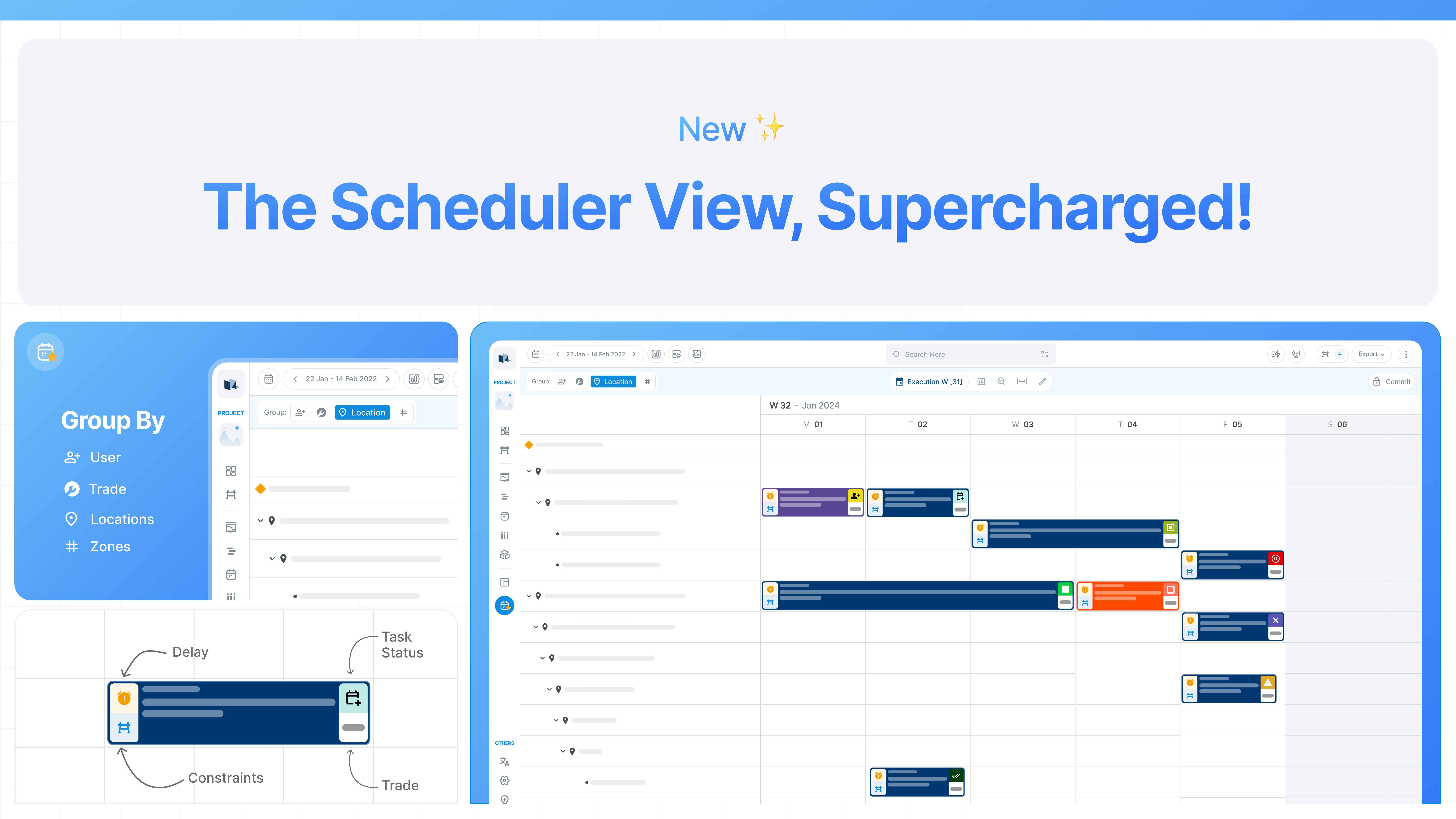
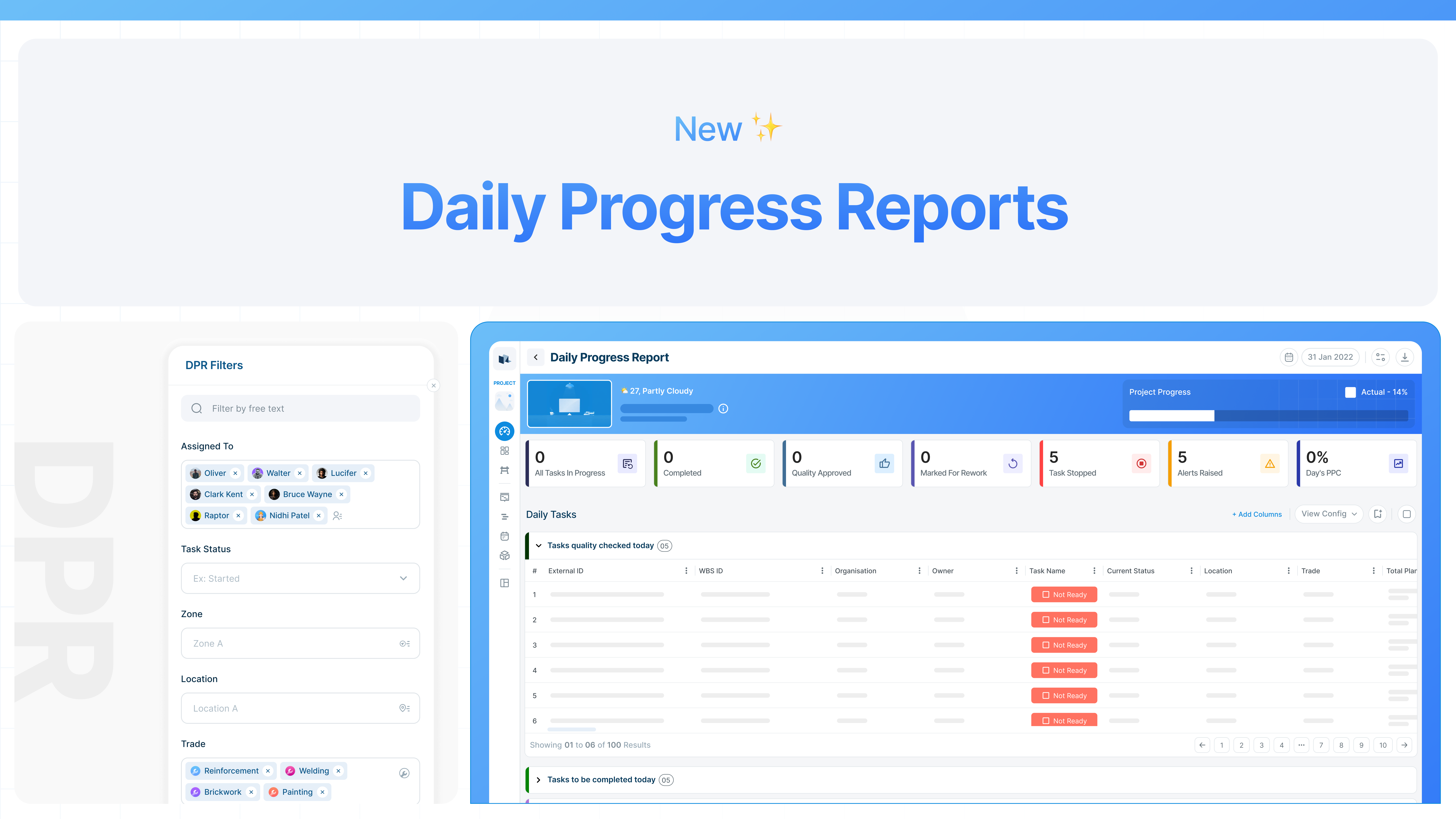
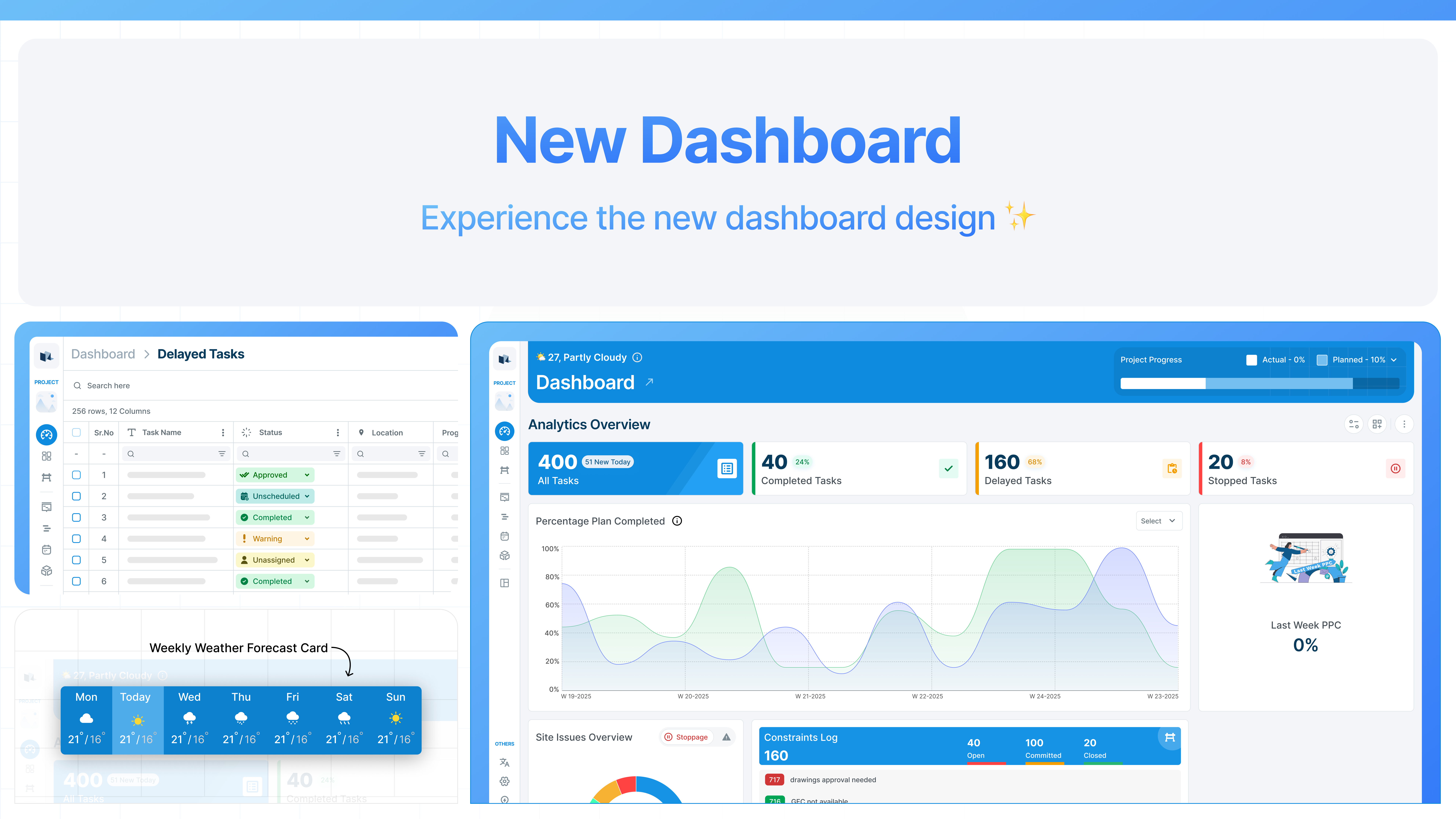
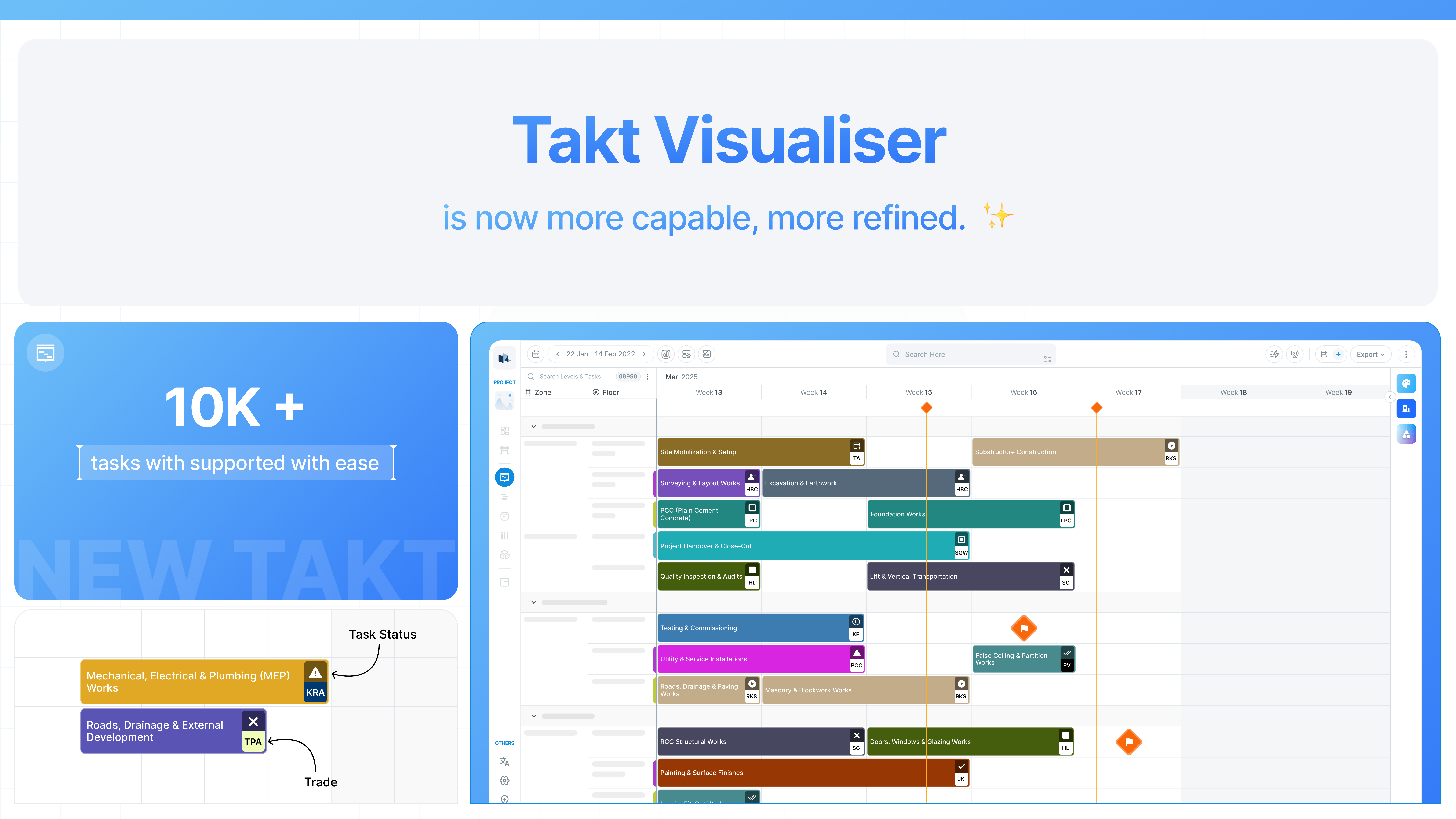
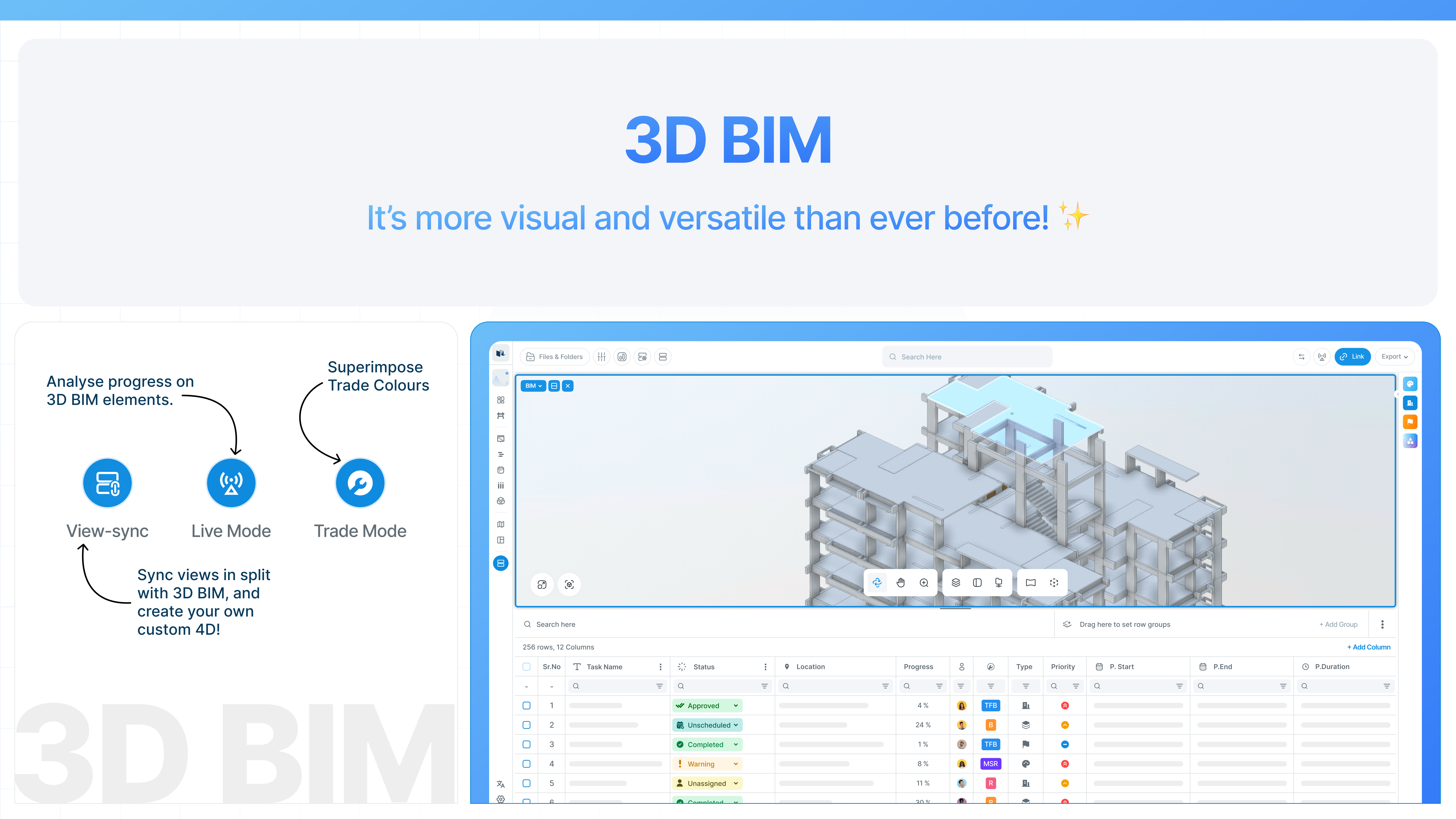
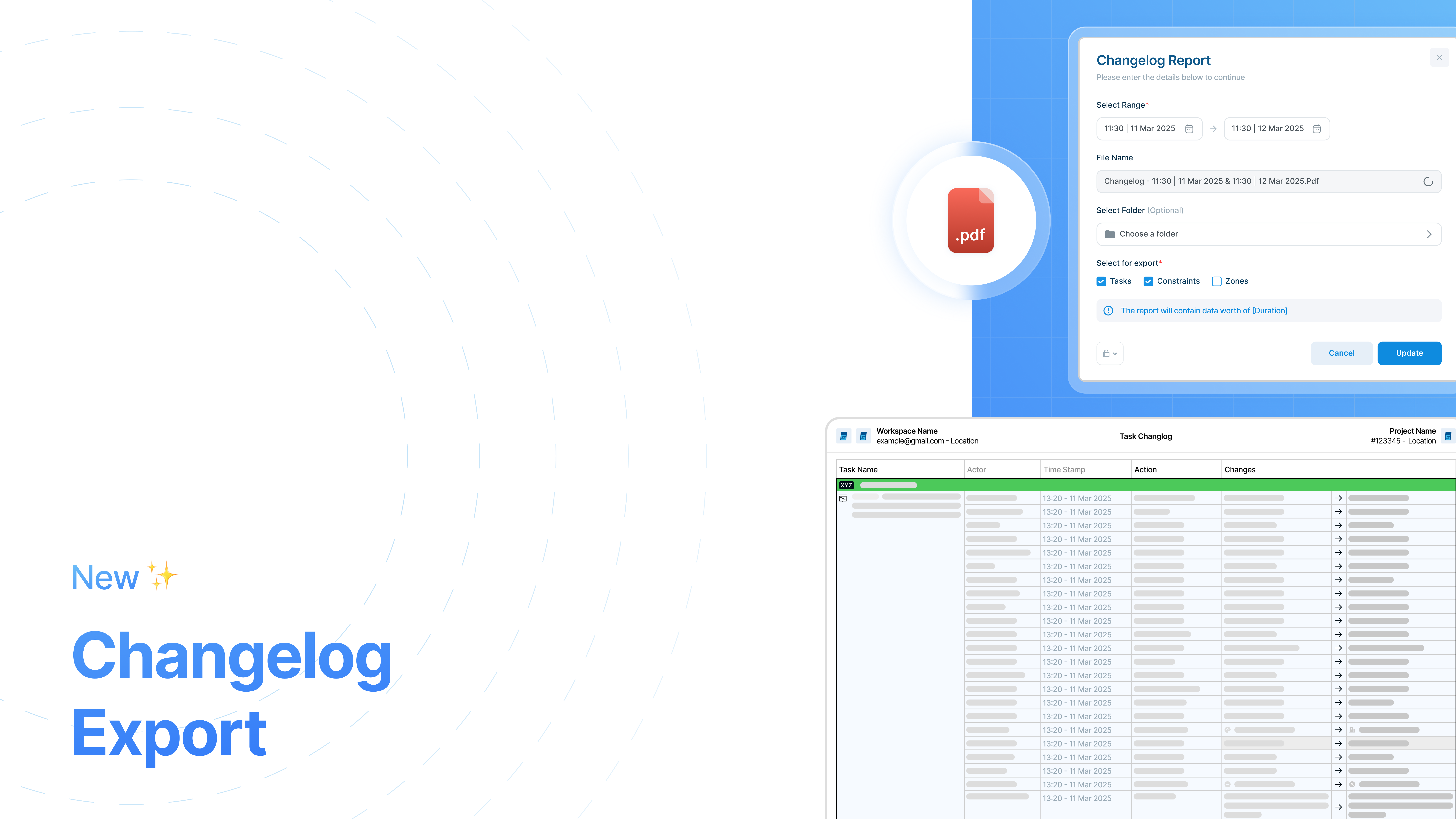


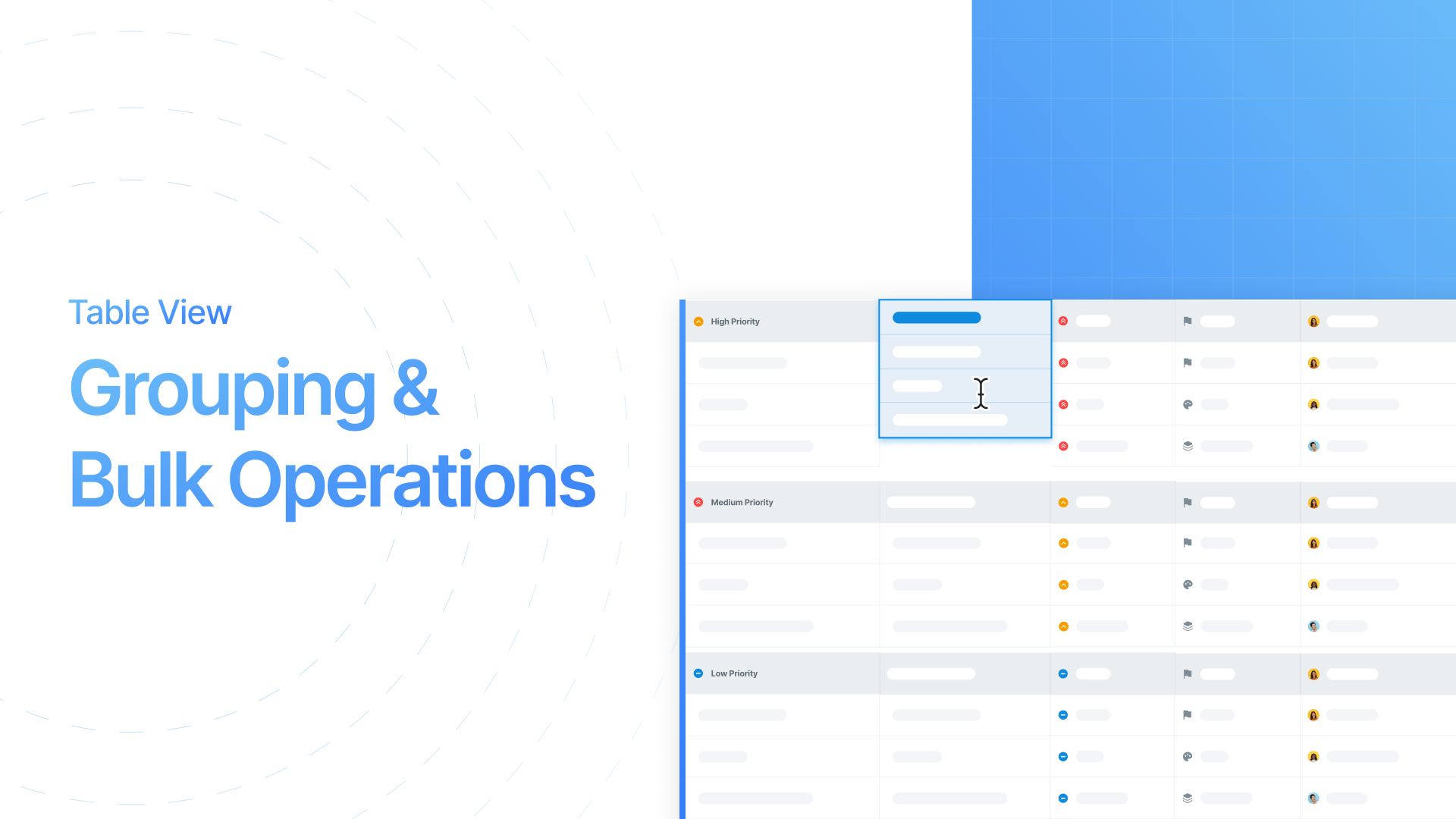


.png?alt=media&token=b49b90bb-4a2f-4100-b5d4-cb21ea05bde3)
.png?alt=media&token=64e95882-0d05-4eb0-83ab-b3aec59060af)
.png?alt=media&token=d9496427-449f-4a5a-800f-aca618b7de45)


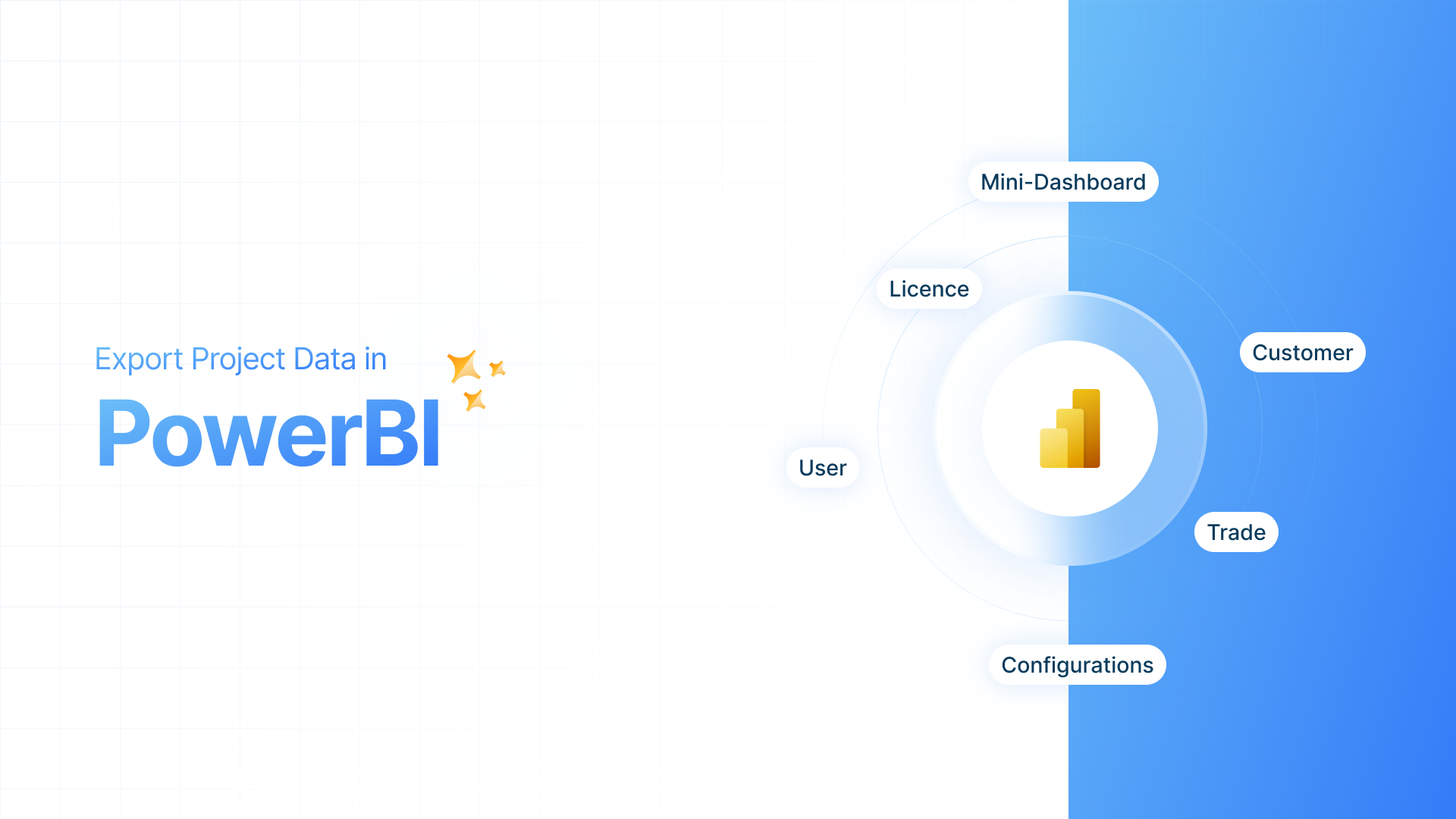


.png?alt=media&token=11b39d46-7d5e-483e-862a-8a76ecc48aa2)


.png?alt=media&token=2f79b1d4-1386-4a56-bc81-41a0f54a3e2b)
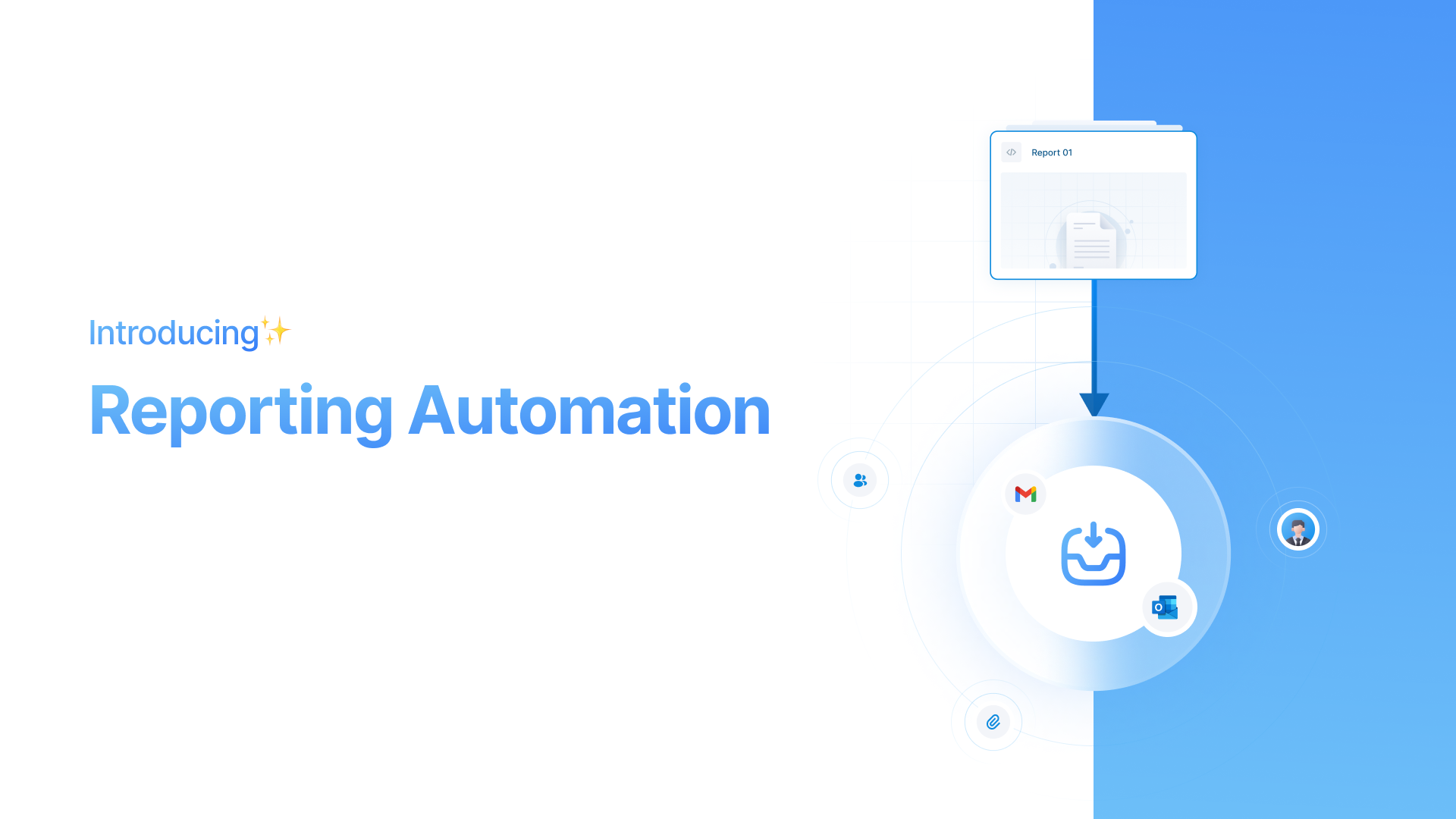
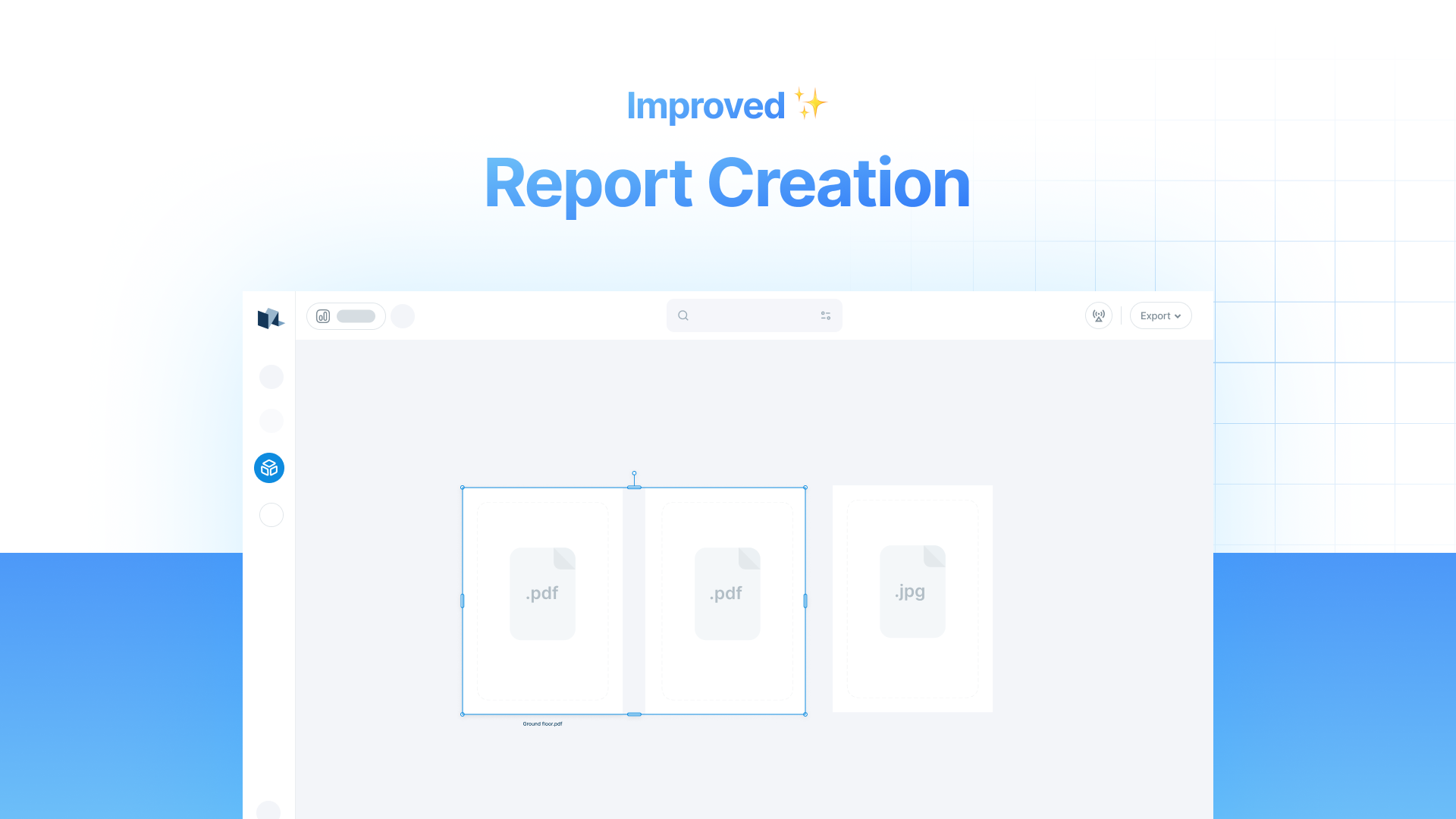
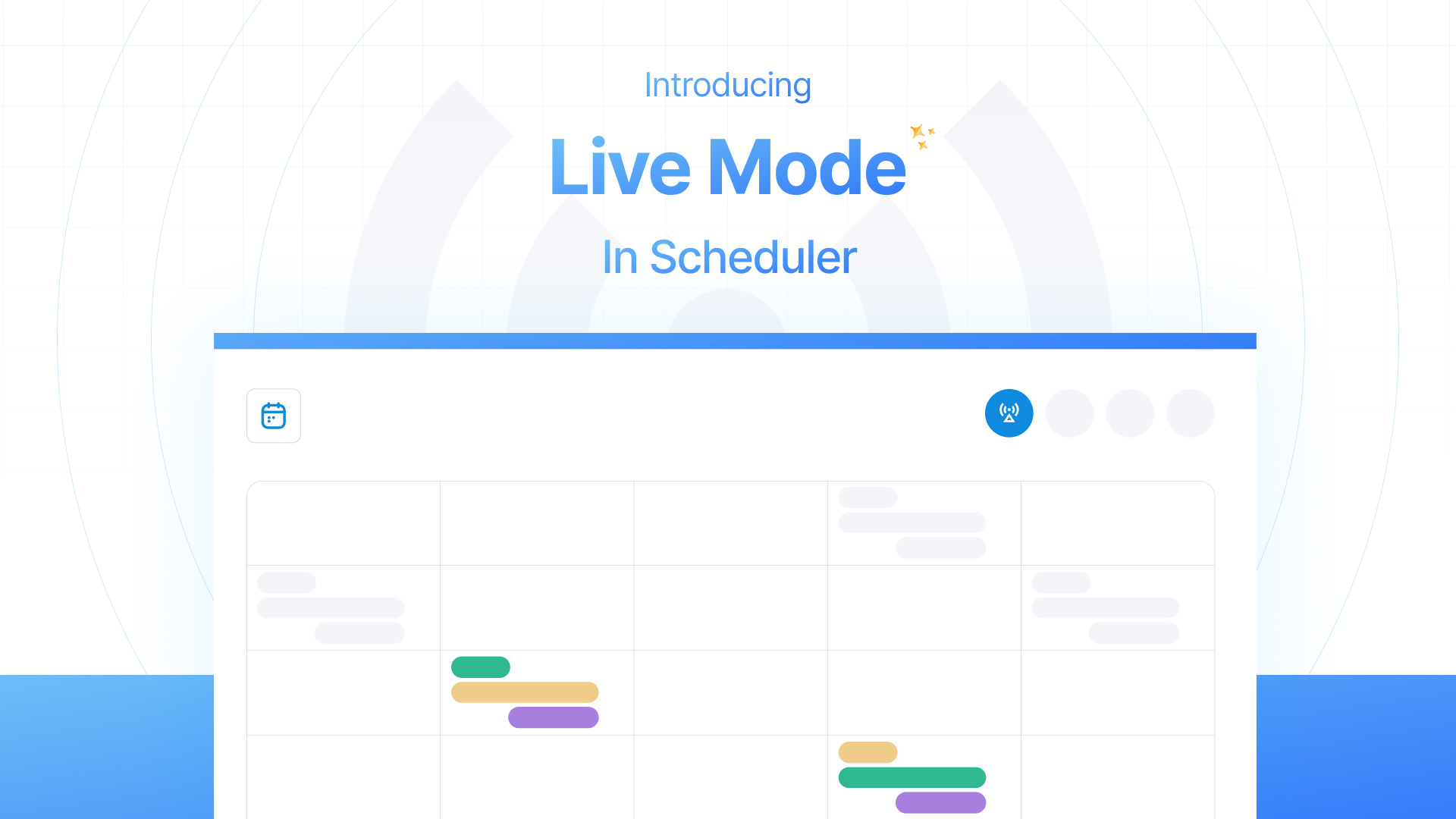

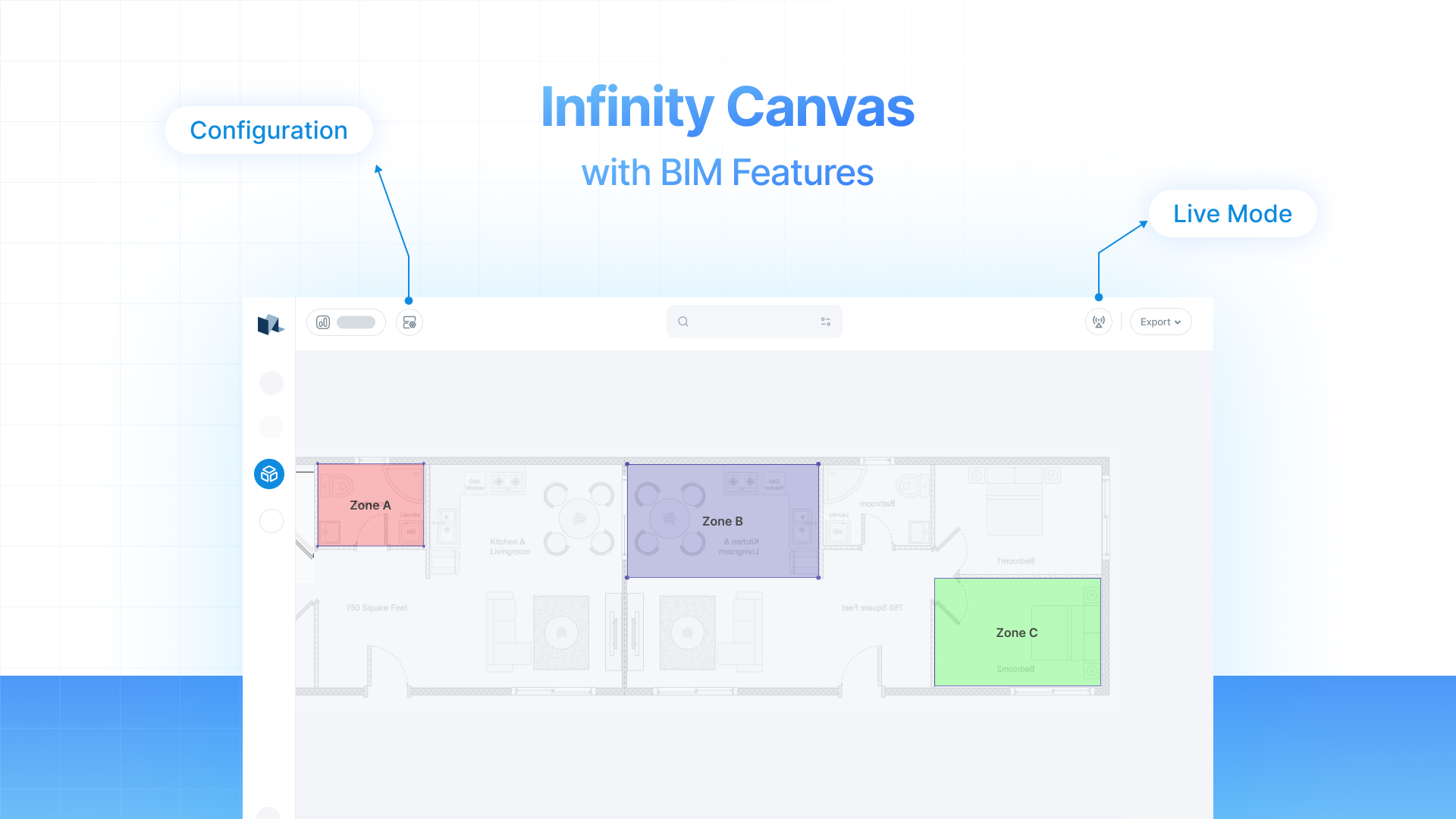
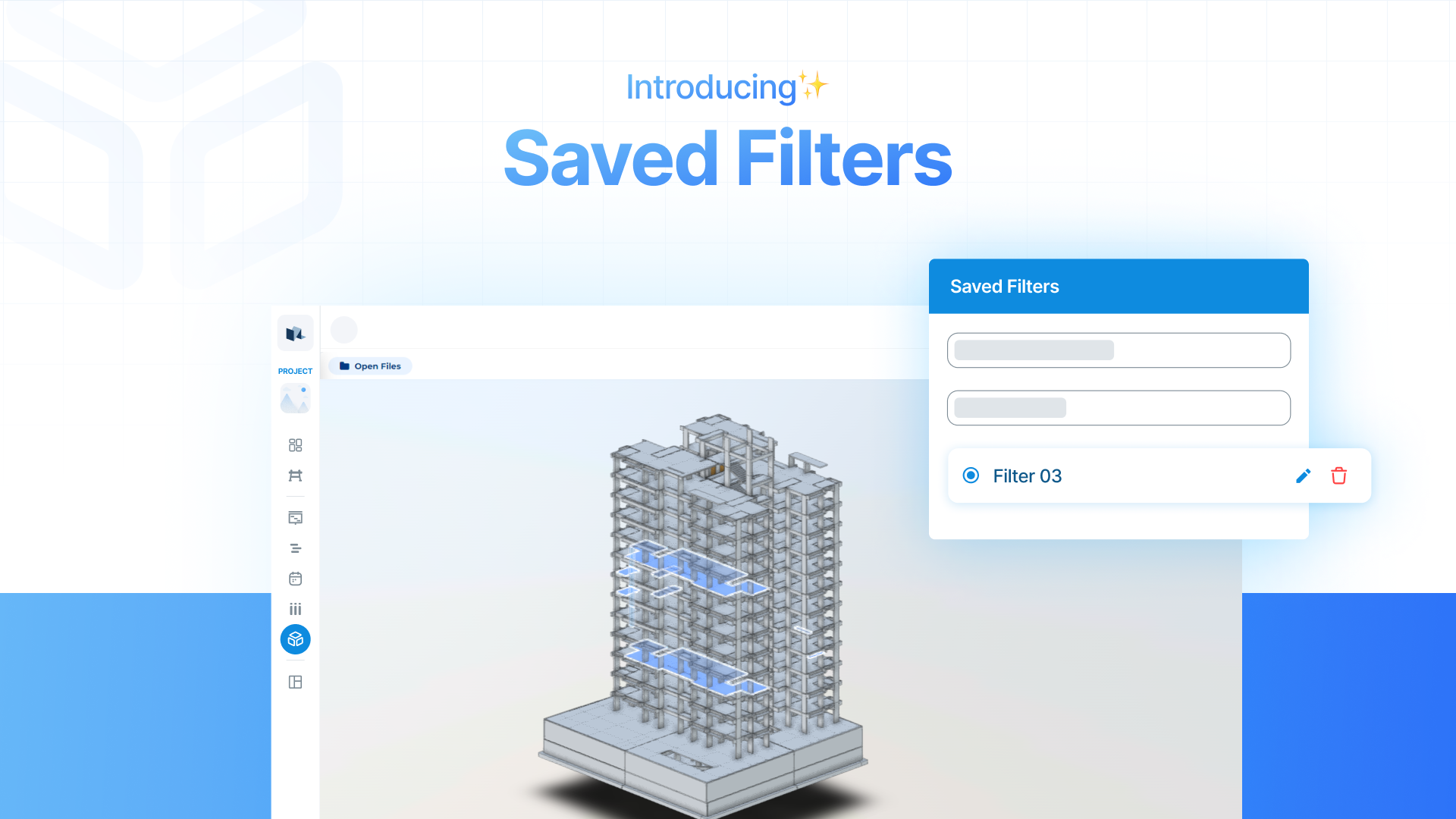


.png?alt=media&token=7a514d10-d980-4430-a301-675d750600a0)
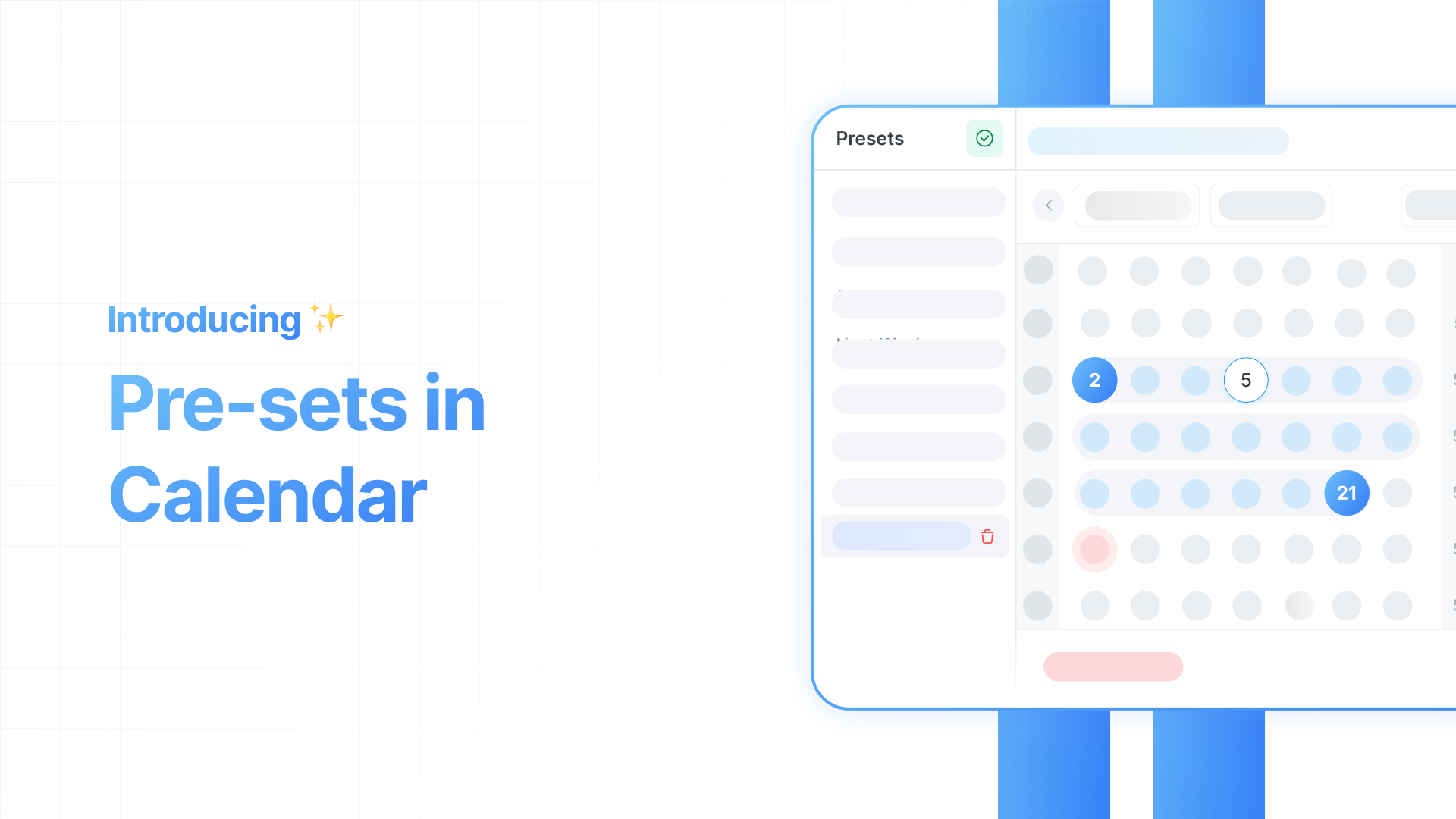

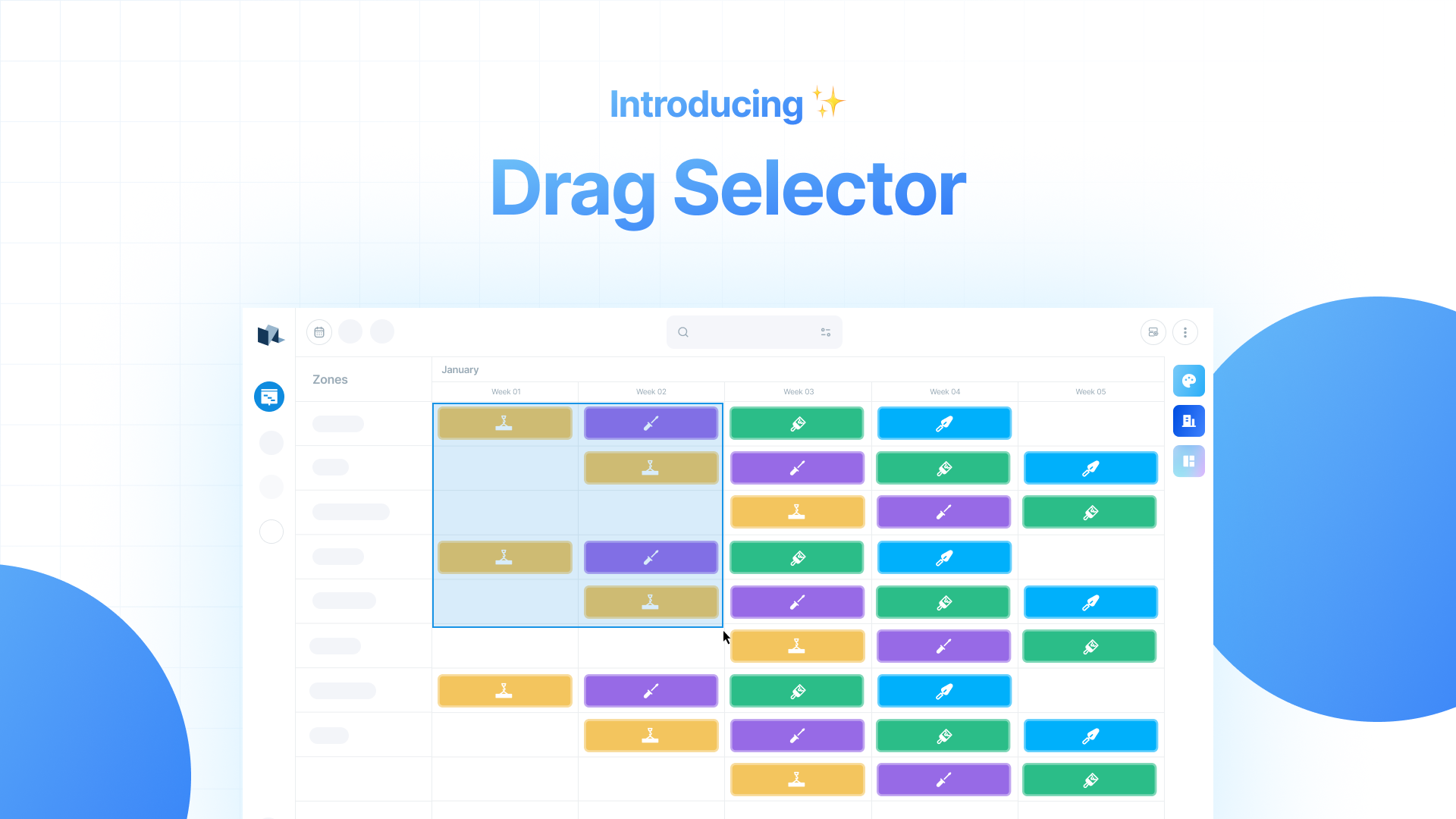


.png?alt=media&token=9a5fd072-1aac-49fb-b2f9-b25dfd0990d2)