# Release 7.0 2025
## 🌟The Dashboard, Reimagined in the New UI!
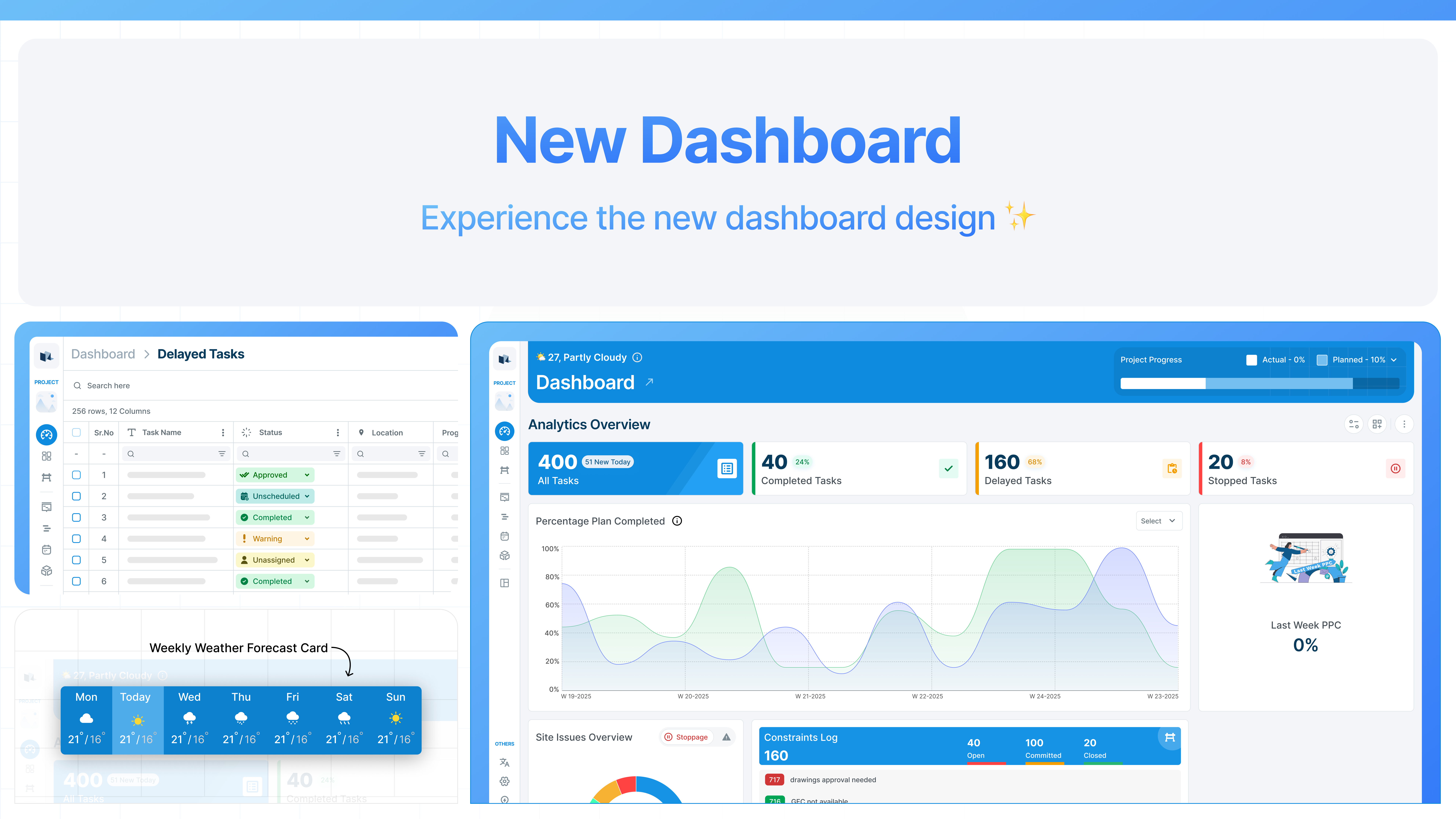
The Dashboard is now available in the New UI, bringing sharper visibility into project performance where it matters most. You can use this dashboard as a single, focused screen for daily control and progress reviews. With improved readability, deeper drill-downs, and a full week of weather insight, teams can spot issues sooner and discuss the same data with confidence. The result is clearer decisions, better-run meetings, and everyone aligned on the true health of the project.
Read more :point\_down:
{% content-ref url="release-7.0-2025/the-dashboard-reimagined" %}
[the-dashboard-reimagined](https://changelog.visilean.com/changelog/release-7.0-2025/the-dashboard-reimagined)
{% endcontent-ref %}
## :gift: New Takt Visualiser Engine!
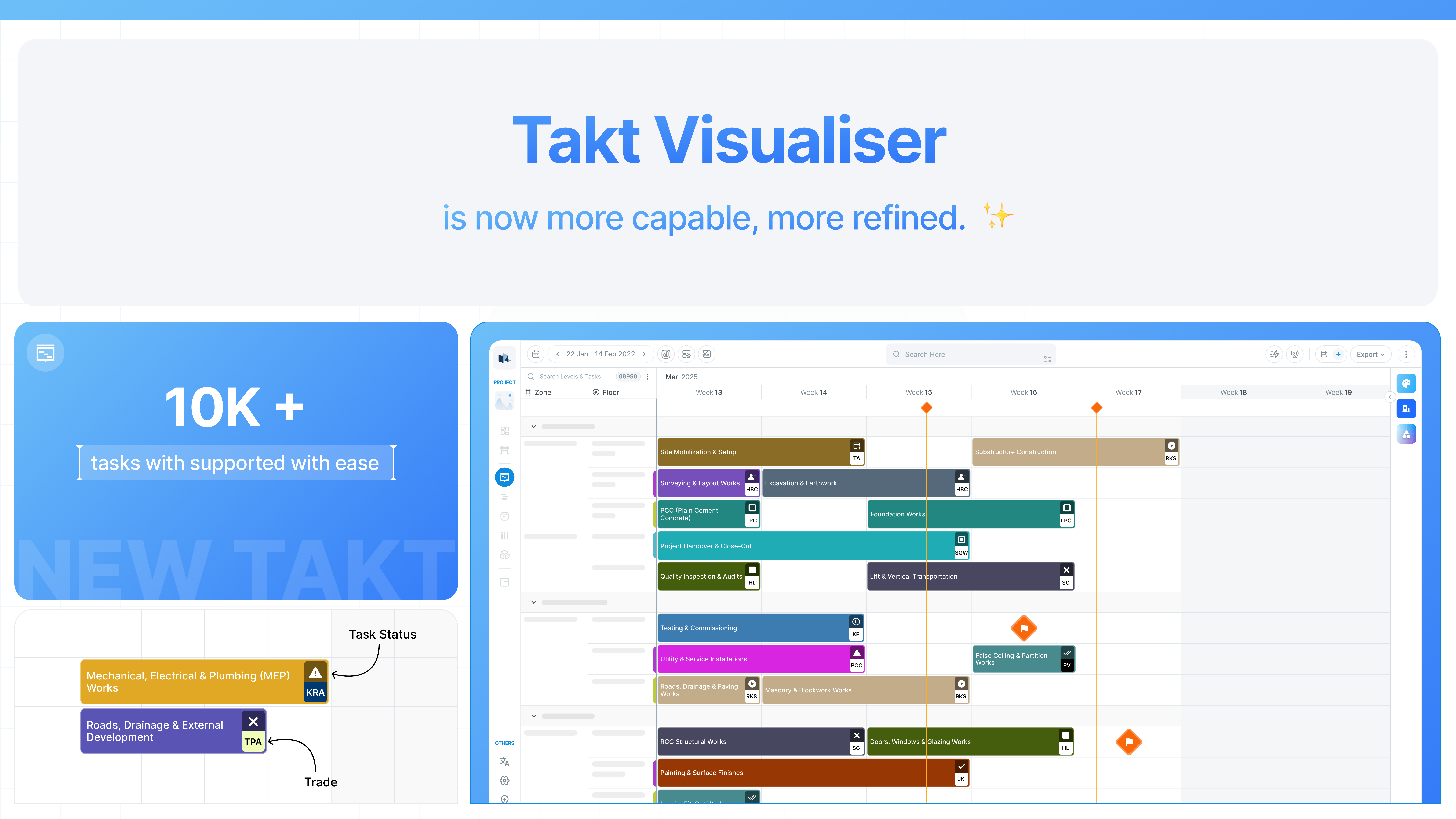
We are introducing a new Takt Visualiser engine designed for speed, clarity, and scale. Large programmes now stay responsive, even with 10,000+ tasks and multi-year plans, so teams can review, adjust, and communicate the plan without friction. A cleaner zone layout reduces visual noise, while bulk task movement makes replanning practical when conditions change on site. Clear hover cues across zones and timelines help teams understand dependencies at a glance and act with confidence.
Read more :point\_down:
{% content-ref url="release-7.0-2025/built-for-scale-ready-for-site" %}
[built-for-scale-ready-for-site](https://changelog.visilean.com/changelog/release-7.0-2025/built-for-scale-ready-for-site)
{% endcontent-ref %}
## :gift: BIM Updates: Clearer Progress Control in 3D BIM
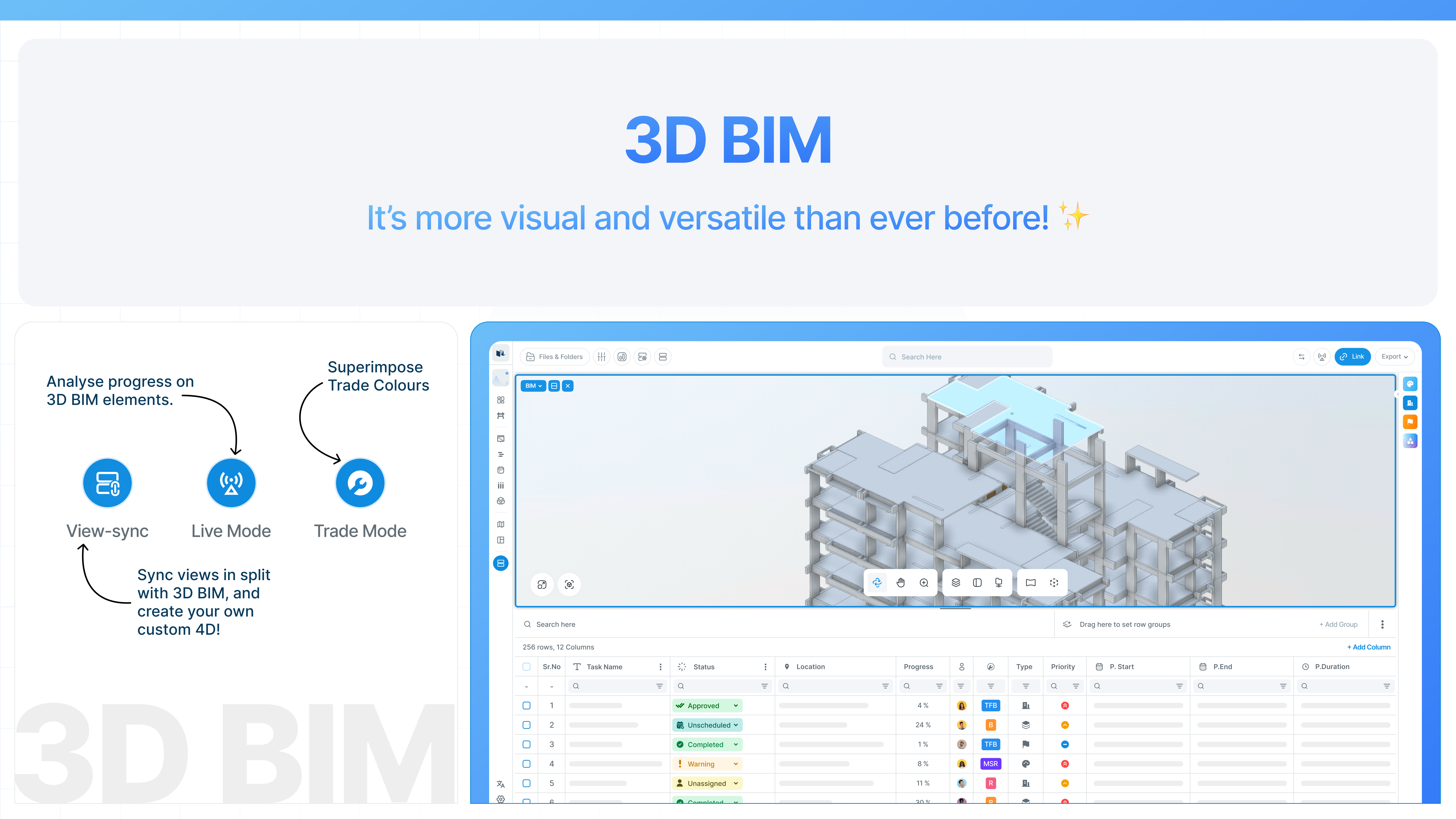
The next VisiLean update strengthens how teams read progress directly on the 3D model. With ViewSync, the split view keeps tasks and model elements aligned, highlighting only what matters while fading the rest into the background. Trade Mode overlays clear trade colours so responsibilities and overlaps are immediately visible. Live Mode adds real-time status insight on top of the model, helping teams see what is complete, delayed, or upcoming within the selected period. Together, these modes turn the 3D BIM view into a practical control surface for day-to-day planning and site coordination.
Read more :point\_down:
{% content-ref url="release-7.0-2025/turn-your-3d-model-into-a-planning-control" %}
[turn-your-3d-model-into-a-planning-control](https://changelog.visilean.com/changelog/release-7.0-2025/turn-your-3d-model-into-a-planning-control)
{% endcontent-ref %}
## :hammer\_pick: Improvements
#### BIM Updates
* [ ] **3D BIM – Model Element Filters & Version Comparison**\
Create custom 3D element filters and compare different versions of the same BIM file. This supports clearer analysis and more structured change-management reporting.
* [ ] **2D BIM (Forge + Konva) – Reports & Saved Configurations**\
Save and reuse 2D BIM configurations to avoid repeated setup when revisiting drawings. This improves continuity and reduces manual rework during reviews.
#### Filters & Task Visibility
* [ ] **Delayed Tasks Filter**\
A new *Delayed Tasks* option is now available in Global Filters, helping teams quickly identify tasks that are behind schedule across multiple views in both new and legacy UIs.
* [ ] **Global Filters in Constraints Tab**\
Global Filters are now accessible within the *Constraints* tab in Table View, improving task analysis during constraint planning.
* [ ] **Takt Task Filter in Global Filters**\
Filter Takt-based tasks directly from Global Filters, enabling faster navigation and better control in Takt-driven projects.
* [ ] **Location Filter**\
A new Location Filter allows teams to filter tasks by location, supporting projects with complex or location-heavy planning structures.
#### Settings
* [ ] **Configurable Display of Zone and Location Properties**\
Choose whether to display Zone, Location, or both across relevant areas of the system. This flexibility supports different planning methodologies used within your organisation.